Acceptable use policy template notes for B2B SaaS founders
If you sell software to other businesses, your acceptable use policy (AUP) is the document that tells customers exactly what they can and cannot do with your pr

If you sell software to other businesses, your acceptable use policy (AUP) is the document that tells customers exactly what they can and cannot do with your product. A weak or missing AUP leaves you exposed to abuse, compliance headaches, and awkward conversations with enterprise prospects who expect one. These notes walk you through the clauses that matter most, the mistakes founders keep making, and a ready-to-use checklist so you can draft or audit your own AUP this week.
TL;DR
- An acceptable use policy defines permitted and prohibited behaviour on your SaaS platform and protects both you and your customers.
- Every B2B AUP should cover at least seven core areas: prohibited content, security obligations, usage limits, data handling, enforcement actions, liability boundaries, and update procedures.
- Generic templates are a starting point, not a finish line, tailor every clause to your product's actual risk profile.
- Pair your AUP with automated checks: tools like Terms Doctor can scan your published terms for red flags before customers do.
- This article is educational, not legal advice. Have a qualified lawyer review your final policy.
Why B2B SaaS founders need an AUP in the first place

An acceptable use policy is not just a legal formality. It serves three practical purposes that directly affect your revenue and reputation:
- Abuse prevention. Without clear rules, a single bad actor can use your API to send spam, scrape data, or host malicious content, and your other customers pay the price through degraded performance or reputational damage.
- Enterprise sales enablement. Procurement teams at mid-market and enterprise companies routinely ask for an AUP during vendor review. If you cannot produce one, you stall the deal or lose it entirely.
- Regulatory alignment. Frameworks like SOC 2, ISO 27001, and GDPR expect you to document acceptable use. An AUP is often the simplest way to demonstrate that you set and communicate behavioural expectations.
"The (Company) Acceptable Use Policy applies to any individual, entity, or process that interacts with any (Company) Information Resource.">, Acceptable Use Policy Template
That quote captures the scope you should aim for: your AUP should cover every user, integration, and automated process that touches your platform, not just the human who signs the contract.
Seven core sections every B2B AUP template should include

Below is a breakdown of the sections you should include. Think of them as building blocks: each one addresses a distinct risk area.
1. Scope and applicability
State who the policy applies to (employees of the customer, contractors, API integrations, third-party plugins) and which services it covers. If you offer multiple products, clarify whether the AUP applies to all of them or only specific tiers.
2. Prohibited content and activities
This is the heart of any AUP. List specific categories of prohibited behaviour rather than relying on vague language like "misuse." Common prohibitions for B2B SaaS include:
- Uploading malware or malicious code.
- Using the service for unsolicited bulk messaging (spam).
- Attempting to reverse-engineer, decompile, or extract source code.
- Storing or transmitting content that violates applicable law (e.g., CSAM, sanctioned-country transactions).
- Running automated vulnerability scans without prior written consent.
- Reselling access without authorisation.
3. Security obligations
Require customers to use strong authentication, report breaches promptly, and keep their own credentials secure. If you support SSO or MFA, state that customers on certain plans are expected to enable it.
4. Usage limits and fair use
Define rate limits, storage caps, bandwidth thresholds, or seat counts. Even "unlimited" plans should have a fair-use clause that prevents one customer from consuming resources at the expense of others.
5. Data handling and privacy
Reference your privacy policy and data processing agreement (DPA). Clarify who owns the data, what happens to it on termination, and whether you use customer data for model training or analytics. This is a major red flag area, Terms Doctor's 101 checks specifically look for AI-training-on-user-data clauses.
6. Enforcement and consequences
Explain the escalation path: warning, suspension, termination. Specify whether you will provide notice before taking action and how long the customer has to cure a violation. Enterprise buyers want predictability here, not surprises.
7. Policy updates and notification
Describe how you will communicate changes, email, in-app banner, changelog, and how much advance notice you will give. A 30-day notice window is common; anything less can feel aggressive to customers.
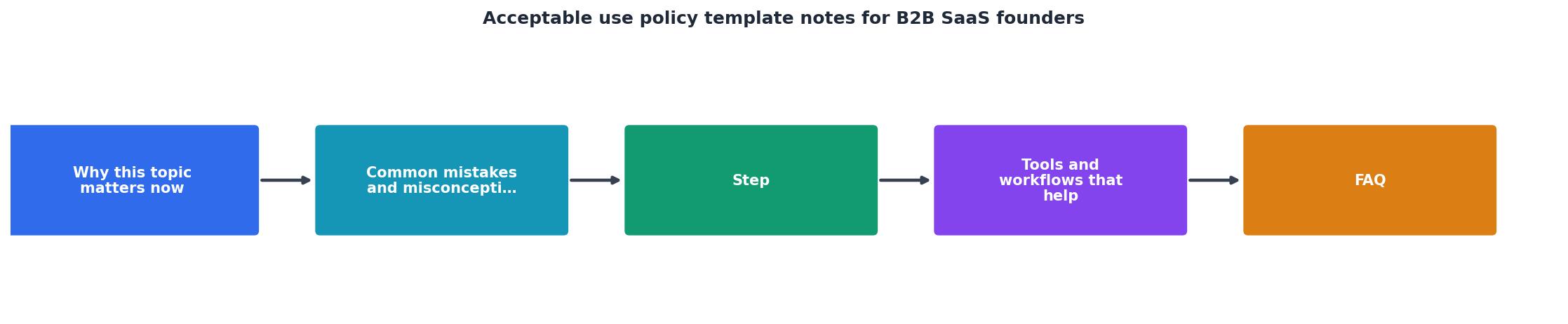
Step-by-step: drafting your AUP from a template
Follow these steps to turn a generic template into a policy that actually fits your product:
- Inventory your risk surface. List every way a customer interacts with your platform: web app, API, mobile SDK, webhooks, integrations. Each interaction point may need its own rules.
- Gather input from engineering and support. Your support team knows the abuse patterns; your engineers know the technical limits. Both perspectives belong in the AUP.
- Start with a reputable template. Use a framework like the FRSecure template or the SANS AUP template as your skeleton. Do not copy-paste from a competitor, their risk profile is not yours.
- Customise every clause. Replace generic placeholders with your company name, product names, and specific thresholds. Vague language like "reasonable use" invites disputes.
- Add product-specific prohibitions. If you run an AI platform, prohibit generating deepfakes. If you run a communication tool, prohibit harassment. Match the rules to the actual harm your product could enable.
- Run a readability pass. Aim for an eighth-grade reading level. If a clause requires a law degree to parse, rewrite it. Plain language builds trust and reduces support tickets.
- Get legal review. A lawyer familiar with SaaS and your target markets (US, EU, etc.) should review the final draft for enforceability and regulatory compliance.
- Publish and link prominently. Place the AUP in your footer, your sign-up flow, and your help centre. A policy nobody can find is a policy nobody follows.
AUP Drafting Checklist for B2B SaaS Founders
Your progress is saved automatically in your browser.
Common mistakes founders make with AUP templates
Even well-intentioned founders stumble on these recurring issues:
- Copy-pasting from a B2C company. Consumer AUPs focus on individual behaviour. B2B AUPs need to address organisational responsibility, sub-users, and API access. The structure is fundamentally different.
- Burying the AUP inside the ToS. When the acceptable use policy is a subsection of a 10,000-word terms of service document, nobody reads it. Keep it as a standalone, linkable page.
- Using vague enforcement language. Phrases like "we reserve the right to take action" without specifying what action or under what timeline create uncertainty. Enterprise legal teams will push back.
- Forgetting about APIs and integrations. Your human users might behave perfectly, but a misconfigured integration can hammer your servers or exfiltrate data. Your AUP should explicitly cover automated access.
- Never updating the policy. Your product evolves; your AUP should too. Schedule a review at least twice a year or whenever you launch a major feature.
How Terms Doctor helps you audit published terms
Once your AUP is live, you are on the other side of the table too, you sign up for dozens of SaaS tools yourself, each with its own terms. Terms Doctor is a free browser extension for Chrome, Edge, Brave, Opera, and Vivaldi that automatically finds the terms of service on any website, runs 101 consumer-protection checks, and grades them A-F. It flags clauses like forced arbitration, auto-renewal traps, and AI training on user data so you can spot risks in seconds instead of reading pages of legalese. Install it from the Terms Doctor homepage and let it work in the background every time you evaluate a new vendor. Remember: automated checks are not legal advice, but they are a effective first filter.
Frequently Asked Questions
Additional Resources
- Acceptable Use Policy Template - Download our acceptable use policy template now. Acceptable Use Policy is to establish acceptable practices regarding the use of (Company) Information Resources
- Acceptable Use Policy Template - An Acceptable Use Policy (AUP) is a document where you let users know what is acceptable and what is not acceptable when using your service ...
- Acceptable Use Policy (AUP): Ultimate Guide + Free ... - Learn what an acceptable use policy includes, get a free AUP template, and see how it maps to SOC 2, ISO 27001, HIPAA, and GDPR.
Ready to Read Terms Before You Sign?
Terms Doctor finds terms of service on any site and grades them A-F in seconds.
Get Started“Terms Doctor flagged forced arbitration and AI training clauses in seconds. I finally know what I am agreeing to.”
Privacy-conscious shopper