Cookie policy review checklist for creator platforms teams
Creator platforms, think Patreon, Gumroad, Teachable, Ko-fi, and dozens of newer alternatives, rely heavily on cookies to track subscriptions, serve personalize

Photo by Clem Onojeghuo from Pexels
Creator platforms, think Patreon, Gumroad, Teachable, Ko-fi, and dozens of newer alternatives, rely heavily on cookies to track subscriptions, serve personalized content, and run affiliate programs. If you're a creator, a small team managing multiple storefronts, or a privacy-conscious buyer subscribing to creator tools, the cookie policy buried in those platforms' legal pages can directly affect your data, your audience's data, and even your revenue. This checklist gives you a repeatable, step-by-step process to audit any creator platform's cookie policy before you commit.
TL;DR
- Creator platforms use cookies for analytics, ad retargeting, affiliate attribution, and subscription management, each category carries different privacy risks.
- A structured checklist prevents you from missing critical clauses like third-party data sharing, cross-site tracking, and consent-mechanism gaps.
- GDPR, ePrivacy Directive, and CCPA each impose specific cookie-consent requirements that creator platforms often handle inconsistently.
- Terms Doctor's 101 automated checks flag cookie-related red flags (like silent ad-tracking consent) so you can focus your manual review on what matters.
- This resource includes a ready-to-use checklist, a red-flag list, and an FAQ to help your team review cookie policies in under 30 minutes.
Why cookie policies matter more on creator platforms

Most SaaS tools set a handful of functional cookies and call it a day. Creator platforms are different. They sit at the intersection of e-commerce, content delivery, and advertising, which means their cookie footprint is unusually large. Here is why that matters for your team:
- Affiliate and referral tracking, Platforms like Gumroad and Impact use long-lived cookies (sometimes 90+ days) to attribute sales. If the cookie policy doesn't disclose the retention period, you can't assess the tracking window your audience is exposed to.
- Embedded third-party content, Creators embed videos, payment widgets, and social-share buttons. Each embed can drop its own cookies, and the platform's policy may or may not cover them.
- Audience analytics, Platforms often layer Google Analytics, Hotjar, or proprietary analytics on top of creator dashboards. Those cookies collect behavioral data on your subscribers, not just on you.
- Ad retargeting pixels, Many creator platforms pre-install Meta Pixel or TikTok Pixel for conversion tracking. The cookie policy should explicitly list these, but often it lumps them under vague "marketing cookies" language.
Key takeaway: Creator platforms combine e-commerce, content, and advertising cookies in ways that make their policies harder to review, and more important to get right.
The complete cookie policy review checklist
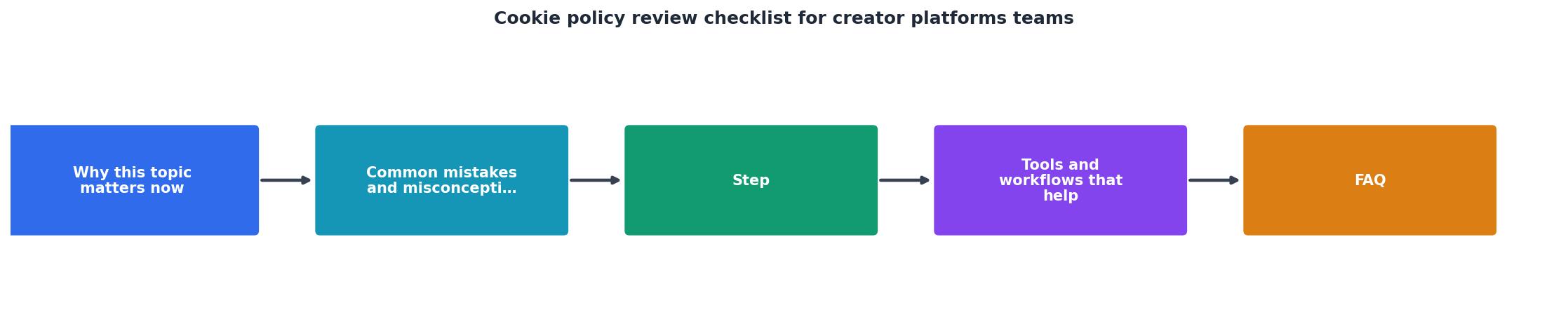
Use this checklist every time your team evaluates a new creator platform or when an existing platform sends a policy-update notification. Each item maps to a concrete question you should be able to answer "yes" to after reading the policy.
Cookie Policy Review Checklist for Creator Platforms
Your progress is saved automatically in your browser.
Step-by-step: how to run the review

Follow these steps to turn the checklist above into a repeatable workflow your team can complete in about 30 minutes per platform.
Step 1, Locate the cookie policy
Not every platform puts its cookie policy in the same place. Check the footer for links labeled "Cookie Policy," "Cookie Notice," or "Privacy & Cookies." Some platforms fold cookie disclosures into the main privacy policy under a dedicated section. If you can't find it, install the free Terms Doctor extension, it automatically discovers terms of service and related legal pages on any website you visit, so you won't waste time hunting through footer links.
Step 2, Run an automated first pass
Open the platform's page with Terms Doctor active. The extension runs 101 consumer-protection checks, including several that specifically flag cookie and tracking issues: undisclosed third-party data sharing, silent marketing-consent defaults, and missing opt-out mechanisms. The A-F grade gives you an instant sense of how the policy stacks up before you read a single paragraph.
Step 3, Walk through the checklist manually
With the automated report open beside the cookie policy, go through each checklist item. Mark items as complete, flag items that are missing, and note any language that is ambiguous. Pay special attention to:
- Vague category labels, "Performance cookies" that actually include ad-retargeting pixels.
- Missing retention periods, A policy that says "persistent" without specifying 30 days vs. 2 years.
- Bundled consent, A single toggle that covers both analytics and advertising cookies.
Step 4, Check the consent mechanism in practice
Actually visit the platform as a new user (use an incognito window). Does a cookie banner appear? Can you reject non-essential cookies without extra clicks? Use your browser's developer tools (Application → Cookies) to verify that no marketing cookies are set before you give consent. If cookies appear before the banner, that is a compliance red flag under GDPR's ePrivacy Directive.
Step 5, Document and share findings
Record your results in a shared document or project-management tool. Include the date of review, the policy's last-updated date, the Terms Doctor grade, and a summary of any red flags. Schedule a re-review whenever the platform notifies you of policy changes, or use Terms Doctor's change-tracking feature to get alerted automatically.
"The Cookie Governance Checklist is built from real scenarios privacy teams encounter, so you're not just checking boxes.">, 5
Red flags to watch for
Even with a thorough checklist, some issues are easy to overlook. Here are the most common red flags specific to creator platforms:
- "We may share data with our partners" without naming those partners, this often hides ad-network data sharing.
- No mention of affiliate cookies at all, if the platform runs an affiliate program but the cookie policy is silent about it, the policy is incomplete.
- Consent banner with a dark pattern, a large green "Accept All" button and a tiny gray "Manage Preferences" link buried in small text.
- Cookie wall, the platform blocks content entirely until you accept all cookies, which most EU data-protection authorities consider non-compliant.
- Policy last updated more than 18 months ago, cookie ecosystems change fast; an outdated policy likely doesn't reflect current tracking practices.
- No jurisdiction-specific section, if the platform serves EU or California users but doesn't mention GDPR or CCPA, that is a significant gap.
- Fingerprinting or "cookieless tracking" not disclosed, some platforms have moved to server-side tracking or browser fingerprinting and removed cookie references, even though these techniques still require disclosure and consent in many jurisdictions.
doubleclick.net, facebook.com, or analytics.tiktok.com, the platform is setting marketing cookies without your consent, a clear compliance failure.
How Terms Doctor speeds up the process
You don't have to do all of this manually. The free Terms Doctor browser extension, available for Chrome, Edge, Brave, Opera, and Vivaldi, automates the heaviest parts of the review:
- Automatic ToS discovery, navigates to the cookie policy (and every other legal page) without you searching for footer links.
- A-F grading, gives your team a quick, comparable score across every platform you evaluate.
- Red-flag highlights, calls out forced arbitration, AI training on user data, auto-renewal traps, and cookie-specific issues like undisclosed third-party tracking.
- Change tracking, alerts you when a platform updates its policy, so you know exactly when to re-run the checklist.
Frequently Asked Questions
Start reviewing smarter today
Cookie policies on creator platforms are uniquely complex, but they don't have to be uniquely painful to review. Grab the free Terms Doctor extension for Chrome, Edge, Brave, Opera, or Vivaldi, run it on your next creator-platform signup, and pair the automated A-F grade with the checklist above. In under 30 minutes, your team will know exactly where a platform stands, no legal degree required.
Additional Resources
- 5-Step Cookie Governance Checklist for Privacy Pros - Download the Cookie Governance Checklist for a practical 5-step guide to compliant cookie management and privacy team success.
- Cookies, Tracking & Consent: The 2026 Legal Checklist for ... - 1. Inventory Every Tracker on Your Site · 2. Audit How Your Tag Manager Handles Consent · 3. Choose and Configure a Consent Management Platform · 4 ...
- Cookie Compliance Review Checklist - 1. Website Cookie Scan Report · 2. Cookie Classification and Service Mapping · 3. Google Consent Mode Configuration Review · 4. GDPR Cookie Banner ...
Ready to Read Terms Before You Sign?
Terms Doctor finds terms of service on any site and grades them A-F in seconds.
Get Started“Terms Doctor flagged forced arbitration and AI training clauses in seconds. I finally know what I am agreeing to.”
Privacy-conscious shopper