Acceptable use policy review checklist for AI tools teams
Every AI tool your team adopts comes with an acceptable use policy (AUP) that dictates what you can and cannot do with the service. Ignore it, and you risk acco

Photo by Markus Winkler from Pexels
Every AI tool your team adopts comes with an acceptable use policy (AUP) that dictates what you can and cannot do with the service. Ignore it, and you risk account termination, data loss, or even legal liability. This checklist walks you through every clause you should review before rolling out a new AI tool across your organization, so you can move fast without breaking compliance.
TL;DR
- Acceptable use policies for AI tools often contain hidden restrictions on commercial use, data retention, and output ownership that can derail your workflows.
- A structured review checklist helps teams catch red flags before onboarding a new tool, not after an incident.
- Pay special attention to clauses about AI training on your data, content moderation, and automated decision-making.
- Pair manual review with automated scanning (like Terms Doctor's 101-check grading) to avoid missing critical terms.
- Revisit AUPs quarterly, providers update them frequently and often without prominent notice.
Why acceptable use policies matter more for AI tools

Traditional SaaS acceptable use policies mostly prohibit illegal activity and spam. AI tool AUPs go much further. They regulate what data you can feed into the model, whether the provider can train on your inputs, who owns the generated output, and which use cases are explicitly banned (medical advice, legal decisions, weapons design, and more).
For teams that rely on AI for content creation, customer support, code generation, or data analysis, a single overlooked clause can mean:
- Loss of intellectual property, some AUPs grant the provider a broad license to use your inputs for model improvement.
- Compliance violations, feeding personal data into a tool whose AUP permits cross-border transfers may breach GDPR or CCPA obligations.
- Service disruption, violating an AUP can result in immediate account suspension, taking your entire workflow offline.
- Reputational damage, if an AI tool generates harmful content and your team published it, the AUP may shift all liability to you.
Key takeaway: Reviewing an AI tool's acceptable use policy is not a legal formality, it is a core risk-management step that protects your data, your output, and your team's ability to keep working.
The complete AUP review checklist
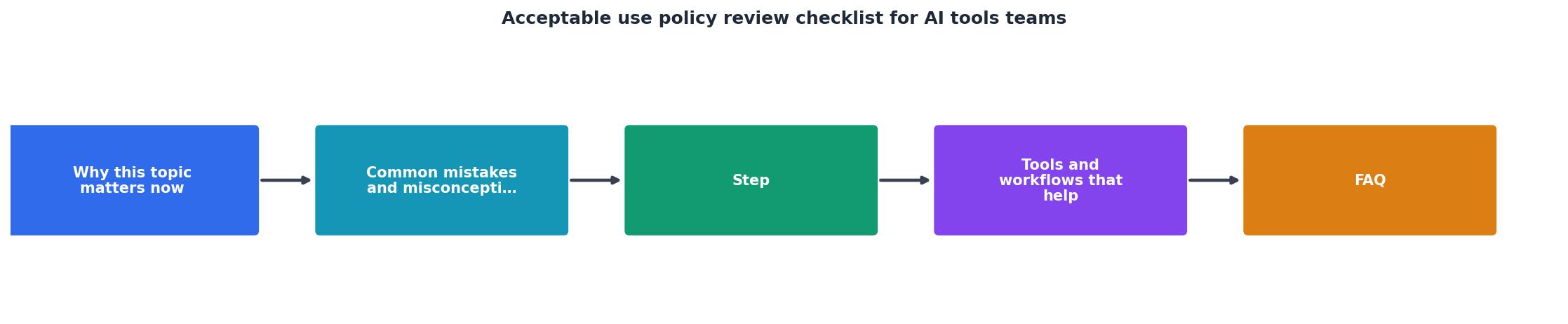
Use this checklist every time your team evaluates a new AI tool or when an existing provider notifies you of policy changes. Each item maps to a specific risk category so you can prioritize what matters most for your organization.
Acceptable Use Policy Review Checklist for AI Tools
Your progress is saved automatically in your browser.
Step-by-step: how to run an AUP review
Following a repeatable process ensures nothing slips through the cracks, especially when multiple team members evaluate different tools simultaneously.
- Gather all policy documents. AI providers often split terms across a Terms of Service, an Acceptable Use Policy, a Privacy Policy, and a Data Processing Agreement. Collect every document before you start reviewing.
- Run an automated scan first. Use Terms Doctor to instantly locate the terms page, grade it A-F, and highlight red-flag clauses like forced arbitration, AI training on user data, and auto-renewal traps. This gives you a prioritized starting point instead of reading thousands of words blind.
- Map clauses to your checklist. Go through each checklist item above and note the specific section and paragraph number in the AUP that addresses it. If a topic is not covered at all, flag it as a gap, silence on data training, for example, is itself a red flag.
- Score each clause. Use a simple traffic-light system: green (acceptable as-is), yellow (acceptable with mitigation or negotiation), red (unacceptable, blocks adoption). This makes it easy to summarize findings for decision-makers.
- Document your findings. Create a brief review memo that lists the tool name, review date, reviewer, overall risk rating, and any red or yellow items with recommended actions.
- Escalate red items. Any red-flagged clause should go to your legal or compliance team before the tool is approved. Include the exact clause text and your reasoning.
- Set a review cadence. Schedule quarterly re-reviews. Use Terms Doctor's change-tracking feature to get notified when a provider updates their terms, so you are never caught off guard.
"Data protection will most likely be one of the most visible parts of any AI policy.">, How to Create an AI Policy Employees Can Follow
Red flags to watch for in AI tool AUPs

Not every clause deserves equal attention. Here are the specific patterns that should trigger immediate scrutiny:
- "We may use your content to improve our services." This is the most common way providers claim the right to train on your data. If the AUP does not offer a clear, accessible opt-out, assume your inputs will be used.
- "You are solely responsible for all outputs." While reasonable on the surface, this clause combined with no content-filtering transparency means you carry 100% of the liability with zero visibility into how the model behaves.
- "We reserve the right to modify these terms at any time." Without a commitment to advance notice (30 days is a reasonable minimum), you could wake up to new restrictions that break your workflow.
- "All disputes shall be resolved through binding arbitration." Forced arbitration clauses strip away your right to go to court. Combined with a class-action waiver, they make it nearly impossible to seek collective redress.
- "Your subscription will automatically renew." Auto-renewal is standard, but watch for clauses that require cancellation 30, 60, or even 90 days before the renewal date, miss the window and you are locked in for another term.
- Vague prohibited-use language. Phrases like "any use we consider inappropriate" give the provider unlimited discretion to terminate your account. Look for specific, enumerated prohibitions instead.
Building an internal AI tools policy based on your reviews
Once you have reviewed several AI tool AUPs, patterns emerge. Use those patterns to build an internal acceptable use policy for your own team. This internal policy should cover:
- Approved tools list, Maintain a living document of AI tools that have passed your review process, along with any conditions (e.g., "approved for non-confidential data only").
- Data classification rules, Define which data categories (public, internal, confidential, regulated) can be used with which tools. This prevents team members from accidentally feeding sensitive client data into a tool that trains on inputs.
- Output review requirements, Specify when AI-generated content must be reviewed by a human before publication or delivery. This is especially important for customer-facing content, legal documents, and code.
- Incident response procedures, Document what to do if a team member discovers they violated an AUP or if a provider changes terms in a way that affects your compliance posture.
- Training and onboarding, Require every team member to read the AUP summary memo before using a new tool. A five-minute read now prevents a five-month legal headache later.
FAQ
Frequently Asked Questions
Let Terms Doctor do the heavy lifting
Reviewing acceptable use policies manually is essential, but it does not have to start from scratch every time. Install the free Terms Doctor extension for Chrome, Edge, Brave, Opera, or Vivaldi, and let it automatically find the terms page, run 101 consumer-protection checks, and grade the policy A-F, all before you read a single paragraph. Pair automated scanning with the checklist above, and your team will onboard AI tools faster and safer. Remember: automated checks are a effective starting point, but they are not legal advice, always consult a qualified professional for binding decisions.
Additional Resources
- How to Create an AI Policy Employees Can Follow - Assess current AI usage. Identify which tools employees already use, what tasks they. Define approved AI tools. Set acceptable-use rules.
- What is an AI Acceptable Use Policy (AUP)? - You can use the framework and checklist in this guide as core components to create your own AI acceptable use policy template.
- What is an AI Acceptable Use Policy (AUP) and Why Do ... - 1. Scope, ownership, and definitions · 2. Approved tools and prohibited uses · 3. Data classification and handling rules · 4. Tool request and approval workflow · 5 ...
Ready to Read Terms Before You Sign?
Terms Doctor finds terms of service on any site and grades them A-F in seconds.
Get Started“Terms Doctor flagged forced arbitration and AI training clauses in seconds. I finally know what I am agreeing to.”
Privacy-conscious shopper