Checklist: spot surveillance advertising clauses before you subscribe
You found a promising new app, your cursor is hovering over the "Start Free Trial" button, and somewhere below it sits a wall of legal text you will never read.

Photo by Elmir Jafarov from Pexels
You found a promising new app, your cursor is hovering over the "Start Free Trial" button, and somewhere below it sits a wall of legal text you will never read. Buried inside that wall are surveillance advertising clauses, provisions that let the company track your behavior, build a profile, and sell or share that profile with ad networks. This checklist will teach you exactly what to look for so you can make an informed decision in under five minutes.
TL;DR
- Surveillance advertising clauses let services collect, profile, and monetize your personal data for targeted ads, often without clear opt-out paths.
- Look for five red-flag phrases: "behavioral advertising," "advertising partners," "device fingerprinting," "cross-site tracking," and "data enrichment."
- A quick Ctrl+F search of any terms page can surface the worst offenders in seconds.
- Terms Doctor's 101 automated checks flag these clauses instantly and grade the service A–F.
- Automated tools help, but they are not legal advice, consult a professional for binding decisions.
Why Surveillance Advertising Clauses Matter

Surveillance advertising, sometimes called behavioral advertising or programmatic ad targeting, is the practice of collecting granular data about a user's online activity and using it to serve hyper-targeted ads. The business model is simple: the more a company knows about you, the higher the price it can charge advertisers for access to your attention.
Why should you care before you subscribe?
- Data travels far. Once a clause permits sharing with "advertising partners," your browsing history, purchase data, and even location can end up with dozens of third-party data brokers you have never heard of.
- Opt-out is rarely the default. Most services enroll you automatically. The opt-out toggle, if it exists, is buried three menus deep in account settings.
- Deletion is complicated. Even after you cancel, retention clauses may allow the company to keep anonymized or aggregated versions of your data indefinitely for "analytics and advertising improvement."
- Pricing can shift. Some services use behavioral data to adjust the prices you see, a practice known as dynamic or personalized pricing.
Understanding these risks before you click "I Agree" is the single most effective step you can take to protect your digital privacy.
Key takeaway: Surveillance advertising clauses are not just about seeing relevant ads, they authorize an entire data supply chain that starts with your clicks and ends with third-party brokers you never consented to individually.
The Five Red-Flag Phrases to Search For

Before you run the full checklist, a quick keyword scan can reveal the worst offenders. Open the terms of service page, press Ctrl+F (or Cmd+F on Mac), and search for each phrase below.
- "Behavioral advertising", This is the most direct admission. It means the service explicitly tracks your actions to serve targeted ads. Look for whether it mentions an opt-out mechanism and whether that mechanism actually stops data collection or merely stops displaying personalized ads.
- "Advertising partners", A euphemism for third-party ad networks and data brokers. Check whether the clause lists specific partners or uses vague language like "our partners and affiliates." Vague language is a red flag because it gives the company unlimited discretion over who receives your data.
- "Device fingerprinting", Unlike cookies, device fingerprints are nearly impossible for users to clear. If the terms mention fingerprinting, the service can recognize you even after you delete cookies, use incognito mode, or switch browsers.
- "Cross-site tracking", This phrase indicates the company follows your activity across websites that are not its own, often through embedded pixels or SDKs. Cross-site tracking is the backbone of retargeting campaigns, those ads that follow you around the internet after you view a product once.
- "Data enrichment", This means the company combines the data it collects from you with data purchased from external sources to build a richer profile. Data enrichment clauses are especially concerning because they expand the scope of surveillance far beyond what you voluntarily shared.
"According to industry data, talent agreements are negotiated roughly 80% of the time.">, Brand Deal Contracts: What Streamers Need to Know
The same principle applies to your relationship with any SaaS product: terms are often negotiable, or at the very least, you can choose a competitor whose terms are friendlier. Knowledge is leverage.
Step-by-Step: How to Audit a Terms Page in Five Minutes
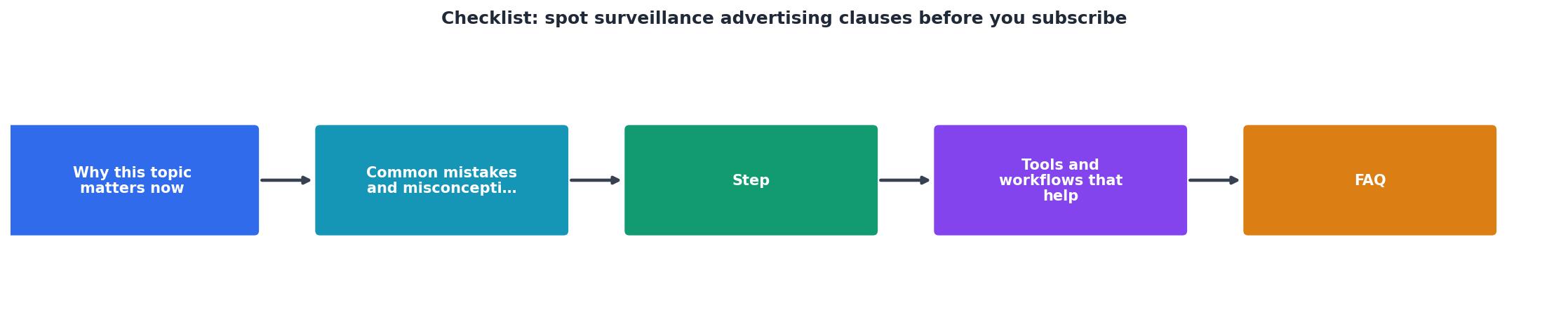
Follow these steps every time you consider a new subscription, free trial, or account creation:
- Open the terms of service page. Look for links labeled "Terms of Service," "Terms of Use," or "User Agreement" in the website footer. If you cannot find one, that itself is a red flag.
- Run a keyword search. Use Ctrl+F to search for each of the five red-flag phrases listed above. Note every match and read the surrounding paragraph for context.
- Check the privacy policy separately. Surveillance advertising clauses often live in the privacy policy rather than the main terms. Search the same five phrases there.
- Look for an opt-out section. Scroll to any section titled "Your Choices," "Opt-Out," or "Do Not Sell." Evaluate whether the opt-out stops data collection entirely or only stops personalized ad display.
- Verify data retention periods. Search for "retain," "retention," or "delete." If the company keeps advertising-related data for more than 12 months after account deletion, consider that a significant risk.
- Use Terms Doctor for an instant second opinion. Install the free extension for Chrome, Edge, Brave, Opera, or Vivaldi. It automatically finds the terms page, runs 101 consumer-protection checks, including surveillance advertising flags, and gives you an A–F grade with plain-language explanations.
- Document your findings. Keep a simple spreadsheet noting the service name, the grade, and any red-flag clauses you found. This makes it easy to compare alternatives side by side.
The Complete Surveillance Advertising Checklist

Use this checklist before subscribing to any new service. Each unchecked box represents a verification step you should complete.
Surveillance Advertising Clause Checklist
Your progress is saved automatically in your browser.
If more than three items on this checklist raise concerns, seriously consider an alternative service or, at minimum, enable every available opt-out before proceeding.
Common Surveillance Advertising Clause Patterns
Not every surveillance clause looks the same. Here are the three most common patterns you will encounter:
Pattern 1: The Blanket Consent
The terms state something like: "By using our service, you consent to the collection and use of your data for advertising purposes." This pattern provides no granularity, you either accept everything or you do not use the service. It is the least consumer-friendly approach.
Pattern 2: The Layered Opt-Out
The terms acknowledge advertising data use but point you to a separate "Privacy Center" or "Ad Preferences" page where you can toggle individual categories. This is better, but watch out for dark patterns: pre-checked boxes, confusing double negatives ("uncheck to not opt out"), and resets after browser updates.
Pattern 3: The Third-Party Delegation
The terms state that advertising is handled entirely by third-party partners and link to those partners' own privacy policies. This shifts the burden onto you to read and manage policies across multiple companies, sometimes dozens. It is technically transparent but practically unmanageable without automated tools.
What to Do When You Find a Problem
Spotting a surveillance advertising clause does not mean you must abandon the service entirely. Here is a practical decision tree:
- Grade A or B from Terms Doctor, minor clause found: Proceed, but enable all available opt-outs and revisit settings quarterly.
- Grade C, moderate clauses found: Look for a competing service. If none exists, enable opt-outs, use a privacy-focused browser, and consider a VPN.
- Grade D or F, multiple red-flag clauses: Strongly consider an alternative. If you must use the service, create a dedicated email address, minimize the personal data you provide, and use browser-level tracking protection.
Disclaimer: The information in this article and the checks performed by Terms Doctor are educational tools, not legal advice. For binding legal decisions, consult a qualified attorney.
Frequently Asked Questions
Take Control Before You Subscribe
You do not need a law degree to protect yourself from surveillance advertising. A five-minute scan using the checklist above, or a five-second scan using the free Terms Doctor extension for Chrome, Edge, Brave, Opera, and Vivaldi, puts you back in control. Install it from the Terms Doctor homepage, let it grade every site you visit, and make subscription decisions based on facts, not faith.
Additional Resources
- Checklist: Online advertising agreement | Practical Law) - This checklist covers the fundamental components of a digital advertising contract, from defining the parties, advertisement type and duration to structuring ...
- Checklist: Online advertising agreement - Practical Law - This checklist covers the fundamental components of a digital advertising contract, from defining the parties, advertisement type and duration to structuring ...
- Brand Deal Contracts: What Streamers Need to Know - Brand deal contracts contain IP grants, exclusivity, and performance clauses that can cost you income. Here's what each clause means for ...
Ready to Read Terms Before You Sign?
Terms Doctor finds terms of service on any site and grades them A-F in seconds.
Get Started“Terms Doctor flagged forced arbitration and AI training clauses in seconds. I finally know what I am agreeing to.”
Privacy-conscious shopper