Refund policy review checklist for mobile apps teams
Your mobile app users download, tap, and subscribe, sometimes without reading the fine print. But when they want their money back, a confusing or buried refund policy becomes a customer-support nightmare and a legal liability. If your team publishes apps on iOS, Google Play, or both, you need a clear, legally defensible refund policy and a system to review it before launch and after every update.

Photo by https://kaboompics.com/ from Pexels
Your mobile app users download, tap, and subscribe, sometimes without reading the fine print. But when they want their money back, a confusing or buried refund policy becomes a customer-support nightmare and a legal liability. If your team publishes apps on iOS, Google Play, or both, you need a clear, legally defensible refund policy and a system to review it before launch and after every update.
This checklist helps mobile app teams spot gaps, inconsistencies, and red flags in refund language that could trigger user complaints, app store rejections, or regulatory scrutiny.
TL;DR
- Refund policies must be easy to find, plain-language, and legally compliant with app store rules and local consumer laws.
- iOS requires refund instructions within the app; Google Play enforces 30-day return windows for digital goods in many regions.
- Common mistakes include hidden refund deadlines, vague eligibility rules, and no refund process step-by-step.
- Use Terms Doctor's 101 consumer-protection checks to spot forced arbitration, auto-renewal traps, and unilateral change clauses that affect refunds.
- Audit your refund policy quarterly and after every subscription or billing change.
Why refund policies matter for mobile apps
Your refund policy is both a customer-service tool and a legal shield. When it's missing, unclear, or contradicts app store guidelines, users get angry, leave bad reviews, and file complaints with consumer protection agencies. App stores themselves may reject your app or remove it from distribution.
Terms Doctor scans terms of service for 101 consumer-protection issues, including auto-renewal traps, forced arbitration, and unilateral change clauses. Many of these directly affect refund rights and eligibility. A strong refund policy works alongside those checks to ensure users understand their money-back guarantee upfront.
Key takeaway: A clear, honest refund policy reduces support tickets, improves app store ratings, and protects your team from legal disputes.
What app stores actually require

Apple App Store requirements
Apple's guidelines are explicit: if your app sells digital goods or subscriptions, you must display your refund policy in the app itself and link to it from the terms of service. Apple does not offer automatic refunds; instead, it gives users 14 days to request a refund directly through Settings > [App Name] > Manage Subscription. However, you can provide instructions in-app to make the process clearer.
Apple also prohibits circumventing its refund system, offering your own refund or discount code outside the app to win back unhappy users can result in app rejection or removal.
Google Play requirements
Google Play enforces a 30-day refund window for digital goods and subscriptions in most regions. Users can request a refund directly from the Play Store; Google then contacts your team. You must honor legitimate refund requests within that window, and your policy must explain the process and any exceptions.
Unlike Apple, Google Play allows in-app refund flows if they comply with local law, but the safest path is still to direct users to the Play Store's built-in refund request.
Regulatory compliance beyond the app store
In the European Union, the Consumer Rights Directive gives digital-service buyers a 14-day cooling-off period, but only if they haven't started using the service. If your app is subscription-based and lets users consume content immediately, you may not be able to refuse a refund within those 14 days for "starting the service." Similarly, the UK Consumer Rights Act and other regional laws impose refund windows and cooling-off periods that can override your own policy.
Common refund policy mistakes in mobile apps
- Buried or missing policy text
- Conflicting language between app store listings and in-app copy
- No clear refund deadline or process
- Exceptions that contradict app store policy
- Auto-renewal traps
- Geolocation-specific policies not disclosed
Document review: how to audit your refund policy

Use the step-by-step review process below to evaluate your current refund policy and spot gaps before your next app update or billing change.
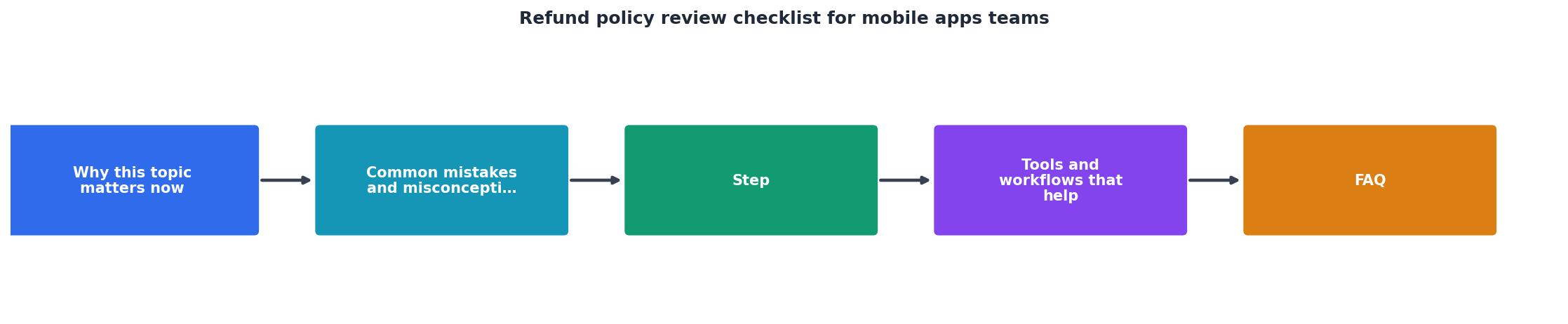
Step 1: Locate and compare all versions
Gather every version of your refund policy:- Your app store listing (iOS and Google Play)
- Your in-app "Help" or "Support" section
- Your main website's Terms of Service and Privacy Policy pages
- Any onboarding or purchase flow disclaimers
- Email templates sent to users after purchase
Step 2: Cross-check against app store rules
Compare your policy to the current Apple App Store Review Guidelines and Google Play Developer Program Policies. Check specifically for:- Auto-renewal disclosures and cancellation instructions
- Refund window compliance (does your policy match or exceed the app store's minimum?)
- Geolocation rules (does your policy adapt for EU users?)
Step 3: Run a Terms Doctor scan
Upload your terms of service (or just your refund policy section) to Terms Doctor. The tool will scan for 101 consumer-protection issues and flag clauses that may conflict with or undermine your refund promise. Pay close attention to:- Forced arbitration clauses: If disputes must go to arbitration, users may not be able to contest refund denials in court.
- Unilateral change clauses: If you reserve the right to change your refund policy without notice, users lose the protection they relied on at purchase.
- Auto-renewal traps: Confusing language around subscription renewal, billing dates, or cancellation methods.
"Loan apps may not charge a maximum APR higher than 36%, including costs and fees, and may not require repayment in full in 60 days or less.">, App Review Guidelines
This strict rule for loan and financial apps shows how seriously app stores police refund and payment terms. Even non-financial apps face similar scrutiny.
Step 4: Test the refund flow as a user
Create a test account, make a small in-app purchase, and follow your own refund process from start to finish. Time how long it takes to find your refund policy, request a refund, and receive a response. If it takes more than 5 minutes to locate the policy or complete the request, redesign the flow.
Step 5: Review with legal counsel
Before finalizing your policy, have a lawyer familiar with app commerce and consumer protection law in your target regions review it. They'll catch regional compliance gaps you may miss, especially around EU cooling-off periods or state-specific rules in the US.
Mobile apps refund policy review checklist
Refund Policy Review Checklist
Your progress is saved automatically in your browser.
FAQ
Frequently Asked Questions
Next steps: integrate Terms Doctor into your review workflow
Every time you update your refund policy or billing model, run your updated terms through Terms Doctor to catch hidden red flags. The free browser extension scans for forced arbitration, unilateral change clauses, auto-renewal traps, and 98 other consumer-protection issues. Your team gets an A–F grade and specific highlights so you can fix problems before users and app stores catch them.
A clear, honest refund policy is a competitive advantage: it reduces support overhead, improves trust, and keeps your app compliant. Use this checklist as your starting point, and revisit it quarterly or after any billing change.
Reminder: This article is educational and not legal advice. Consumer protection law varies by region and is always evolving. Have a lawyer review your refund policy before publishing it, especially if your app operates in the EU, California, or other jurisdictions with strict consumer-protection rules.
Additional Resources
- App Review Guidelines - The App Review Guidelines provide guidance and examples across a range of development topics, including user interface design, functionality, content, ...
- Teams Store Validation Guidelines - Following these guidelines increases the chances of your app to pass the Microsoft Teams Store submission process.
- Checklist as a Service - Checklist As A Service turns recurring tasks and standard operating procedures (SOPs) into collaborative checklists in Microsoft Teams.
Ready to Read Terms Before You Sign?
Terms Doctor finds terms of service on any site and grades them A-F in seconds.
Get Started“Terms Doctor flagged forced arbitration and AI training clauses in seconds. I finally know what I am agreeing to.”
Privacy-conscious shopper