Refund policy review checklist for B2B SaaS teams
When your team signs up for a new SaaS tool, whether it's a CRM, design platform, or communication suite, you're making a commitment. But what happens when the tool doesn't meet your needs, your team requirements change, or the vendor suddenly raises prices? That's where the refund policy comes in. A clear, fair refund policy protects your budget and gives you an exit ramp if things don't work out. The problem: most companies bury their refund terms in 50-page legal documents, use vague language

Photo by Markus Winkler from Pexels
When your team signs up for a new SaaS tool, whether it's a CRM, design platform, or communication suite, you're making a commitment. But what happens when the tool doesn't meet your needs, your team requirements change, or the vendor suddenly raises prices? That's where the refund policy comes in. A clear, fair refund policy protects your budget and gives you an exit ramp if things don't work out. The problem: most companies bury their refund terms in 50-page legal documents, use vague language, or hide strict "no refund" clauses in plain sight. This checklist walks you through a systematic review process so your team can negotiate better terms and avoid costly surprises.
TL;DR
- Refund policies vary wildly: some SaaS vendors offer 30-day no-questions-asked refunds, others refuse any refunds after the first week.
- Look beyond the headline: check cancellation timing, proration rules, dispute processes, and conditions that void refunds.
- Document everything: save copies of the policy you signed, track change dates, and compare across vendors before renewal.
- Negotiate upfront: most vendors have flexibility on refund terms, especially for annual contracts or larger team accounts.
- Use automation: Terms Doctor's free browser extension flags hidden auto-renewal clauses and refund traps across 101 consumer-protection checks.
Why refund policies matter for your team

Most teams focus on features and pricing when they evaluate a new SaaS tool. They run a free trial, kick the tires with a pilot team, and then commit to a monthly or annual subscription. What they often overlook is the fine print: the refund policy.
Here's why that matters. SaaS tools aren't one-size-fits-all. A platform that looked perfect during onboarding might not integrate with your existing workflows. Your team's needs might shift mid-year. Or, increasingly common, the vendor changes their privacy policy or pricing model in a way your company finds unacceptable. If you're locked into a contract with no clear exit path, you're out of luck and out of money.
A well-drafted refund policy does three things:
- Protects your cash flow. If the tool isn't delivering value, you get your money back (or at least some of it) within a defined timeframe.
- Reduces buyer's remorse. A generous refund window, say, 30 days, lets your team experiment without betting the farm.
- Creates leverage for negotiation. When a vendor offers flexible refunds, it signals confidence in their product and willingness to stand behind it.
Your job as a team lead or procurement officer is to spot these traps before you sign. That's where this checklist comes in.
Key areas to review

Before you pull out the checklist, let's walk through the key policy sections that trip up most buyers.
Refund window and timing
The first clause to spot is the refund window, the number of days after purchase during which you can request a refund. Common windows are:
- 7 days – industry bare minimum; gives you almost no time to test with your full team.
- 14 days – slightly better; allows one sprint cycle of testing.
- 30 days – industry best practice for SaaS; gives teams a full month to evaluate.
- No refund / NR – vendor keeps all money, no matter what.
Cancellation vs. refund
Two separate things exist here: cancellation and refunds.
- Cancellation = you stop paying going forward; your access ends.
- Refund = you get money back for past charges.
Proration and partial refunds
If you cancel mid-cycle (say, on day 15 of a 30-day month), does the vendor prorate? Proration means they refund you for the unused portion of the month.
Examples:
- You pay $100/month and cancel on day 15 → vendor refunds $50.
- You pay $1,200/year and cancel on day 180 → vendor refunds $600.
Conditions that void or limit refunds
Read for refund exclusions. Common ones:
- "No refunds if you've downloaded more than X GB of data."
- "No refunds if your account was flagged for security violations."
- "No refunds if you've used more than Y API calls."
- "No refunds for annual plans" (they may only refund monthly plans).
- "No refunds if you've shared login credentials."
Dispute and appeal process
What happens if you request a refund and the vendor denies it? Is there an appeal process? Can you escalate to a human? Or are you stuck with a chatbot and a "we've reviewed your request and decided no" email?
Look for language like "we reserve the right to deny refunds at our sole discretion." That's code for "we don't have to explain ourselves." Prefer policies that offer a clear dispute path: submit appeal → human review → decision within X days.
"Pro tip: First drafts should be 70 to 80% complete using existing knowledge.">, RFP implementation checklist for B2B SaaS teams
The refund policy review checklist

Refund Policy Review Checklist
Your progress is saved automatically in your browser.
Step-by-step review process
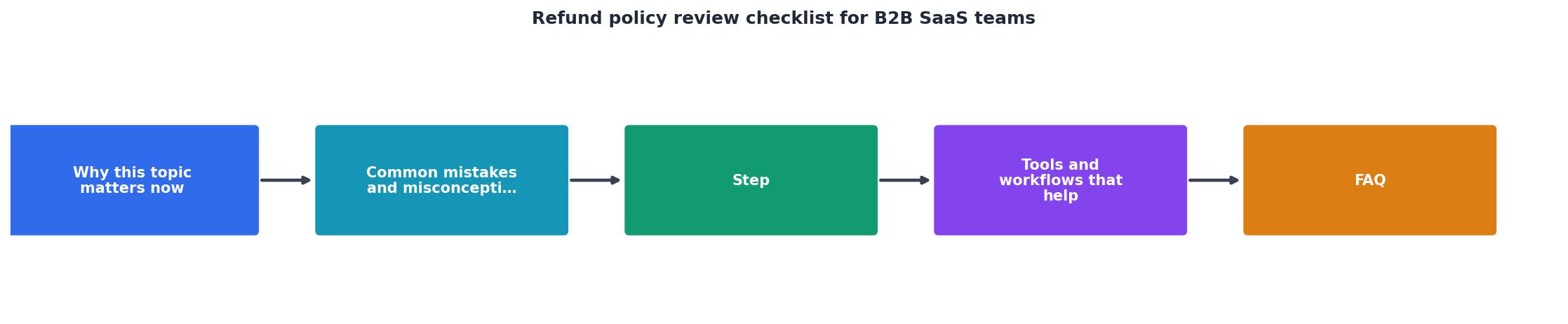
Here's how to run through this checklist with your team:
Step 1: Assign an owner. Pick one person (usually procurement, finance, or a senior IC) to lead the review. They'll coordinate answers and decide on next steps.
Step 2: Gather documents. Collect the vendor's terms of service, refund policy, and billing FAQ in one shared folder. Add the date you accessed them and the URL.
Step 3: Work through each item. Use the checklist above. For each point, the owner records the answer in a shared sheet. If you can't find an answer, flag it as "TO ASK."
Step 4: Identify red flags. After the full pass, mark policies that concern you:- Refund window under 14 days.
- "No refund" language anywhere.
- Exclusions that feel arbitrary (e.g., "no refund if you export data").
- No clear dispute process.
- Auto-renewal without 30-day cancellation notice.
- Option A: Ask the vendor to change the policy (especially for annual or large-volume deals).
- Option B: Request a written exception in your contract (e.g., "Customer may request a full refund within 30 days of purchase").
- Option C: Choose a competitor with a friendlier policy.
Common refund policy traps and how to spot them
Understanding the enemy is half the battle. Here are sneaky clauses that appear in vendor refund policies:
"No refund for annual plans; monthly plans only." This forces you to pay for flexibility. If you want to exit mid-year, you're locked in. Counter: negotiate a 30-day refund window for annual plans, or ask for a monthly option with annual discount.
"Refunds require a dispute to be filed within 7 days; after that, you forfeit the right." Most teams don't have time to dispute within a week. By the time finance and your manager are looped in, the window closes. Counter: ask for a 30-day filing period, not 7 days.
"No refunds if you've used the product more than X times or downloaded any data." This is a trap. The vendor is betting you won't remember exactly how many times you logged in. Counter: ask for a clear definition (e.g., "refunds allowed if account usage is under 20 hours") or negotiate usage-based tiers instead.
"Refunds are issued as account credits, not cash." You get the money back, but only if you agree to stay a customer and use it against future invoices. If you want to cancel and leave, credits are worthless. Counter: insist on cash/card refunds, not credits.
"We reserve the right to deny refunds at our sole discretion." This language gives the vendor veto power over any refund request. Counter: ask them to remove "sole discretion" and replace it with objective criteria (e.g., "refunds granted within 30 days of purchase if account was not activated for paid features").
Key takeaway: Hidden or conditional refund language is often a sign that the vendor is not confident in their product. Vendors with great tools offer generous, simple refund policies because they know customers will renew.
How Terms Doctor can help
Reviewing a refund policy manually takes time, especially if you're evaluating multiple vendors. This is where automation helps. Terms Doctor, our free browser extension, scans any website for terms of service and runs 101 consumer-protection checks, including:
- Auto-renewal and cancellation clauses: Flags policies that make it hard to cancel.
- Arbitration requirements: Alerts you if the vendor requires binding arbitration instead of court.
- Data and AI training: Catches language about using your data for AI model training.
- Refund and return policies: Highlights unclear or missing refund terms.
- Change-of-terms clauses: Warns you if the vendor can unilaterally change the policy.
FAQ
Frequently Asked Questions
Additional Resources
- Refund or Credit Request Chat Template for B2B SaaS - 1. Can you confirm the number of seats you expected to be billed for? 2. Were any additional users added recently that might explain the discrepancy? Replace ...
- RFP implementation checklist for B2B SaaS teams - A good RFP implementation checklist covers 8 stages: intake, bid/no-bid, team assembly, drafting, SME review, final polish, submission, and post ...
- Customer Service Checklist for B2B Teams (2026) - A Customer Service Checklist for B2B Support Teams: 20 Items Across Setup, Training, Live Tickets, and QA. Copy It Free, No Email Gate.
Ready to Read Terms Before You Sign?
Terms Doctor finds terms of service on any site and grades them A-F in seconds.
Get Started“Terms Doctor flagged forced arbitration and AI training clauses in seconds. I finally know what I am agreeing to.”
Privacy-conscious shopper