Privacy policy review checklist for mobile apps teams
Your mobile app collects data. Maybe it's location, contacts, photos, or just email addresses for login. Your privacy policy is the legal document that tells users exactly what happens to that data, and where your team is legally exposed if something goes wrong.

Photo by Mikhail Nilov from Pexels
Your mobile app collects data. Maybe it's location, contacts, photos, or just email addresses for login. Your privacy policy is the legal document that tells users exactly what happens to that data, and where your team is legally exposed if something goes wrong.
If you're building a mobile app team or reviewing privacy policies before launch, you need a repeatable checklist. Not a 50-page legal document, not a consultant's invoice, but a clear list of what to check, why it matters, and how to flag risks fast.
TL;DR
- Mobile apps face stricter privacy rules than websites: app stores enforce their own policies on top of GDPR, CCPA, and regional laws.
- Your privacy policy must disclose exactly which data you collect, how long you keep it, and who you share it with, no vague language.
- Auto-renewal clauses, third-party SDKs, and permission requests are common compliance traps; document each one.
- Use a centralized review process: assign one owner, create a shared checklist, and version your privacy policy the same way you version your code.
- Tools like Terms Doctor can automatically scan for 101 red flags and grade your policy; pair that with team review for real confidence.
Why mobile app teams need a privacy policy checklist

A privacy policy isn't just legal boilerplate. It's a binding contract between your app and your users. Weak, vague, or missing privacy disclosures expose you to:
- App store rejections. Apple App Store and Google Play enforce their own privacy rules on top of local law. If your privacy policy is missing, vague, or contradicts your actual data practices, your app gets rejected or delisted.
- Regulatory fines. GDPR violations can cost up to €20 million or 4% of global revenue, whichever is higher. CCPA penalties in California start at $2,500 per violation, $7,500 per intentional violation.
- User lawsuits. If users discover you're collecting data you didn't disclose, or sharing data without permission, class-action litigation follows. Legal defense alone can bankrupt a small team.
- Loss of user trust. A vague or missing privacy policy signals you don't respect user data. Privacy-conscious users will delete your app or never install it.
"63% of Internet users believe most companies aren't transparent about how their data is used, and 48% have stopped shopping with a company because of privacy concerns.">, Privacy Policy Requirements Checklist for Websites & Apps
Key takeaway: A privacy policy checklist saves your team weeks of back-and-forth email, prevents app store rejection, and reduces legal risk to near zero.
What data does your app actually collect?
Before you write a privacy policy, you have to map what data flows through your app. Many teams skip this step and end up with policies that don't match reality, a recipe for app store rejection.
Break it down into four categories
1. Data users explicitly provide- Email addresses, phone numbers, passwords
- Profile information (name, date of birth, photo)
- Payment info (credit card, billing address)
- User-generated content (messages, photos, posts)
- Device identifiers (UDID, advertising ID, IDFA on iOS, GAID on Android)
- IP address, device model, OS version
- Crash logs, performance metrics, error reports
- GPS location (if the app has location permission)
- Contacts, calendar, photos (if the app requests permission)
- Analytics SDKs (Firebase, Mixpanel, Amplitude)
- Advertising networks (AdMob, Meta Audience Network)
- Payment processors (Stripe, Apple Pay)
- Social login (Google, Facebook, Apple Sign In)
- Crash reporting (Sentry, Bugsnag)
- Advertising networks (for targeting, frequency capping)
- Customer support platforms
- Email delivery services
- Data analytics vendors
- Marketing automation tools
The privacy policy review checklist

Privacy Policy Review Checklist for Mobile Apps
Your progress is saved automatically in your browser.
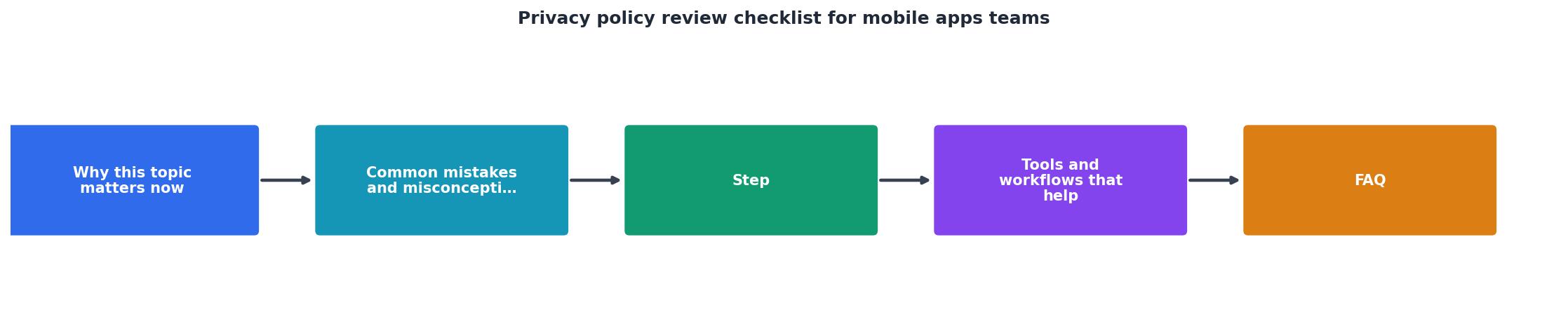
Step-by-step review process for your team

Here's a repeatable workflow your team can use before every app release:
1. Assign one privacy owner
One person on your team should own the privacy policy checklist. This doesn't have to be a lawyer, it could be your product manager, compliance person, or senior engineer. Their job: make sure the checklist is filled out, updated, and shared with the team.
2. Audit your data flows
Run through your app's code, analytics dashboard, and integrations. Identify every SDK, API call, and data export. Use your data collection map (from earlier) to confirm the list is complete. If you've added a new analytics tool in the last three months, it should be in the policy.
3. Write clear disclosure language
Vague language sinks privacy policies. Instead of "We may collect information," write "We collect your device model, OS version, and IP address for crash reporting and performance monitoring." Apple and Google reject vague policies.
4. Fill out the checklist
Go through each item on the checklist above. For each one, answer these three questions:- Does our policy address this? (Yes/No/Partial)
- Is the language clear and specific? (Yes/No)
- Does it match what the app actually does? (Yes/No)
5. Review with stakeholders
Share the completed checklist with product, engineering, and marketing. Each team should confirm the policy matches what their part of the app actually does. This usually takes one meeting.
6. Run an automated scan
Paste your privacy policy into Terms Doctor (it's free). It will scan for 101 common red flags: missing retention periods, unclear data sharing, forced arbitration, missing user rights, and more. Grade your policy. Address any D/F grade items before launch.
7. Version and track changes
Treat your privacy policy like code. Store it in version control (GitHub, Google Drive with version history, etc.). When you update it, tag the change ("Added Firebase Analytics," "Removed Fabric SDK," "Extended retention period to 60 days"). If a user asks when you started collecting certain data, you'll have an audit trail.
8. Test submission
Before you ship to the app store, submit a test build with your final privacy policy. Apple and Google will flag obvious issues, missing links, inconsistent terminology, missing sections. Fix them before your real launch.
Red flags: what to watch for
- No retention period: "We keep your data" is not good enough. Say "30 days," "90 days," or "indefinitely" (and explain why).
- Vague third-party sharing: "We may share data with partners" gets you rejected. Name the partners or at least the categories (analytics vendors, payment processors).
- Missing auto-renewal terms: If your app has subscriptions or free trials, the policy must say exactly how to cancel, when billing happens, and whether there's a refund window.
- Permissions without justification: If your app requests camera access but never uses it, you'll be rejected. Remove unnecessary permissions or justify each one.
- No data subject rights: GDPR and CCPA require users to request access, deletion, and correction. Your policy must explain how they do that (email, in-app form, etc.).
- Inconsistent language: Don't call it "personal data" in one section and "user information" in another. Stick to one term.
How to use Terms Doctor to speed up your review
Terms Doctor is a free browser extension that reads privacy policies and automatically checks for 101 consumer-protection issues. For mobile app teams, it's a fast way to catch mistakes before the app store does.
Here's how to use it:
- Install the extension on Chrome, Edge, Brave, Opera, or Vivaldi (free, no sign-up required).
- Paste your privacy policy into a web page or document (you can use a test URL, a Google Doc, or a text editor).
- Run the scan. Terms Doctor highlights red flags, missing sections, and confusing language. It grades your policy A–F.
- Review the report. Each flag includes a plain-language explanation of the risk and how to fix it. Export the report to share with your team or legal advisor.
- Update your policy based on the report. Rerun the scan until you reach an A or B grade.
FAQ
Frequently Asked Questions
Get started with your review today
Your mobile app privacy policy is due before you launch, not after. Use the checklist above, map your data flows, and run your policy through Terms Doctor to catch common mistakes in minutes.
Terms Doctor is a free browser extension (Chrome, Edge, Brave, Opera, Vivaldi) that scans privacy policies against 101 consumer-protection checks and grades them A–F. You get a plain-language report of what to fix, no legal jargon required. For teams moving fast, it's the difference between shipping on time and shipping broken.
Remember: this guide is not legal advice. If your app collects health data, processes payments, or targets children, have a lawyer review your privacy policy. But for standard apps that use analytics, ads, and login, a solid internal review process plus an automated scan gets you compliant and launch-ready.
Additional Resources
- Privacy Policy Requirements Checklist for Websites & Apps - Our privacy policy requirements checklist outlines the steps to ensure your privacy policy is legal and compliant with global privacy laws.
- Privacy Policy Checklist 2026: Is Yours Up-to-Date? - This blog offers a simple and effective privacy policy Checklist, helping your business stay clear, responsible, and trusted by your users.
- Mobile App Privacy Compliance Checklist | Practical Law) - A Checklist setting out key measures for addressing end-user privacy and security considerations when developing and distributing a mobile application (app).
Ready to Read Terms Before You Sign?
Terms Doctor finds terms of service on any site and grades them A-F in seconds.
Get Started“Terms Doctor flagged forced arbitration and AI training clauses in seconds. I finally know what I am agreeing to.”
Privacy-conscious shopper