Privacy policy review checklist for e-commerce stores teams
Your e-commerce store collects customer data every single day, email addresses, payment methods, browsing history, location information. But do you know exactly


Your e-commerce store collects customer data every single day, email addresses, payment methods, browsing history, location information. But do you know exactly what your privacy policy promises to do (or not do) with that data? Most store owners and their teams don't review privacy policies until a compliance officer or lawyer flags a problem. By then, you might already be in violation of GDPR, CCPA, or state privacy laws. This checklist helps you and your team audit your privacy policy systematically, catch gaps before they become legal liability, and understand what you're actually committing to in plain language.
TL;DR
- Privacy policies must clearly disclose what customer data you collect, why, and how long you keep it, or you risk fines and losing customer trust.
- E-commerce stores handle payment card data, shipping addresses, and browsing behavior, each of which triggers different legal obligations.
- A team review is faster and more thorough than one person alone; use a shared checklist to divide tasks by role (legal, ops, tech, marketing).
- automated tools like Terms Doctor can highlight missing clauses and hidden auto-renewal language that manual review often misses.0Consumer-protection checks in Terms Doctor
- Regular audits (at least quarterly) catch compliance drift and ensure your policy matches how you actually handle data.
Why e-commerce stores need a formal privacy policy review

E-commerce stores are in a unique legal position. You're not just collecting names and emails, you're handling payment information, shipping addresses, purchase history, IP addresses, and often tracking customer behavior across your site and beyond. Each data type carries different legal weight.
Key takeaway: The gap between what your privacy policy says and what your store actually does is where compliance problems live.
If your policy says "we never share customer email with third parties" but your marketing platform is syncing email to their systems, you're in violation. If you claim to delete data after 90 days but your analytics provider keeps it for two years, that's a breach. E-commerce stores operate across multiple software platforms, payment processors, email marketing, analytics, fulfillment, and each integration introduces new data flows that your privacy policy must account for.
Regulatory fines are real. The GDPR can impose fines up to €20 million or 4% of annual global revenue, whichever is higher. California's CCPA penalties start at $2,500 per violation and $7,500 per intentional violation. Even smaller state laws like Texas's TDPSA and Vermont's data broker law are tightening. A team-based review process catches these gaps before they become expensive problems.
What data does your e-commerce store actually collect?
The first step is mapping all data your store collects. Most teams are surprised by how much:
- Direct customer inputs: name, email, password, phone, shipping address, billing address
- Payment data: credit card numbers (if you store them), transaction history, payment method type
- Behavioral data: pages visited, time spent, clicks, cart abandonment, search queries
- Device and technical data: IP address, browser type, operating system, device type, cookie IDs
- Location data: country/state from IP, GPS if you request it, shipping address inference
- Third-party data: data purchased from brokers or appended by partners
- Customer service data: chat transcripts, email support tickets, return reasons, complaint notes
"The GDPR, for instance, lists out the following as acceptable legal bases for collection:.">, The Ultimate Privacy Policy Checklist
A common mistake is treating analytics data as "anonymous" when it's not. Even without a name attached, an IP address + browser + purchase history + location is often re-identifiable. Your policy needs to explain how you use analytics, whether you share it with third parties, and how long you retain it.
Setting up a team review process

A privacy policy review shouldn't fall on one person. Different team members see different parts of your data operation:
- Operations/fulfillment: knows what happens to orders, return data, and customer contact info
- Marketing: manages email lists, analytics, retargeting pixels, and paid ad platforms
- Engineering/IT: knows your data infrastructure, API integrations, backups, and security measures
- Legal/compliance: understands regulatory requirements and contract language
- Customer service: sees what customer data support teams access and for how long
Set a timeline: aim to complete a full review in 2–3 weeks, with weekly check-ins. Assign a coordinator to consolidate feedback and track changes.
Privacy policy review checklist for e-commerce stores
Use this structured checklist to audit your current privacy policy section by section. For each item, confirm whether your policy explicitly states it, and verify that your actual practices match what you claim.
E-commerce Privacy Policy Review Checklist
Your progress is saved automatically in your browser.
Process: audit your integrations and data flows

Your privacy policy lives or dies by whether it reflects reality. The second half of a thorough review is mapping your actual data flows.
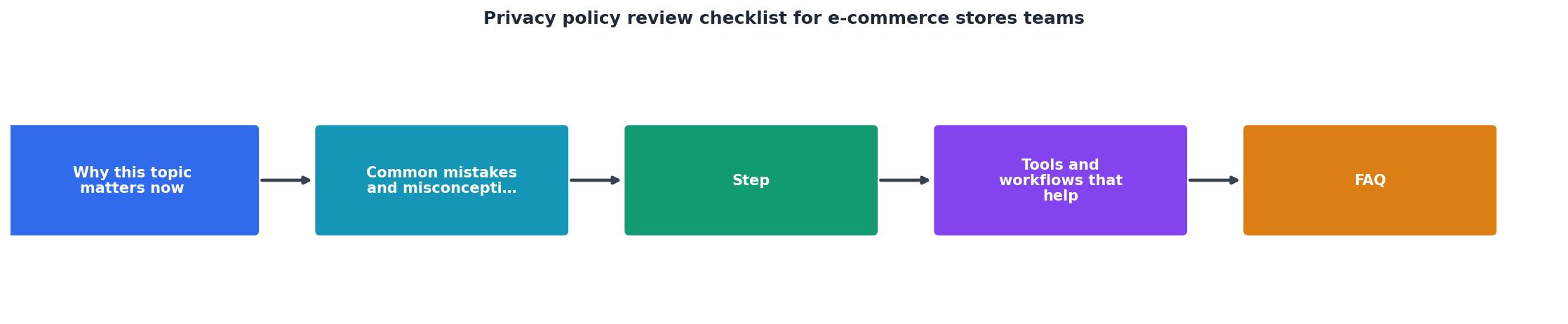
Step 1: List every software integration your store uses
Email marketing platform, analytics, payment processor, fulfillment software, chatbot, review platform, ad network, CRM, customer data platform (CDP). Write them all down.
Step 2: For each integration, document what data flows into it
Does your email platform receive customer email? Full purchase history? Does your analytics tool see product IDs and prices? Does your ad network receive customer IDs? Many store owners are shocked to learn what data flows to their analytics or marketing stack, often more than they intended.
Step 3: Check each integration's privacy policy and data processing agreement (DPA)
Your vendors have their own privacy policies and terms. Many process customer data as a "data processor", meaning they process it on your behalf and aren't allowed to use it for their own purposes. But some use it for research, product improvement, or advertising. Your policy must disclose this.
Step 4: Identify gaps between your policy and your actual data flows
If your policy says "we do not sell customer data" but your email platform uses customer data to build lookalike audiences for advertising, that's a gap. If your policy promises deletion within 30 days but your analytics provider keeps data for 90 days, document it.
Step 5: Update your policy to match reality (or change your practices to match your policy)
You have two options for each gap: update your policy to disclose the actual practice, or change your practices to match your policy commitment. Most teams do both, they tighten some practices and clarify policy language on others.
Red flags: what to watch for in e-commerce privacy policies
As you review, watch for these common problems:
- Vague language: "we may use your information as we deem necessary" is too broad. Policies should specify exact use cases.
- Missing retention timelines: If your policy doesn't say how long you keep data, regulators assume you keep it forever. Specify retention for each data type.
- Overpromising security: Never claim 100% security or that data is "completely secure." Instead say you use industry-standard protections like encryption and access controls.
- Hidden third-party sharing: If your policy buries third-party integrations deep in section 7.4, customers won't find them. Lead with who gets customer data.
- No user rights language: GDPR, CCPA, and most state laws require you to let customers access, correct, delete, and export their data. Your policy must explain the process.
- Auto-renewal without clear opt-out: If you offer subscriptions, policy must clearly state billing frequency, the cancellation process, and how to stop recurring charges before charging.
- Retroactive changes without notice: Some policies say "we may update this policy and continued use means you accept." Better practice is to notify customers and give them a chance to opt out before material changes take effect.
Scheduling and maintaining compliance
Privacy policies aren't a set-it-and-forget-it document. Your e-commerce store changes: you add new platforms, change how you use customer data, or comply with new regulations.
Schedule a full review quarterly (every three months). Assign one team member to flag changes, new integrations, updated vendor terms, regulatory changes in your state or where your customers are. Quarterly reviews are faster than annual reviews because you're only evaluating what changed.
Update immediately if: you add a new way of collecting or using customer data, experience a data breach, change your data retention policy, integrate a new third-party tool, or face new regulatory requirements.
Notify customers of material changes within a reasonable timeframe (7–30 days before the change takes effect). Material changes include sharing data with new categories of third parties, shortening privacy protections, or using data for new purposes.
FAQ
Frequently Asked Questions
Get started today
Reviewing your e-commerce privacy policy doesn't require a lawyer on staff, it requires a structured process and honest answers about how your store actually collects and uses customer data. Start with the checklist above, divide tasks among your team by role, and schedule quarterly reviews to stay compliant as your business evolves.
If you'd like a free, quick scan of your privacy policy against consumer-protection standards, try the free Terms Doctor browser extension for Chrome, Edge, Brave, Opera, and Vivaldi. It runs 101 checks and grades your policy A–F in seconds. Remember: automated checks are not legal advice, but they're a fast way to spot gaps before they become compliance problems. Your customers will thank you for the clarity, and your legal team will appreciate the proactive work.
Additional Resources
- The Ultimate Privacy Policy Checklist - 1. Your business and contact information · 2. The categories of data you collect · 3. The sources of the data or how you collect data · 4. The ...
- Privacy Audit Checklist - The following checklist is intended to provide general guidance for organizations interested in assessing their information handling practices.
- Essential Data Privacy Checklist for E-commerce Success - This article will provide a comprehensive data privacy checklist tailored for e-commerce professionals to protect sensitive customer information and build ...
Ready to Read Terms Before You Sign?
Terms Doctor finds terms of service on any site and grades them A-F in seconds.
Get Started“Terms Doctor flagged forced arbitration and AI training clauses in seconds. I finally know what I am agreeing to.”
Privacy-conscious shopper