DPA review checklist for mobile apps teams
If your mobile app collects user data, location, contacts, payment info, health metrics, or behavioral patterns, you likely need a Data Processing Agreement (DPA). A DPA is a legal contract that spells out how your app (or third-party vendors embedded in it) handles personal data. Most privacy laws including GDPR, CCPA, and UK GDPR require one if you process personal information on behalf of users. Yet many mobile teams skip this step or rush through it, leaving the app exposed to fines, data br

Photo by Jakub Zerdzicki from Pexels
If your mobile app collects user data, location, contacts, payment info, health metrics, or behavioral patterns, you likely need a Data Processing Agreement (DPA). A DPA is a legal contract that spells out how your app (or third-party vendors embedded in it) handles personal data. Most privacy laws including GDPR, CCPA, and UK GDPR require one if you process personal information on behalf of users. Yet many mobile teams skip this step or rush through it, leaving the app exposed to fines, data breaches, and loss of user trust.
This checklist breaks down the DPA review process into clear, actionable steps so your team can audit vendors, plug gaps, and document compliance without hiring outside counsel.
TL;DR
- A Data Processing Agreement (DPA) is mandatory for mobile apps that handle personal data, especially under GDPR, CCPA, and similar laws.
- Review every third-party SDK, analytics tool, and cloud backend your app uses, they all need DPA terms or equivalent data-processing language.
- Use this checklist to verify data location, encryption, breach notification, data retention, and user rights in each vendor contract.
- Document which vendors process which data types; map that to your privacy policy so users know what's happening.
- Update your DPA checklist quarterly as new vendors join your tech stack or regulations change.
Why mobile apps need DPA review right now

Mobile apps are data magnets. They collect device identifiers, location signals, app usage patterns, and (often) payment and identity data. The moment your app touches EU residents' data, California residents' data, or any region under privacy law, you cross into legal territory where a DPA stops being optional.
Key takeaway: A DPA protects both your users and your team by formally defining who owns data, who can access it, and what happens if it leaks.
The risk isn't theoretical. Regulators fine apps hundreds of thousands of euros for missing or inadequate data-processing clauses. Users sue when their location history or health data ends up in the wrong hands. Payment processors drop apps that can't prove compliance. The checklist below helps you avoid all three.
What gets included in a DPA
A typical DPA covers:
- Processing scope, Which personal data types (names, emails, locations, device IDs) are being processed?
- Purpose and duration, Why does the vendor need the data? How long do they keep it?
- Sub-processors, Does the vendor hire other companies to handle data? (You must approve them.)
- Data subject rights, How do users request access, correction, or deletion of their data?
- Security measures, Encryption, access controls, audit trails, and breach protocols.
- Breach notification, Timeline and format for telling you if data is stolen.
- Data location, Where servers are, which regions store backups, and cross-border transfer safeguards.
- Termination and return, What happens to user data when your contract ends?
The DPA review checklist for mobile teams

Use this checklist to systematically review each vendor. Assign one team member to lead the audit, but involve your product manager (who knows which data the app collects), your backend engineer (who knows the integrations), and someone from compliance or legal if available.
DPA Review Checklist for Vendors
Your progress is saved automatically in your browser.
Step-by-step DPA audit workflow
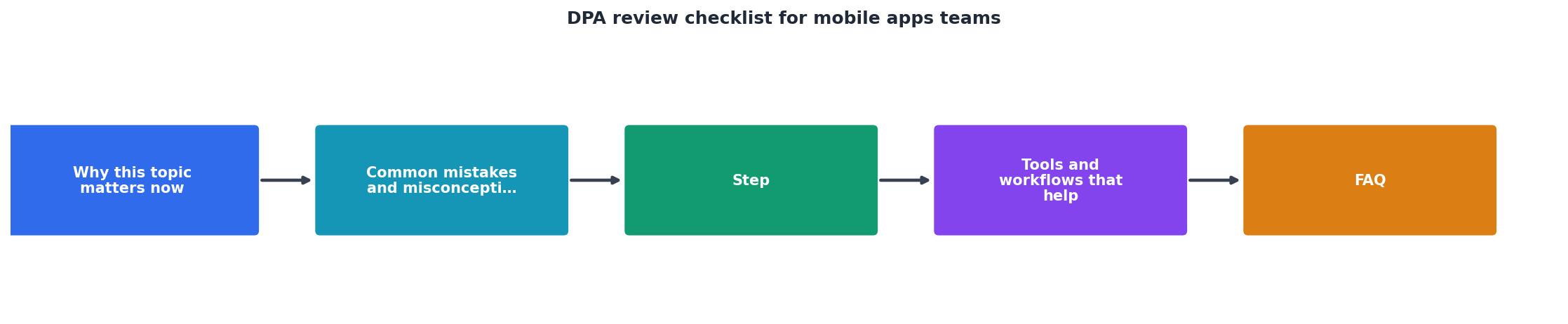
- Inventory your tech stack, List every third-party tool your app uses. Include SDKs (Firebase, Amplitude, Segment, etc.), payment processors (Stripe, Square), identity providers (Auth0, Firebase Auth), storage (AWS S3, Google Cloud Storage), and analytics.
- Request DPA documentation, Contact each vendor's support or legal team. Ask for a signed DPA, Standard Contractual Clauses (SCCs), or confirmation that their terms include GDPR/CCPA data-processing language. Save every document in a shared folder with vendor name and date.
- Cross-reference with your privacy policy, Your privacy policy should list which vendors process which data types. If your policy says "we use Firebase Analytics," your DPA with Google must cover that specific processing.
- Flag gaps and escalate, If a vendor has no DPA or refuses to sign one, decide: replace the vendor, use them only for anonymized data, or formally document the risk and get executive sign-off. Don't leave it ambiguous.
- Create a vendor data matrix, Build a spreadsheet with columns: Vendor name, data types processed, DPA status, data location, encryption, breach notification timeline, and renewal date. Share it with your team quarterly.
- Test user rights workflows, Periodically request your own data from vendors (data subject access request) to confirm the deletion and export features actually work.
Common DPA red flags to watch for

Not all vendor terms are equal. Watch for these warning signs:
Red flags in vendor contracts
- No DPA at all, Vendor says "our terms cover it" but no formal data-processing clause exists.
- Vague data location, "Data may be stored in US, EU, or Asia" without specificity. This violates GDPR if you promised EU storage.
- Automatic sub-processor changes, Vendor can add new sub-processors without your approval; GDPR requires you to object or exit.
- No breach notification, Vendor won't commit to notifying you if data is stolen; you can't notify your users in time.
- Indefinite retention, Vendor keeps user data "for business purposes" with no end date; your privacy policy likely promised deletion.
- No audit rights, You can't inspect their security measures, logs, or incident reports. This blocks compliance verification.
- Conflicting terms, DPA says one thing, but Terms of Service says another (e.g., "we may use data for AI training"). Resolve conflicts in writing.
- Lack of user-rights support, Vendor can't export user data in machine-readable format or doesn't have API to delete accounts.
How to handle multi-vendor data flows
Mobile apps often chain vendors together. For example:
- User logs in via Auth0 (identity vendor)
- App sends analytics events to Segment (data aggregator)
- Segment forwards events to Firebase Analytics, Amplitude, and Mixpanel (analytics vendors)
- App stores files in AWS S3 (cloud storage)
- Payment data goes to Stripe (payment processor)
Action step: Draw a diagram of your data flow. Label each vendor and mark whether a DPA is signed. If any link is missing, that's your priority.
DPA renewal and change management
Regulations evolve. Vendors add features, change data practices, or acquire other companies. Your DPA review is not a one-time event.
Set up a calendar reminder to:
- Review vendor terms quarterly, Check for announcements about sub-processor changes, data location updates, or new features that process data in unexpected ways.
- Audit user-rights requests annually, Once a year, test a data export or deletion request with each vendor to confirm processes still work.
- Update your privacy policy, When vendors change, update your privacy policy to stay consistent.
- Communicate with users, If a vendor process changes significantly, notify users about what data is being collected and how.
"The checklist is dynamic and should evolve based on emerging threats, industry standards, and changes in the organizational environment.">, Mobile App Security Checklists
Using Terms Doctor to speed up your DPA review
Reviewing terms and privacy policies manually is slow. Terms Doctor is a free browser extension for Chrome, Edge, Brave, Opera, and Vivaldi that automatically finds and grades Terms of Service on any website. When you visit a vendor's website, Terms Doctor scans for clauses on data location, breach notification, auto-renewal, forced arbitration, and AI training, many of which overlap with DPA concerns.
The extension assigns an A–F grade based on how consumer-friendly the terms are. A grade near A means clearer data-processing language and fewer red flags; a D or F highlights missing or one-sided clauses you'll want to negotiate.
While Terms Doctor isn't a replacement for legal review, it accelerates the initial screening: you can instantly see which vendors have transparent terms and which need follow-up questions. It also tracks changes to vendor terms over time, so you'll spot when a vendor updates their data-handling practices without announcement.
Reminder: Automated checks are not legal advice. Always confirm vendor compliance with a data protection officer, lawyer, or compliance specialist before signing.
FAQ
Frequently Asked Questions
Next steps
Your DPA review doesn't have to be perfect on day one. Start with your top three vendors (the ones that handle the most sensitive data) and work through the checklist above. Document gaps, prioritize fixes, and set a calendar reminder to revisit annually.
A solid DPA practice protects your users' privacy, keeps your app compliant with global regulations, and builds trust. Users increasingly expect apps to handle their data responsibly, a DPA shows you take that seriously.
Additional Resources
- Mobile App Security Checklists - Learn about mobile app security checklists - systematic & organized lists of security considerations, best practices, & measures for mobile apps.
- Mobile App Deployment Checklist & Best Practices - A 2025 mobile app deployment checklist covering pre-launch setup, security, testing, app store submissions, server-driven updates, ...
- Mobile App Security Audit Checklist - Mobile App Security Audit Checklist · 1. Planning and scope definition · 2. Reconnaissance: Analyzing your target app · 3. Threat modeling · 4.
Ready to Read Terms Before You Sign?
Terms Doctor finds terms of service on any site and grades them A-F in seconds.
Get Started“Terms Doctor flagged forced arbitration and AI training clauses in seconds. I finally know what I am agreeing to.”
Privacy-conscious shopper