DPA review checklist for B2B SaaS teams
When your team signs a Data Processing Agreement (DPA) with a SaaS vendor, you're setting the legal foundation for how customer data flows, who can access it, and what happens if something goes wrong. Most B2B SaaS buyers skim the DPA or skip it entirely, only to discover later that their vendor's data-handling practices don't match their compliance requirements. A thorough DPA review prevents costly breaches, audit failures, and vendor lock-in headaches.

Photo by MART PRODUCTION from Pexels
When your team signs a Data Processing Agreement (DPA) with a SaaS vendor, you're setting the legal foundation for how customer data flows, who can access it, and what happens if something goes wrong. Most B2B SaaS buyers skim the DPA or skip it entirely, only to discover later that their vendor's data-handling practices don't match their compliance requirements. A thorough DPA review prevents costly breaches, audit failures, and vendor lock-in headaches.
TL;DR- A DPA governs how a vendor processes personal data on your behalf; it's required under GDPR, CCPA, and most privacy laws.
- Use a standardized checklist to confirm data location, retention limits, sub-processor policies, and breach notification timelines.
- Verify that the DPA aligns with your own customer commitments and audit obligations (SOC 2, ISO 27001, etc.).
- Automate DPA monitoring with Terms Doctor to catch vendor policy changes before they impact your compliance posture.
- Red flags include vague data retention, no breach notification clause, or unlimited sub-processor rights.
Why DPA review matters for B2B teams

A Data Processing Agreement (DPA) is a legal contract that defines how a vendor (called a "data processor") handles personal data you provide on behalf of your customers (the "data subjects"). Under GDPR Article 28, CCPA regulations, and most modern privacy laws, a DPA is not optional, it's mandatory whenever you send customer data to a third-party tool.
Many teams assume that a standard Terms of Service covers data protection. It doesn't. A ToS typically grants the vendor broad rights to use your data for their own business purposes (analytics, product improvement, marketing). A DPA flips that: it restricts the vendor to processing data only on your explicit instructions and under strict security and confidentiality constraints.
Key takeaway: A DPA is your legal shield that ensures vendors treat customer data as a trust, not a commodity.
Without a signed DPA:- You cannot legally prove compliance to regulators during an audit.
- Your vendor can share customer data with third parties without your consent.
- You have no contractual right to know where data is stored or how long it's kept.
- Breach notification and incident response timelines are undefined.
What to check before signing a DPA
1. Data scope and definitions
Your DPA must clearly define what data the vendor processes. Look for:- A detailed list of data categories (names, email, IP addresses, usage logs, payment info, etc.).
- Whether personal data includes both direct customer data and inferred or derived data.
- Which team members or customers have access to your instance.
2. Purpose and scope of processing
The DPA must tie all data processing to your stated business purpose. Typical valid purposes include:- Service delivery and customer support.
- Security, fraud detection, and system monitoring.
- Legal compliance and court-ordered disclosures.
3. Data location and residency
Specify where data is stored, processed, and backed up:- Physical server locations (e.g., EU data centers only for GDPR compliance).
- Whether data is replicated across regions and whether you can restrict replication.
- Whether the vendor uses cloud providers (AWS, Azure, Google Cloud) and if so, in which regions.
4. Data retention and deletion
Define how long the vendor keeps your data after you stop using the service:- Specify an exact retention period (e.g., "30 days" or "90 days").
- Require the vendor to delete data upon your written request, within a defined timeframe (typically 30–60 days).
- Confirm whether backups are included in the deletion obligation.
- Ask if the vendor has a legal duty to retain data longer (tax, anti-fraud, law enforcement) and if so, for how long.
5. Sub-processor and third-party access
Your DPA must govern not just the vendor, but everyone the vendor hires. Common sub-processors include:- Cloud infrastructure providers (AWS, Azure).
- Payment processors.
- Analytics and monitoring tools.
- Customer support outsourcing firms.
- List all current sub-processors with their locations and processing roles.
- Give you advance notice (typically 30 days) before the vendor adds a new sub-processor.
- Allow you to object to or opt out of specific sub-processors.
- Ensure all sub-processors sign equivalent data processing agreements.
6. Security and confidentiality obligations
The DPA should require the vendor to:- Implement industry-standard security controls (encryption, access controls, vulnerability scanning).
- Maintain a data protection impact assessment (DPIA) and regularly audit their security posture.
- Limit data access to employees on a need-to-know basis and require them to sign confidentiality agreements.
- Use pseudonymization or anonymization where possible.
- Respond to your security questionnaires and audit requests (SOC 2, ISO 27001, penetration tests).
7. Breach notification and incident response
Define what happens if customer data is compromised:- The vendor must notify you of any suspected breach within 72 hours (GDPR requirement) or sooner.
- You need full details: what data was accessed, how many records, suspected cause, and what the vendor is doing to contain it.
- The vendor must cooperate with your breach notification to regulators and affected customers.
- Include a root-cause analysis and remediation plan to prevent recurrence.
8. Data subject rights
Your customers may request copies of their data or ask for deletion (GDPR Article 20, CCPA). Your DPA must require the vendor to:- Help you fulfill data access requests within a defined timeframe (typically 10–15 business days).
- Support data portability exports in a machine-readable format (CSV, JSON).
- Facilitate right-to-be-forgotten requests by deleting data on your instruction.

Step-by-step DPA review workflow
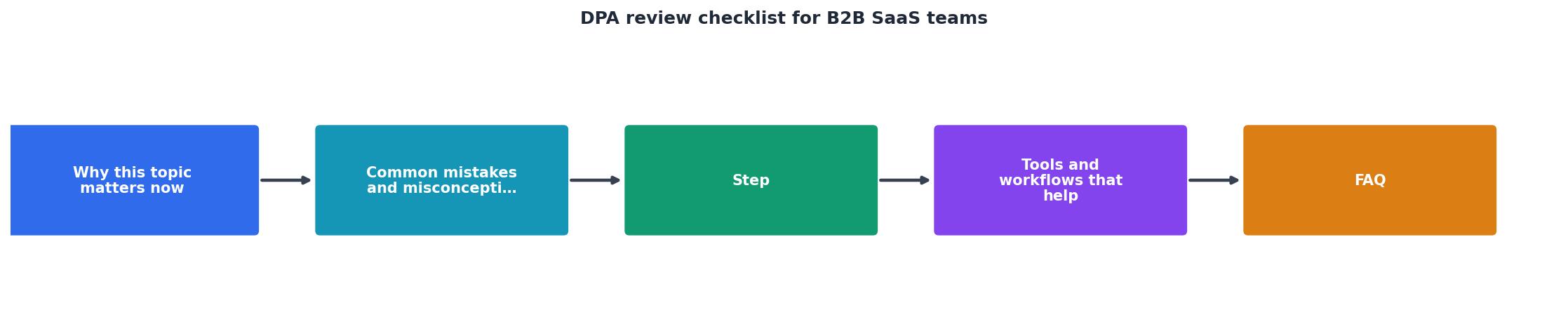
Phase 1: Pre-review preparation
- Gather your requirements: Document your compliance obligations (GDPR, CCPA, HIPAA, SOC 2, etc.) and ask: Does this vendor process personal data? What kind (financial, health, location)?
- Assign a reviewer: Designate one person (usually legal, ops, or security) to own the review and make final decisions.
- Prepare a standard template: Use a template DPA or vendor's standard language as a starting point. EU Standard Contractual Clauses are a good baseline for international transfers.
Phase 2: Initial review
- Read for coverage: Does the DPA address all eight points above? Flag any missing sections.
- Identify red flags: Use the checklist below. Mark items that are vague, missing, or conflict with your requirements.
- Compare to vendor's other docs: Cross-reference the DPA against the ToS, privacy policy, and security certifications. Contradictions are a sign of careless drafting.
Phase 3: Negotiation
- Prioritize: Rank issues into "must-have" (e.g., GDPR compliance, breach notification), "should-have" (e.g., explicit sub-processor list), and "nice-to-have" (e.g., annual security audits).
- Propose changes: Use tracked changes or a side letter to suggest edits. Many vendors have templated DPAs and will accept small tweaks.
- Escalate if needed: If the vendor refuses must-haves, loop in your procurement and legal teams. Sometimes a higher-level conversation unblocks negotiations.
Phase 4: Final sign-off and monitoring
- Get executive sign-off: Confirm that legal, security, and the data owner (e.g., VP of Operations) agree the DPA meets your risk appetite.
- Store and track: Keep a signed copy in your contracts management system and link it to the vendor record.
- Monitor for changes: Subscribe to the vendor's policy updates. Use Terms Doctor to flag changes to their privacy or security policies that may require a DPA amendment.
"Pro tip: First drafts should be 70 to 80% complete using existing knowledge.">, RFP implementation checklist for B2B SaaS teams
Your DPA review checklist
DPA Review Checklist for B2B SaaS Teams
Your progress is saved automatically in your browser.
- Vendor can use your data for "product improvement" or "machine learning" without explicit consent.
- Retention period is undefined or vague ("as needed by vendor").
- Sub-processors can be added without notice or your opt-out right.
- Breach notification is "if required by law" instead of a hard 72-hour commitment.
- No audit clause: vendor refuses SOC 2, ISO 27001, or security questionnaire access.
- Data deletion is "best effort" instead of a contractual obligation.
Automating DPA compliance with Terms Doctor
Vendors update their policies, sub-processor lists, and privacy terms constantly. Manually re-reading every vendor's DPA and privacy policy every quarter is not scalable. Terms Doctor flags changes to vendor terms of service, privacy policies, and security practices, allowing your team to spot DPA amendments or policy shifts before they affect your compliance.
When you use Terms Doctor on a vendor's website, you get:- Automated red-flag detection: Terms Doctor's 101 consumer-protection checks highlight risky clauses like forced arbitration, unilateral term changes, and vague data retention.
- A-F grading: See at a glance whether a vendor's terms meet industry standards.
- Change tracking: Get notified when a vendor updates their privacy policy or ToS, so you know when to request a DPA amendment.
- Plain-language summaries: Understand what each policy section means without hiring a lawyer for every vendor.
FAQ
Frequently Asked Questions
Start your DPA audit today
Every vendor on your SaaS stack should have a signed, compliant DPA. Gaps in your DPA coverage expose you to audit failures, data breach liability, and regulatory fines. Use the checklist above to audit your current contracts. For vendors you haven't reviewed, prioritize those handling the most sensitive customer data (payment info, emails, locations, account credentials).
The free Terms Doctor browser extension makes it easy to spot vendors' data practices at a glance. Install it today, run it on your key vendors' websites, and see which ones raise red flags. It's not legal advice, but it's a fast way to identify which DPAs need urgent review.
Download Terms Doctor for Chrome, Edge, Brave, Opera, and Vivaldi today and take control of your vendor compliance.
Additional Resources
- RFP implementation checklist for B2B SaaS teams - A good RFP implementation checklist covers 8 stages: intake, bid/no-bid, team assembly, drafting, SME review, final polish, submission, and post ...
- The Ultimate Checklist for B2B SaaS Business Development - Let's take a closer look at the most important steps of B2B SaaS business development (early stage)
- Product Launch Checklist for B2B SaaS: Step-by-Step Guide - Use this B2B SaaS product launch checklist to align teams, sharpen messaging, enable sales, and execute a no-fail GTM launch strategy.
Ready to Read Terms Before You Sign?
Terms Doctor finds terms of service on any site and grades them A-F in seconds.
Get Started“Terms Doctor flagged forced arbitration and AI training clauses in seconds. I finally know what I am agreeing to.”
Privacy-conscious shopper