DPA review checklist for AI tools teams
When your team adopts a new AI tool, whether it's a code generator, document editor, or analytics platform, someone has to sign a Data Processing Agreement (DPA


When your team adopts a new AI tool, whether it's a code generator, document editor, or analytics platform, someone has to sign a Data Processing Agreement (DPA). That someone is often you. A DPA is the legal contract that spells out how a vendor handles your company's data: who can access it, how long they keep it, whether they train AI models on it, and what happens if they get hacked. Sounds simple. In reality, DPAs are dense, jargon-filled documents that hide risky clauses in subsections of subsections. This checklist cuts through the noise and helps you spot the deal-breakers before your team is locked in.
TL;DR
- A Data Processing Agreement (DPA) is a contract that governs how vendors handle your company's data, including where it's stored, who accesses it, and whether it's used for AI training.
- Red flags include: data retention without consent, AI training opt-out buried or absent, no audit rights, forced arbitration, and vague deletion policies.
- Use a systematic checklist to review DPAs before signing; don't rely on vendor assurances that "we'll delete it" or "privacy is our priority."
- Most vendor DPAs are take-it-or-leave-it, but you can often negotiate data residency, retention limits, and audit frequency.
- Automate your DPA tracking: use Terms Doctor to monitor when vendors update their agreements and flag new risks.
Why DPA reviews matter now
Three years ago, DPAs were mainly a concern for large enterprises buying expensive CRM or ERP systems. Today, they're everywhere. Your design team uses Figma. Marketing uses an AI writing assistant. Engineering integrates third-party APIs for authentication, payment, or real-time data. Each tool is a potential gateway for your company's sensitive information, customer records, employee emails, proprietary code, financial data, to leave your control.
The stakes are higher now because:
- AI training uses real data. Many vendors train their AI models on user-uploaded content unless you explicitly opt out. That means your customer emails, product designs, or code might improve a vendor's product and compete against you.
- Compliance is mandatory. If you operate in the EU (GDPR), California (CCPA), or under contracts with government agencies, your DPA must reflect those rules or you face fines.
- Vendors change terms. Many SaaS companies update their DPAs annually or after acquisition. Without a tracking system, you miss new risks.
Core DPA sections to review

Not all DPAs are equal. Some are short addenda to a Terms of Service; others are standalone documents spanning 20+ pages. Regardless of length, focus on these five core sections:
1. Data Scope and Purpose
What to look for: Which of your data does the vendor process? The DPA should list specific data types (names, emails, payment info, custom fields) and the stated purpose (service delivery, analytics, fraud prevention).
Red flag: Language like "other purposes as needed" or "purposes we may determine later." This gives the vendor a blank check to use your data however they want.
Negotiation tip: Push for a white list of permitted uses. If the vendor says "we only use data for your service," ask them to write it down in the DPA.
2. Data Retention and Deletion
What to look for: How long does the vendor keep your data after you stop using their service? The DPA should specify a deletion timeline, ideally 30 days or less, and the method (secure wiping, anonymization).
Red flag: "We retain data indefinitely" or "for backup purposes" without a time limit. "On request" deletion is also weak; deletion should happen automatically at contract end.
Negotiation tip: Push for automatic deletion on termination and proof of deletion (a certificate from the vendor confirming deletion).
3. AI Training and Model Improvements
What to look for: Does the vendor use your data to train their AI models, improve their algorithms, or build aggregated datasets? This must be explicitly addressed.
Red flag: No mention of AI training (suspicious silence), or language stating "we may use your data for model improvement" with an opt-out that's hard to find or requires manual request each month.
Negotiation tip: Insist on an opt-out that's easy to toggle and defaults to "off." Better: get a clause stating "we do not use your data for AI training."
4. Audit Rights and Inspections
What to look for: Can you audit how the vendor is actually handling your data? The DPA should grant audit rights, either you conduct audits, or a third-party auditor on your behalf.
Red flag: "Audits available upon request after 60 days' notice" or "audits only for major customers." These limits often make audits impossible to execute.
Negotiation tip: Negotiate for at least annual audit rights with 15–30 days' notice.
5. Sub-Processors (Vendors-of-Vendors)
What to look for: Who does the vendor hire to process your data? Examples: cloud hosting (AWS, Azure), backup vendors, analytics services. The DPA should list approved sub-processors and require vendor approval before adding new ones.
Red flag: "We may use sub-processors at our discretion" or vague language that doesn't list specific vendors. You have no visibility into your data's journey.
Negotiation tip: Request a current list of sub-processors and a right to object before new ones are added.
Practical DPA review checklist

Use this step-by-step checklist before you sign any DPA. Print it, share it with your legal team, and check off each item as you review.
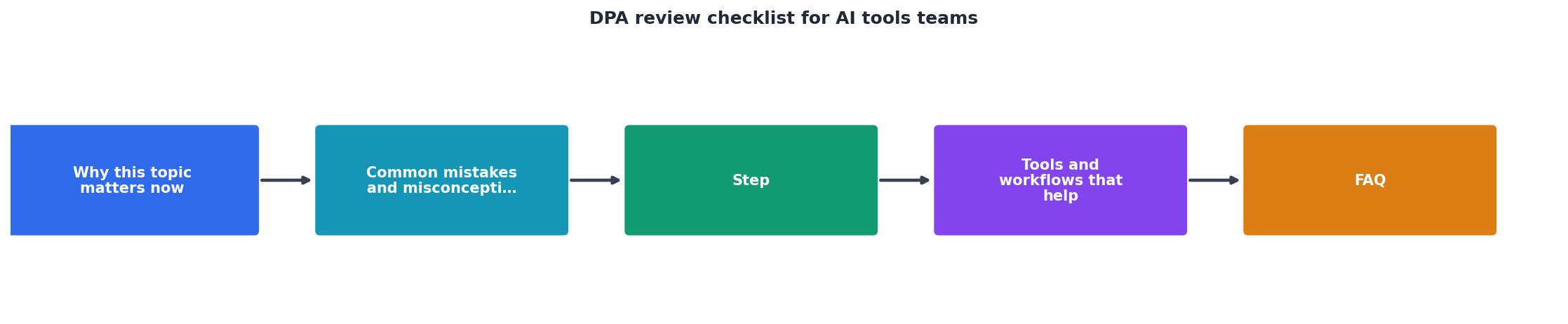
DPA Review Checklist for Your Team
Your progress is saved automatically in your browser.
How to negotiate a DPA
Most vendor DPAs are presented as "take it or leave it." That's often not true. Here's what usually works:
- Ask for a Data Protection Addendum (DPA) first. Many vendors don't provide one until you ask. Say: "Do you have a DPA that complies with GDPR/CCPA?" Silence often means they haven't written one yet.
- Start with your company's template. If your team has drafted a DPA template, send it to the vendor. Vendors often accept a mutual template faster than negotiating line-by-line.
- Negotiate the big three: data retention, AI training, and sub-processors. Leave boilerplate clauses alone; focus on the clauses that affect your data.
- Benchmark against similar tools. If Vendor A allows 30-day deletion, Vendor B should too. Use precedent to move negotiations forward.
- Document everything. Save the final signed DPA, screen-shot key clauses, and share it with your compliance and security teams. Set a calendar reminder to review it annually.
"Read how a Cincinnati hospital system slashed contract review time by 75% with LegalOn.">, AI Review for Data Processing Agreements (DPAs)
FAQ
Frequently Asked Questions
Start your DPA review today
Reviewing DPAs is not glamorous, but it's essential. A single data leak or unauthorized AI training use can cost your company in fines, customer trust, and lost productivity. The good news: you don't need a lawyer to spot the obvious problems.
Start with the checklist above. Ask your vendor for a DPA. Negotiate the retention, AI training, and audit clauses. Document everything. And use Terms Doctor, the free browser extension that discovers DPAs, compares them to best practices, and alerts you when vendors update their terms. No more surprises.
Remember: This article is not legal advice. Consult your legal team before signing any DPA, especially if you handle sensitive data or operate under GDPR, CCPA, or other regulations.
Additional Resources
- AI Review for Data Processing Agreements (DPAs) - To ensure that your DPA is effective, comprehensive, and legally compliant, use this checklist: Define the scope of the agreement, including the types of data ...
- Checklist: AI Model Security Testing - Step-by-step checklist to test and secure AI models in healthcare: risk classification, data protection, adversarial testing, API security, ...
- AI Vendor Evaluation Checklist & Comparison Criteria - Vendor review starts with understanding what data enters the tool, what the tool does with it, where it goes, how long it stays, whether it trains models, and ...
Ready to Read Terms Before You Sign?
Terms Doctor finds terms of service on any site and grades them A-F in seconds.
Get Started“Terms Doctor flagged forced arbitration and AI training clauses in seconds. I finally know what I am agreeing to.”
Privacy-conscious shopper