Checklist: spot forced arbitration clauses before you subscribe
You are about to enter your credit card number for a shiny new SaaS tool, streaming service, or AI app. Somewhere in the terms of service, buried under thousand

Photo by Tima Miroshnichenko from Pexels
You are about to enter your credit card number for a shiny new SaaS tool, streaming service, or AI app. Somewhere in the terms of service, buried under thousands of words you will never read, sits a clause that quietly strips away your right to sue the company in court. That clause is called a forced arbitration clause, and it affects far more subscriptions than most people realize. This checklist will teach you exactly what to look for, where to look, and how to protect yourself before you click "I agree."
TL;DR
- Forced arbitration clauses remove your right to take a company to court and often ban class-action lawsuits.
- They hide in terms of service, acceptable-use policies, and even order-confirmation emails.
- Key red-flag phrases include "binding arbitration," "waive right to jury trial," and "class action waiver."
- A simple pre-signup checklist can save you from signing away legal rights you did not know you had.
- Tools like the free Terms Doctor extension automatically flag arbitration clauses across 101 consumer-protection checks.
What is forced arbitration and why should you care?

Forced arbitration, sometimes called mandatory binding arbitration, is a contract provision that requires you to resolve any dispute with the company through a private arbitrator instead of a public court. In practice this means:
- No jury trial. A single arbitrator, often selected from a list the company provides, decides the outcome.
- No class action. Most forced-arbitration clauses include a class-action waiver, so you cannot join forces with other affected customers.
- Limited discovery. You get far fewer tools to compel the company to hand over evidence.
- Confidential proceedings. Results are typically sealed, which means other consumers never learn about patterns of misconduct.
- Company-friendly venue. The clause may require arbitration in a specific city or state, potentially thousands of miles from where you live.
"The trouble is, by the time most people realize the implications, it's too late.">, Forced Arbitration: Is It Fair and Should You Sign?
Key takeaway: Forced arbitration does not just limit how you resolve disputes, it often makes resolving them economically impossible for individual consumers.
Where forced arbitration clauses hide

Arbitration clauses do not always sit in the document labeled "Terms of Service." Here are the most common hiding spots:
- Terms of Service / Terms of Use, The primary legal agreement. Look for a section titled "Dispute Resolution" or "Arbitration."
- Subscription agreement or order form, SaaS vendors sometimes attach arbitration language to the purchase order rather than the main ToS.
- Acceptable Use Policy (AUP), Some companies split legal terms across multiple documents and cross-reference them.
- Privacy Policy addendum, Occasionally, dispute-resolution language appears in a privacy-related document, especially after a merger or acquisition.
- Confirmation emails, A growing number of services embed "by using this product you agree to…" links in welcome or receipt emails, pointing to updated terms that include arbitration.
- In-app pop-ups, Mobile apps may present updated terms inside the app after you have already subscribed, adding arbitration retroactively.
The pre-signup arbitration checklist
Below is a step-by-step checklist you can follow every time you are about to subscribe to a new service. Print it, bookmark it, or simply install Terms Doctor and let the extension handle most of these checks automatically.
Pre-Signup Forced Arbitration Checklist
Your progress is saved automatically in your browser.
How to use this checklist effectively
Do not try to memorize every legal phrase. Instead, rely on the Ctrl+F method: open the terms page in your browser, press Ctrl+F (or Cmd+F on Mac), and type each keyword from the checklist. If you get zero hits for "arbitration," "waive," and "class action," the service likely does not include a forced-arbitration clause, but double-check linked documents to be sure.
If you find a match, read the surrounding paragraph carefully. Pay special attention to:
- Opt-out windows. Some companies, including several major streaming and cloud-storage providers, allow you to opt out of arbitration within 30 days of creating your account. The catch: you usually must send a physical letter or email to a specific address, and the window is short.
- Small-claims carve-outs. A clause that says "except for claims that qualify for small-claims court" is slightly more consumer-friendly because it preserves at least one affordable legal avenue.
- Delegation clauses. These say the arbitrator, not a judge, decides whether the arbitration clause itself is valid. This makes it much harder to challenge the clause later.
Red-flag phrases to watch for
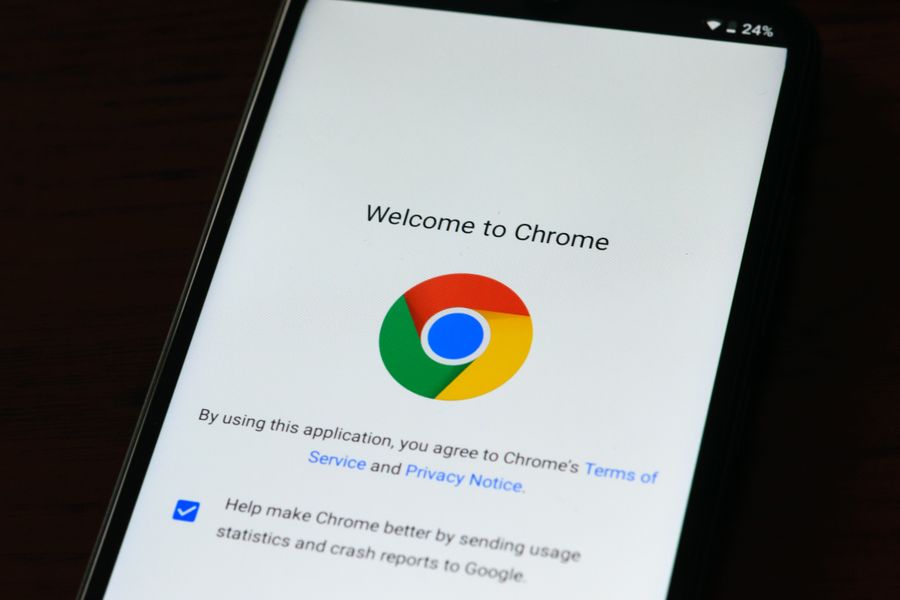
Here is a quick-reference list of the exact phrases that should raise an immediate red flag when you spot them in any terms document:
| Red-flag phrase | What it means |
|---|---|
| "binding arbitration" | Disputes go to a private arbitrator, not a court. |
| "waive your right to a jury trial" | You give up the Seventh Amendment right (in the US) to a jury. |
| "class action waiver" | You cannot join or lead a class-action lawsuit. |
| "individual basis only" | Each customer must file a separate claim. |
| "administered by AAA / JAMS" | Names the arbitration provider, look up their fees. |
| "seat of arbitration shall be [City]" | You may have to travel to resolve a dispute. |
| "delegation clause" | The arbitrator decides if the clause is enforceable. |
| "informal dispute resolution required" | You must negotiate directly with the company before even starting arbitration. |
What to do when you find a forced arbitration clause
Finding the clause is only half the battle. Here is what you can do next:
- Opt out if possible. Read the opt-out instructions carefully. Send the required notice before the deadline, and keep a copy (screenshot the email or get a tracking number for physical mail).
- Compare alternatives. Use Terms Doctor's A-F grading to compare the terms of competing services. A service graded B or higher is far less likely to contain aggressive arbitration language than one graded D or F.
- Negotiate (for B2B tools). If you are purchasing a SaaS subscription for your team, you may have leverage to request a modified agreement that removes or softens the arbitration clause. Vendors with enterprise tiers often accept redlines.
- Document everything. Save a PDF or screenshot of the terms page on the date you subscribed. Companies update terms frequently, and having a timestamped copy protects you if a dispute arises later. Terms Doctor's change-tracking feature can help here, it alerts you when a service modifies its terms.
- Consult a lawyer for high-stakes subscriptions. If the service handles sensitive data, large transaction volumes, or mission-critical workflows, a brief legal review is worth the cost. This article is educational and is not legal advice.
How Terms Doctor helps you skip the fine print
You should not have to become a legal expert just to subscribe to a project-management tool or a music-streaming service. The free Terms Doctor browser extension, available for Chrome, Edge, Brave, Opera, and Vivaldi, automates the heavy lifting:
- Automatic ToS discovery: The extension finds the terms-of-service page on any website you visit.
- 101 consumer-protection checks: It scans for forced arbitration, class-action waivers, AI training on your data, auto-renewal traps, and dozens more red flags.
- A-F grading: Each set of terms receives a letter grade with a plain-language summary so you can make an informed decision in seconds.
- Change tracking: Get notified when a service updates its terms, including when a new arbitration clause appears after you have already subscribed.
Frequently Asked Questions
Disclaimer: This article is for educational purposes only and does not constitute legal advice. Automated checks, including those performed by Terms Doctor, are informational tools, not substitutes for professional legal counsel.
Additional Resources
- 75 Ways to Challenge an Arbitration Requirement - NCLC's new Arbitration Practice Checklist is a free tool that lists 75 ways to defeat an arbitration requirement. A new NCLC Digital Library ...
- Forced Arbitration: Is It Fair and Should You Sign? - How to Read and Evaluate an Arbitration Clause Before You Sign. Forced arbitration clauses are often dressed up in clean, professional language ...
- Forced Arbitration: A Clause for Concern - "The only objective of forced, predispute, class-banning arbitration clauses" is to deter small-dollar claims, says professor Gilles at Cardozo ...
Ready to Read Terms Before You Sign?
Terms Doctor finds terms of service on any site and grades them A-F in seconds.
Get Started“Terms Doctor flagged forced arbitration and AI training clauses in seconds. I finally know what I am agreeing to.”
Privacy-conscious shopper