Acceptable use policy review checklist for mobile apps teams
Your mobile app is live, users are signing up, and everything feels like it's working, until your legal team flags a missing acceptable use policy (AUP). An AUP isn't just legal paperwork; it's your first line of defense against abuse, liability, and compliance violations. If your app collects data, charges subscriptions, or allows user-generated content, you need a clear, enforceable AUP that protects both your business and your users.

Photo by Tim Mossholder from Pexels
Your mobile app is live, users are signing up, and everything feels like it's working, until your legal team flags a missing acceptable use policy (AUP). An AUP isn't just legal paperwork; it's your first line of defense against abuse, liability, and compliance violations. If your app collects data, charges subscriptions, or allows user-generated content, you need a clear, enforceable AUP that protects both your business and your users.
This guide walks you through exactly what to review, why it matters, and how to build an AUP that scales with your app.
TL;DR
- An acceptable use policy defines what users can and cannot do with your app and their data, and prevents abuse, fraud, and legal disputes.
- Mobile apps need stronger AUPs than websites because they access device features (camera, location, contacts) and often handle subscriptions, push notifications, and offline data.
- Review your AUP for forced arbitration clauses, AI training disclaimers, auto-renewal terms, and payment dispute language, all red flags that hurt users.
- Use a structured checklist to audit your policy quarterly; involve legal, product, and compliance teams.
- Terms Doctor's 101 consumer-protection checks flag restrictive AUP clauses automatically, saving hours of manual review.
Why mobile apps need a strong acceptable use policy
An acceptable use policy is a contract clause, or often, a standalone section, that says: "You can use our app for these purposes, and you cannot do these things." Unlike a privacy policy, which explains how you collect and use data, an AUP enforces behavioral boundaries.
Key takeaway: A weak or missing AUP invites fraud, data abuse, and regulatory fines; a clear one prevents disputes before they happen.
For mobile apps specifically, the stakes are higher. Your app runs on users' phones with access to sensitive hardware: their camera, microphone, location, contacts, photos, and calendar. Users grant permissions in iOS or Android dialogs, but your AUP is where you explain why you need them and what you'll do with them. If your app crashes on launch, sells location data to third parties, or scrapes user photos without consent, an AUP that clearly forbids those acts protects you, and users who need to know their rights.
Real-world example: A fitness app that collects GPS location during runs but shares that data with advertisers without disclosure. If the AUP says "we may share aggregated location data with partners," users at least know. If the AUP is silent, you face GDPR fines, app store rejections, and user lawsuits.
Who needs an acceptable use policy?
If your mobile app meets any of these criteria, you need an AUP:
- You charge users (subscriptions, in-app purchases, ads)
- You collect personal data (location, contacts, photos, biometrics, usage analytics)
- You allow user-generated content (chats, posts, images, files)
- You integrate with other services (payment processors, social login, APIs)
- You operate in regulated industries (healthcare, finance, education, gambling)
- You access device features (camera, microphone, notifications, background activity)
- You train or analyze data (machine learning, AI models)
Core sections your mobile app's AUP must include

Permitted uses
Start with what users can do. Be specific: "You may use this app for personal, non-commercial fitness tracking" is better than "You may use this app as intended." Permitted uses set the boundary for the policy.
Prohibited uses
This is the enforcement section. Common prohibitions include:
- Illegal activity: Selling illegal goods, distributing malware, facilitating harassment
- Fraud and deception: Fake accounts, payment disputes, false claims
- Privacy violations: Scraping other users' data, selling personal information, unauthorized surveillance
- Security threats: Attempting to breach servers, reverse-engineering code, DDoS attacks
- Intellectual property: Copying content, reselling app access, plagiarism
- Spam and manipulation: Automated bots, fake reviews, mass messaging
- Device abuse: Excessive battery drain, forcing permissions, stealing device resources
"The company must prioritize its assets and protect the most critical ones first; however, it is important to ensure patching takes place on all machines.">, Sample Acceptable Use Policy Template
Data handling and consent
Spell out what you do with user data: storage duration, deletion rights, third-party sharing, and AI/ML uses. If you train models on user data, disclose it here. If users can export or delete their data, explain the process.
Enforcement and consequences
What happens if a user violates the AUP? Will you warn them, suspend the account, ban permanently, or pursue legal action? Be clear and proportionate. Banning for one typo in a comment is harsh; banning for repeated hate speech is fair.
Device permissions and features
For mobile, list what permissions you request (camera, location, contacts) and why. Example: "We request camera access only for video calls; we never store or share camera footage."
Third-party integrations
If you use payment processors, analytics, or advertising networks, say so. Users deserve to know that Google Analytics sees their app usage or that Stripe processes their card.
Changes and updates
Tell users how you'll notify them if the AUP changes. Will you send an email, show an in-app banner, or require re-acceptance? Give users a grace period to review.
The acceptable use policy review checklist
Mobile App AUP Review Checklist
Your progress is saved automatically in your browser.
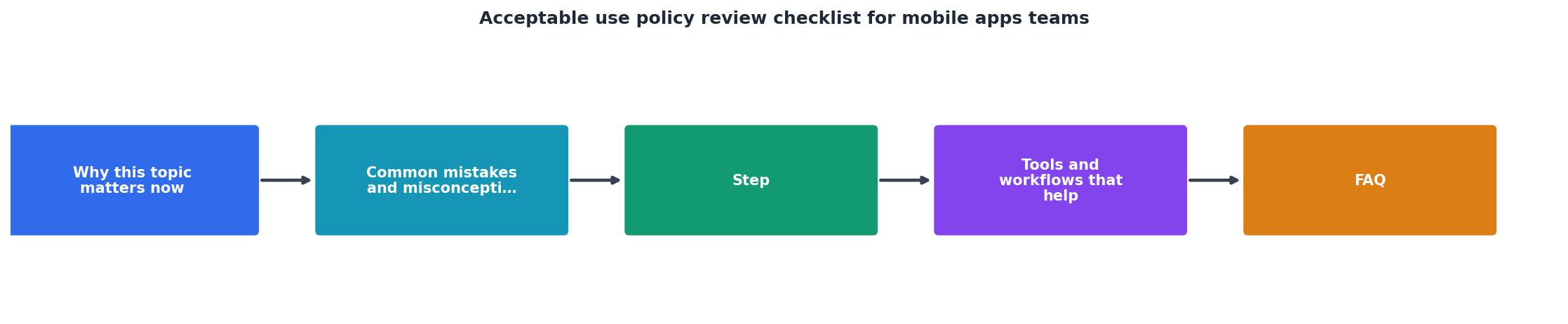
Red flags to remove from your AUP
Certain AUP clauses erode user trust and invite regulatory scrutiny. Review your policy and remove or revise these:
1. Forced arbitration
Flag: "Any dispute with us must be resolved through binding arbitration, not court."
Why it's harmful: Users lose the right to sue, join class actions, or appeal. It favors companies with legal budgets.
Better approach: Offer arbitration as an option, not a requirement. Let users choose small claims court or litigation if they prefer.
2. Blanket AI training consent
Flag: "We may use your data to train AI models for any purpose."
Why it's harmful: It gives you a blank check to monetize user data. Users don't know if their photos will train image generators or their texts will train chatbots.
Better approach: Ask users to opt in per use case. "We may use your fitness data to improve workout recommendations" is clearer than "We may use your data for AI."
3. Hidden auto-renewal
Flag: AUP mentions subscriptions but doesn't explicitly state trial terms or cancellation steps.
Why it's harmful: Users hit a paywall after a "free trial" with no clear way to cancel. App stores penalize this heavily.
Better approach: Clearly state trial duration, renewal price, cancellation method (in-app toggle, account page, email), and refund eligibility in the AUP and at checkout.
4. Indefinite data retention
Flag: "We retain your data as long as your account is active and for an unlimited time after."
Why it's harmful: Under GDPR and CCPA, users have the right to deletion. Indefinite retention violates these laws.
Better approach: "We delete data 90 days after account closure unless required by law." Be specific about retention timelines.
5. Vague prohibited use clauses
Flag: "Users may not use the app in a manner that is harmful, offensive, or otherwise inappropriate."
Why it's harmful: "Offensive" is subjective and gives you unlimited enforcement power. Users don't know what will get them banned.
Better approach: List specific prohibited acts: "No hate speech, harassment, sexual content, or illegal activity." Make the boundary clear.
6. Unilateral policy changes without notice
Flag: "We reserve the right to change this policy at any time without notice."
Why it's harmful: Users can't review changes before they're bound to them. Regulators view this as unfair.
Better approach: "We'll notify you by email 30 days before major changes take effect. If you disagree, you can delete your account."
How to review your AUP every quarter
A strong AUP isn't a set-it-and-forget-it document. As your app adds features, regulators tighten rules, and user expectations evolve, your policy must keep pace.
Quarterly review steps:
- Audit new features: If you launched a new permission (e.g., Bluetooth for wearables) or data use (e.g., analytics), update the AUP.
- Check regulatory changes: Did GDPR guidance shift? Did your app expand to a new country with its own privacy laws? Update accordingly.
- Review enforcement logs: How many users got banned for AUP violations? Are the prohibited clauses clear, or are users confused?
- Survey users: Ask in-app or via email: "Is our AUP easy to understand?" Feedback often reveals confusing language.
- Compare competitors: Review similar apps' AUPs. What are they doing? Are there clauses you missed?
- Involve all teams: Legal, product, compliance, and support should weigh in. Support staff hear user complaints first.
Common pitfalls when writing a mobile app AUP
Pitfall 1: Copying a web app's AUP verbatim
Mobile apps have unique privacy risks (location tracking, background activity, device permissions). Don't just repurpose desktop policy language.
Fix: Audit your AUP for mobile-specific clauses: biometric data, offline caching, push notifications, and device feature access.
Pitfall 2: Ignoring app store guidelines
Apple App Store and Google Play have their own AUP requirements. If your policy doesn't align, your app gets rejected.
Fix: Review Apple's App Store Review Guidelines and Google Play's Policy Center every time you update.
Pitfall 3: Making enforcement too harsh or too lenient
Banning users for minor infractions causes backlash. Never enforcing the policy undermines it.
Fix: Tier your enforcement: first offense = warning, second = suspension, third = ban. Serious offenses (fraud, abuse) = immediate ban.
Pitfall 4: Not addressing data residency
If you operate in the EU, India, or China, data localization laws apply. Users' data may need to stay in-country.
Fix: State where user data is stored and processed. "User data is stored in EU data centers compliant with GDPR" is clear; "data may be stored anywhere" raises red flags.
Pitfall 5: Forgetting about COPPA (children under 13)
If your app is used by or targeted at children, COPPA (U.S. Children's Online Privacy Protection Act) imposes stricter rules.
Fix: If you serve under-13 users, add a section: "Parental consent is required for users under 13. We do not share children's data with third parties except [named service providers]."
How Terms Doctor helps with AUP review
- A-F grading that shows users (and you) how fair your policy is
- Red-flag highlights pointing to risky or user-hostile clauses
- Plain-language summaries of what each section means
- Change tracking so you see what shifted between policy versions
- Exportable reports for your legal team and compliance file
Remember: Automated checks are not legal advice. Use Terms Doctor to spot-check your policy, then have a lawyer review before launch or major updates.
FAQ
Frequently Asked Questions
Key Takeaway
A strong acceptable use policy is the foundation of user trust and legal protection for mobile apps. By conducting quarterly reviews, removing user-hostile clauses, and clearly communicating behavioral boundaries, you create an environment where users feel secure and your business is protected from abuse and regulatory risk. Start with the checklist provided, involve your entire team in the review process, and use automated tools like Terms Doctor to identify potential red flags before they become compliance issues.
Start reviewing your AUP today
An acceptable use policy is not a luxury, it's a legal foundation that protects your app, your users, and your business. Use the checklist above, review it quarterly with your team, and remove the red-flag clauses that hurt users. Then test your policy with Terms Doctor to see how it ranks against 101 consumer-protection checks. A clear, fair AUP builds trust, prevents abuse, and scales with your app.
Your users are counting on you to be transparent. Make your AUP one less thing they have to worry about.
Additional Resources
- Sample Acceptable Use Policy Template - The purpose of this policy is to outline the acceptable use of computer equipment. Inappropriate use exposes the company to risks including virus attacks, ...
- What Is an Acceptable Use Policy (AUP)? - An acceptable use policy governs employee computer and internet use in the workplace. Learn what to include and how to create one.
- Acceptable Use Policy Template - Policies are important components of all security decisions. We've created templates to get you started. Download our acceptable use policy template now.
Ready to Read Terms Before You Sign?
Terms Doctor finds terms of service on any site and grades them A-F in seconds.
Get Started“Terms Doctor flagged forced arbitration and AI training clauses in seconds. I finally know what I am agreeing to.”
Privacy-conscious shopper