Acceptable use policy review checklist for marketplaces teams
Marketplaces connect sellers, buyers, and service providers, but that ecosystem only works if everyone plays by the same rules. An Acceptable Use Policy (AUP) sets those boundaries. It tells users what they can and cannot do on your platform, protects your business from misuse, and keeps the community safe.

Photo by Mikhail Nilov from Pexels
Marketplaces connect sellers, buyers, and service providers, but that ecosystem only works if everyone plays by the same rules. An Acceptable Use Policy (AUP) sets those boundaries. It tells users what they can and cannot do on your platform, protects your business from misuse, and keeps the community safe.
The problem? Most marketplace teams inherit, draft, or review AUPs without a systematic approach. You end up with policies that are too vague, miss critical risks, or create legal exposure. This checklist helps you audit an AUP like a professional, no legal degree required.
TL;DR
- An AUP defines prohibited activities, security expectations, and enforcement consequences for marketplace users.
- Poor AUPs allow fraud, data theft, harassment, and regulatory violations; strong ones prevent misuse before it happens.
- Use a structured review to catch gaps in payment fraud, seller impersonation, intellectual property theft, and data security clauses.
- Audit your AUP quarterly and after major platform changes (new payment methods, seller features, integrations).
- Terms Doctor's 101 consumer-protection checks highlight red flags in competitor AUPs and help you benchmark your own.
Why marketplace teams need a strong AUP

An Acceptable Use Policy is not just legal boilerplate. It's the operational spine of your marketplace. When a seller uses stolen credit cards, a buyer opens chargebacks, or a contractor steals intellectual property, your AUP is the first document that defines what went wrong and what you can do about it.
Key takeaway: A well-drafted AUP prevents fraud, protects intellectual property, shields your platform from liability, and sets clear user expectations before conflict arises.
Without a clear AUP, your team has no basis to suspend an account, block a payment, or refuse a refund. Courts, payment processors, and regulators expect you to have documented rules. Competitors with sloppy AUPs often face chargebacks, account takeovers, and regulatory fines, all preventable with a thorough review.
"The key components of an effective AUP include acceptable use guidelines, prohibited activities, and security measures.">, Best Practices for an Acceptable Use of Technology Policy
Who needs to own this checklist?
Marketplace teams include compliance, legal, trust & safety, finance, and product. The review process should involve:
- Trust & Safety: Enforces the AUP, detects abuse, and recommends wording updates.
- Finance & Payments: Flags payment fraud, chargeback, and refund rules.
- Legal: Ensures compliance with consumer protection law, payment networks, and regional regulations.
- Product: Identifies gaps when new features (APIs, seller tiers, AI recommendations) introduce new risks.
Core sections to review in any marketplace AUP

Before you audit line by line, understand what a complete AUP covers. Most marketplaces address these eight core areas:
- Prohibited Activities – What users cannot do (fraud, harassment, illegal goods, IP theft).
- Payment and Refund Rules – Conditions for chargebacks, disputes, and refund timelines.
- Data Use and Privacy – How the platform collects, stores, and protects user data.
- Security Obligations – Password requirements, two-factor authentication, API token safety.
- Intellectual Property – Copyright, trademark, and image ownership by sellers and buyers.
- Seller Conduct Standards – Specific rules for merchants (product authenticity, descriptions, ratings).
- Buyer Conduct Standards – Rules for purchasers (no extortion, fake disputes, rate-skewing).
- Enforcement and Remedies – Account suspension, payment holds, legal recourse, and dispute resolution.
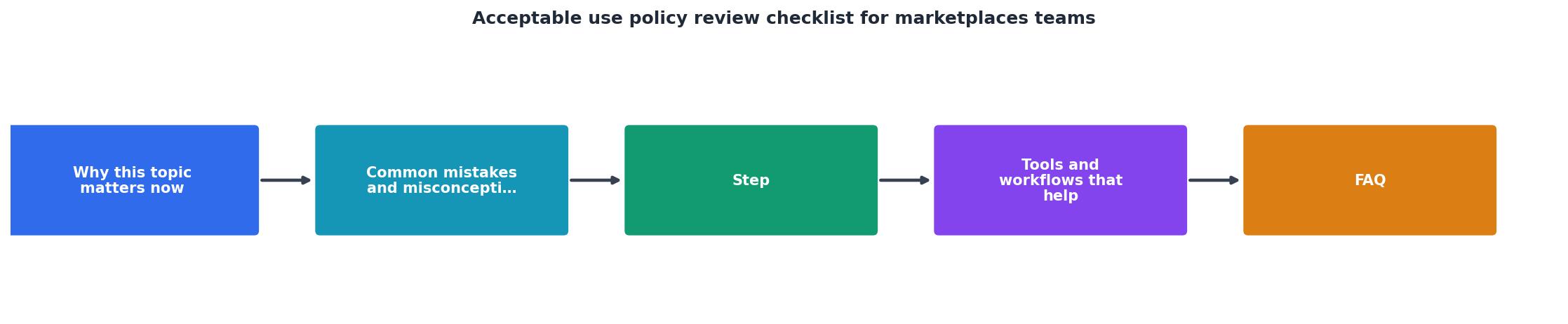
Step-by-step AUP review process

Follow this structured workflow to audit your current AUP or compare it against vendor policies:
Phase 1: Gather context (Week 1)
Before you read a single clause, collect information about your marketplace's risk profile:
- Recent abuse incidents: List the top 5–10 abuse cases your team handled in the past 12 months (fraud, chargebacks, fake reviews, IP complaints).
- Regulatory environment: Identify laws that apply to your users (GDPR, CCPA, FTC Act, payment regulations, local consumer law).
- Payment network rules: Review your merchant agreement with Stripe, PayPal, or your processor, they impose AUP constraints too.
- Competitor policies: Download AUPs from 3–5 competitors or peer platforms using Terms Doctor to spot gaps in your own.
- Support ticket trends: Ask your support team what the most common complaint or question categories are.
Phase 2: Clause-by-clause audit (Week 2–3)
Use the comprehensive checklist below to review each section. Mark each item as Yes (clear and enforceable), Partial (present but vague), or No (missing).
Phase 3: Drafting and cross-check (Week 4)
Work with your legal and trust & safety teams to draft fixes for every Partial and No response. Test the new language against your abuse cases from Phase 1: does the updated AUP give you clear grounds to take action?
The complete AUP review checklist
Acceptable Use Policy Review Checklist for Marketplaces Teams
Your progress is saved automatically in your browser.
Note: This checklist reflects best practices for English-language marketplaces in North America and Europe. If your marketplace operates globally, consult local counsel in key jurisdictions (China, India, Brazil, etc.) for regional variations.
Red flags to watch for in competitor or inherited AUPs
When auditing an existing or competitor AUP, watch for these warning signs:
- Vague enforcement language: "We may suspend accounts that we believe violate this policy" sounds weak. Better: "We will suspend accounts within 48 hours of confirmed fraud, and notify the user with evidence."
- No appeal process: Users can't contest a ban, which increases regulatory and PR risk. Always include an appeal mechanism, even if limited.
- Outdated payment terms: References only credit cards, ignores digital wallets, cryptocurrency, or regional payment methods.
- Missing data breach notification: Policy doesn't say how you'll notify users if their data is compromised. Most jurisdictions require notification within 30–60 days.
- No international carve-outs: Policy applies US law globally but ignores GDPR, CCPA, or local e-commerce law. This creates legal exposure.
- Unilateral modification clause too broad: Policy allows changes without notice or grandfathering. Can trigger user backlash or regulatory investigation.
- Liability waiver is overbroad: Courts may strike down disclaimers that exempt gross negligence, willful misconduct, or statutory violations.
How to communicate AUP updates to users
Once you've refreshed your AUP, tell users clearly:
- In-app announcement: Banner or pop-up summarizing changes (max 2–3 bullet points). Link to full updated policy.
- Email to active users: One email explaining new rules (e.g., "We now require two-factor authentication for sellers") and effective date (usually 30 days out).
- Trust & Safety blog post: Publish a longer explanation of why you updated the AUP (respond to abuse patterns, new feature, regulatory change). Builds goodwill.
- Update your website footer: Link to current AUP; archive old versions for dispute reference.
FAQ
Frequently Asked Questions
Next steps: Audit your AUP with Terms Doctor
Auditing an AUP is hard to do alone. Terms Doctor is a free browser extension that runs 101 consumer-protection checks on any terms of service or AUP. Use it to:
- Spot red flags in your own AUP (missing appeal process, overbroad liability waiver, vague enforcement language).
- Compare competitor policies side-by-side to see what market standards are for payment disputes, seller conduct, and data security.
- Track changes when you update your AUP, Terms Doctor highlights new clauses or removed protections.
- Grade your AUP on a simple A–F scale so you know how your policy stacks up.
Additional Resources
- Best Practices for an Acceptable Use of Technology Policy - Key components of an effective AUP include acceptable use guidelines, prohibited activities, and robust security measures to mitigate risks and ...
- Acceptable Use Policy Template - Policies are important components of all security decisions. We've created templates to get you started. Download our acceptable use policy template now.
- What Is an Acceptable Use Policy and Why It Matters? - AUPs define acceptable and unacceptable behaviors regarding company technology and assets to ensure security and productivity.
Ready to Read Terms Before You Sign?
Terms Doctor finds terms of service on any site and grades them A-F in seconds.
Get Started“Terms Doctor flagged forced arbitration and AI training clauses in seconds. I finally know what I am agreeing to.”
Privacy-conscious shopper