Compare Two Versions of a Privacy Policy Side by Side
Privacy policies change all the time, often without any notification to you. A streaming service quietly adds an AI-training clause, a SaaS tool slips in forced

Privacy policies change all the time, often without any notification to you. A streaming service quietly adds an AI-training clause, a SaaS tool slips in forced arbitration, or a marketplace expands its data-sharing partners from five to fifty. If you are not comparing the old version against the new one, you will never know what rights you just lost. This guide walks you through exactly how to place two versions of a privacy policy side by side, spot the differences that matter, and automate the process so you never miss a critical change again.
TL;DR
- Privacy policies update frequently; most users never notice the changes that affect their data rights.
- A side-by-side comparison highlights added, removed, and modified clauses in seconds.
- Focus on five high-impact areas: data sharing, retention periods, user rights, arbitration, and AI/ML training.
- Free tools like Terms Doctor automatically detect terms pages, grade them A-F, and track changes over time.
- Automated checks are not legal advice, consult a lawyer for binding decisions.
Why Privacy Policies Change (and Why You Should Care)
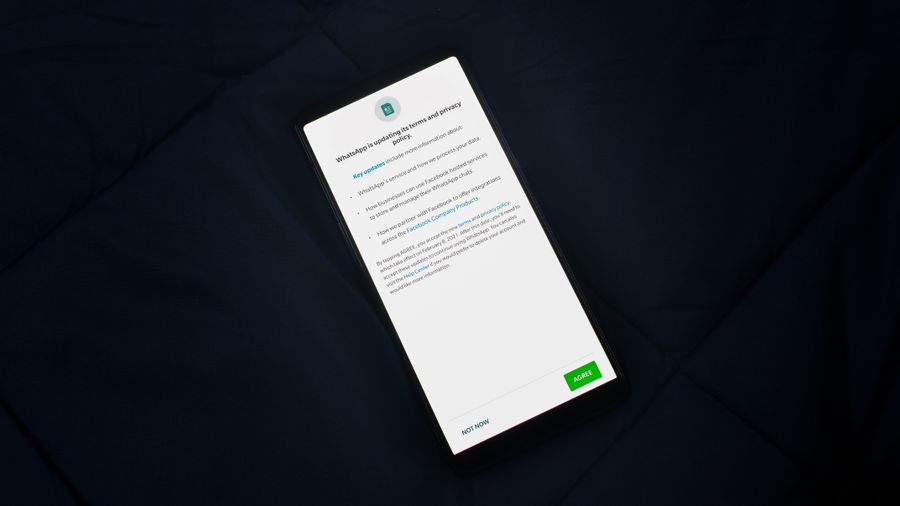
Companies revise their privacy policies for many reasons: new regulations like GDPR or the CCPA, product launches that collect additional data, mergers that introduce new corporate affiliates, or simply a legal team "cleaning up" language. The problem is that "cleaning up" can mean replacing a concrete promise ("we will never sell your data") with vague wording ("we may share data with select partners to improve services").
Here are the most common triggers for a privacy-policy update:
- New feature rollout, A photo-editing app adds cloud backup and now stores your images on third-party servers.
- Regulatory pressure, A company operating in the EU adds GDPR-mandated disclosures but simultaneously loosens language for non-EU users.
- Acquisition or merger, When Company A buys Company B, the combined entity often rewrites both policies to allow broader data sharing across brands.
- Monetisation pivot, A free tool that previously earned revenue through subscriptions starts selling anonymised (or not-so-anonymised) analytics to advertisers.
- AI and machine-learning training, An increasingly common clause grants the company a perpetual, royalty-free licence to use your content for model training.
Without a direct comparison, these shifts are invisible. A policy that was consumer-friendly six months ago may now contain red flags that would make you think twice about continuing to use the service.
Key takeaway: The only reliable way to know what changed in a privacy policy is to compare the old and new versions line by line, or let a tool do it for you.
What You Need Before You Start
Before you open two browser tabs and start squinting, gather these items:
- The previous version of the policy. Check the Wayback Machine at
web.archive.org, your email for "we've updated our privacy policy" messages, or a PDF you saved earlier. - The current version of the policy. Copy it directly from the company's website. Make sure you grab the full text, including any linked appendices or cookie policies.
- A comparison tool. This can be a dedicated diff tool (like the one built into Terms Doctor), a general-purpose text-diff utility, or even a word processor's "Compare Documents" feature.
- A red-flag checklist. Know what you are looking for before you start reading. We provide one below.
"Whether you're choosing between cloud storage providers, social media platforms, or business tools, understanding the privacy implications is critical.">, Privacy Policy Comparison Tool
Step-by-Step: How to Compare Two Privacy Policy Versions
Follow these steps to perform a thorough side-by-side comparison. The process works whether you use a manual approach or an automated tool.
Step 1, Retrieve Both Versions
Navigate to the company's website and copy the current privacy policy into a plain-text file (e.g., policy-2025-08.txt). Then locate the previous version. The easiest sources are:
- Wayback Machine, Paste the policy URL into
web.archive.organd pick a snapshot from before the announced update date. - Email archives, Search your inbox for the company name plus "privacy" or "terms." Many services email a summary of changes along with a link to the prior version.
- Your own backups, If you saved a PDF or screenshot last time you reviewed the policy, use that.
policy-2025-02.txt (or whatever date applies).
Step 2, Normalise the Text
Strip out headers, footers, navigation menus, and cookie banners that are not part of the policy itself. Convert both files to the same format, plain text or Markdown works best. This prevents false positives in the diff caused by formatting differences rather than substantive changes.
Step 3, Run the Diff
Open both files in your comparison tool. If you are using Terms Doctor, the extension automatically detects the terms page when you visit a site and can show you a highlighted diff against the last version it stored. For a manual approach:
- VS Code, Right-click the first file, choose Select for Compare, then right-click the second file and choose Compare with Selected.
- Google Docs, Upload both files, then use Tools → Compare Documents.
- Command line, Run
diff --color policy-2025-02.txt policy-2025-08.txton macOS/Linux or usefcon Windows.
Step 4, Categorise Every Change
Not all changes are equal. Sort each difference into one of three buckets:
| Category | Example | Risk Level |
|---|---|---|
| Cosmetic | Rewording a sentence without changing meaning | Low |
| Clarifying | Adding a concrete example to an existing clause | Medium |
| Substantive | Removing your right to opt out of data sales | High |
Step 5, Document and Decide
Write a short summary of every substantive change: what the old text said, what the new text says, and what it means for you. Then decide: do you accept the new terms, opt out of specific features, or stop using the service?
Red Flags to Watch For

When scanning the diff output, pay special attention to these high-impact areas. Each one can significantly affect your privacy, your wallet, or your legal rights.
Privacy Policy Red-Flag Checklist
Your progress is saved automatically in your browser.
Each of these items corresponds to checks that Terms Doctor runs automatically. When the extension scans a terms page, it flags these clauses in plain language and assigns a severity level so you can prioritise your review.
Automating the Process with Terms Doctor

Manual comparison works, but it does not scale. If you use dozens of SaaS tools, and most professionals do, you need an automated approach. Terms Doctor is a free browser extension for Chrome, Edge, Brave, Opera, and Vivaldi that handles the heavy lifting:
- Automatic ToS discovery, Visit any website and the extension finds the terms-of-service and privacy-policy pages without you hunting through footer links.
- 101 consumer-protection checks, Every policy is scanned against a comprehensive checklist covering forced arbitration, AI training, auto-renewal, data-selling, jurisdiction tricks, and more.
- A-F grading, Each policy receives a letter grade with plain-language explanations, so you know at a glance whether a service is consumer-friendly or riddled with red flags.
- Change tracking, When a policy you have previously reviewed gets updated, Terms Doctor highlights exactly what changed, saving you the manual diff process entirely.
Tips for Ongoing Monitoring
Comparing two versions once is useful. Building a habit of ongoing monitoring is what truly protects you. Here are practical tips:
- Set a quarterly review calendar reminder. Even if you use automated tools, a manual spot-check keeps you engaged with the services you rely on.
- Archive every version you review. Save a dated copy (PDF or plain text) in a dedicated folder. If a dispute arises, you will have evidence of what you agreed to and when.
- Prioritise by data sensitivity. Start with services that hold your financial data, health records, or identity documents. A photo-filter app's policy matters less than your bank's.
- Read the "what changed" summary, then verify it. Some companies publish a changelog alongside the updated policy. These summaries are helpful but sometimes omit unfavourable changes. Always confirm against the full text.
- Share findings with your team. If you are evaluating tools for a company, document your comparison results in a shared wiki or spreadsheet so colleagues benefit from your work.
FAQ
Frequently Asked Questions
Take Control of Your Privacy Reviews
You do not need a law degree to spot a bad privacy policy change, you just need the right process and the right tools. Install the free Terms Doctor extension for Chrome, Edge, Brave, Opera, or Vivaldi, and let it automatically discover terms pages, run 101 consumer-protection checks, grade policies A-F, and alert you when something changes. It takes less than a minute to set up and can save you from agreeing to terms you would never accept if you had actually read them.
Disclaimer: The information in this article is for educational purposes only and does not constitute legal advice. Always consult a qualified professional for decisions involving legal rights or obligations.
Additional Resources
- Free Privacy Policy Comparison - Compare Changes - Our Privacy Policy comparison tool compares two versions of a privacy policy side-by-side, highlighting every change to data collection, ...
- Privacy Policy Comparison Tool - Free privacy policy comparison tool. Compare two privacy policies side-by-side to see differences in data collection, sharing, user rights, and risk levels.
- Privacy Notice vs. Privacy Policy: What's The Difference? - Privacy policies are internal-facing, while privacy notices are public-facing. · Privacy policies provide guidelines for how the company handles ...
Ready to Read Terms Before You Sign?
Terms Doctor finds terms of service on any site and grades them A-F in seconds.
Get Started“Terms Doctor flagged forced arbitration and AI training clauses in seconds. I finally know what I am agreeing to.”
Privacy-conscious shopper