

Photo by Markus Winkler from Pexels
You sign up for a web service at $9.99 per month. Three months later, your credit card is charged $14.99. You never approved the increase. You check your email, buried in a notification from six weeks ago was a note that "pricing may be subject to adjustment." That vague language is a hidden fee escalation, and it's one of the most common tricks lurking in terms of service.
Hidden fee escalation is when a company reserves the right to raise your price without clear notice, or charges you for features you thought were free. Unlike transparent price increases announced weeks in advance, escalations hide behind confusing legal language, small-print notifications, or surprise billing on renewal dates. They're designed to slip past your attention, and they work, millions of people discover them only when money vanishes from their account.
TL;DR
- Hidden fee escalation happens when companies raise prices or add charges with vague language, minimal notice, or deliberate obscurity in their terms of service.
- Red flags include phrases like "pricing subject to change," auto-renewal clauses without clear opt-in, and tiered pricing that upgrades you without permission.
- Always look for explicit renewal dates, price guarantees, and a simple way to cancel before signing up.
- Terms Doctor's 101 consumer-protection checks flag auto-renewal traps and price-lock language, saving you time and money.
- Keep records of every email and confirmation screen; if you're overcharged, that evidence helps you dispute the charge and recover your money.
What Exactly Is Hidden Fee Escalation?
Hidden fee escalation is a broad term that covers several sneaky billing practices:
- Unannounced price hikes, Your subscription cost goes up without warning, or with a vague notification buried in email.
- Auto-upgrade traps, You're bumped to a paid tier or premium version automatically when your trial ends, often without a clear confirmation screen.
- Tiered pricing switches, Your "free" plan includes ten features, but using the eleventh one silently triggers a charge or downgrades your service.
- Forced renewal, Your trial or discount period ends, and the company renews your subscription at full price without an explicit opt-in at checkout.
- Mystery charges, Fees for services you didn't order appear on your bill, buried under generic labels like "platform fee" or "service charge."
Key takeaway: Hidden fee escalation is designed to be discovered only after you've already been charged, making it hard to dispute and easy for companies to justify by pointing to fine print.
Why Companies Use Hidden Fee Escalation
Understanding the psychology behind these clauses helps you spot them. Companies use hidden escalation for one clear reason: friction costs money. The easier it is for you to leave, the less likely they can extract extra revenue. Hidden escalation banks on inertia, you're busy, your subscription renews in the background, and by the time you notice the charge, weeks have passed.
Here's the revenue math:- If 100,000 users sign up at $9.99/month, the company gets roughly $999,000 in revenue.
- If just 5% don't notice a $5 increase (or don't bother fighting it), that's $5,000 in extra revenue per month.
- Over a year, that's an extra $60,000 with almost no work, just from the friction of hidden escalation.
As one legal analysis puts it:
"The link to the terms was displayed in small gray text, and the user only had to click "Continue," which the court ruled was insufficient to demonstrate informed consent.">, Terms and Conditions Red Flags: How To Spot Common Mistakes
That ruling underscores why plain language and clear notice matter. Hidden escalation exploits the gap between what's technically disclosed and what's practically understood.
Common Red Flags in Terms of Service

Learning to spot the language patterns that signal hidden escalation is your first defense. Here are the phrases and clauses that should make you pause:
Vague Price-Change Language
- "Pricing subject to change", This is deliberately open-ended. It doesn't say when, how much, or how you'll be notified.
- "We reserve the right to adjust fees at our sole discretion", Translation: we can raise your price anytime, for any reason, without your agreement.
- "Pricing may be adjusted to reflect market conditions", A catch-all that lets the company raise prices whenever they want.
- "Updated pricing will apply upon your next renewal", This one is insidious because it bundles a price hike with an auto-renewal, making it harder to untangle.
Auto-Renewal Traps
- "Your subscription will renew automatically unless you cancel", Standard language, but dangerous if cancellation is hard to find or requires a phone call.
- "Trial period will convert to a paid subscription", Clear enough, but only if it's on the sign-up screen, not buried in an email confirmation.
- "If you do not cancel by [date], your payment method will be charged", This puts the burden on you to remember and act, rather than requiring explicit re-consent.
Tiered/Feature-Based Billing
- "Usage above [threshold] will be billed at [rate]", You're charged overage fees if you exceed a usage cap, often without being warned you're approaching it.
- "Free plan features subject to limitation", Vague about which features might become paid, or when limits will change.
- "Downgrade to [plan] if features are not used regularly", The opposite red flag, the company might downgrade you without asking, hoping you won't notice.
Buried Renewal and Cancellation Terms
- "Cancellation requests must be submitted in writing", Making cancellation harder than signing up is a classic escalation tactic.
- "Cancellations take effect at the end of your billing cycle", You cancel, but you're still charged for the current month (sometimes acceptable, but often not clearly disclosed upfront).
- "No refunds for partial months", If you cancel mid-month, you lose the remainder of your subscription fee.
How to Spot and Decode These Red Flags Before You Sign

You can't avoid reading terms of service entirely, but you can read them strategically. Focus on the sections that matter most to your wallet: billing, renewal, cancellation, and pricing changes.
Step-by-Step: How to Find and Read the Critical Sections
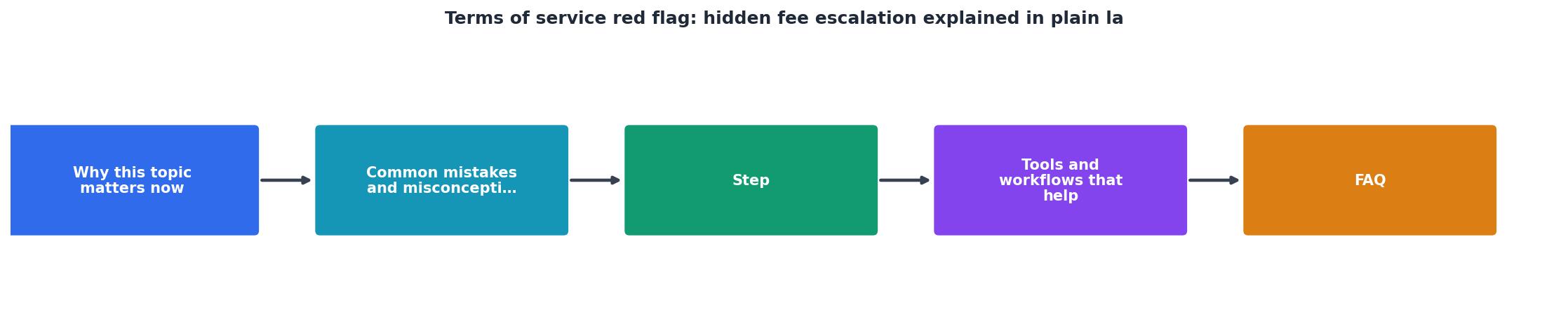
- Use Ctrl+F (or Cmd+F on Mac) to search for "billing," "charge," "payment," or "renewal."
- Most ToS documents have a dedicated section; if not, look under "Payments" or "Subscription."
- Find the exact phrase about when and how your subscription renews.
- Copy the exact renewal date, cost, and cancellation deadline (if any) into a note. Keep this forever.
- Ask: Is the renewal cost the same as your initial payment, or could it change?
- Search for "price," "fee," "change," "adjust," or "increase."
- Read the full paragraph, not just the sentence that appears in search results.
- Ask: Does the company promise a price freeze for any period (e.g., first year)? Can they raise your price mid-contract, or only at renewal?
- Search for "cancel," "terminate," "exit," or "refund."
- Find the exact method required to cancel (email, online portal, phone call?).
- Note any penalties or non-refundable fees.
- Search for "usage," "overages," "limits," "tiers," or "plans."
- If there are multiple plans, confirm which one you're signing up for and whether you can be auto-upgraded.
- Look for "IMPORTANT" or "RED FLAG" sections (some companies actually highlight these now, thanks to legal pressure).
- Check if the website shows a summary of renewal terms before you click "Subscribe."
Pre-Signup Hidden Fee Escalation Checklist
Your progress is saved automatically in your browser.
How Terms Doctor Can Help You Avoid Escalation Traps
Rather than manually hunting through every section, Terms Doctor's 101 consumer-protection checks do much of this work for you. The free Terms Doctor extension scans any website's terms of service and highlights red flags automatically, including:
- Auto-renewal red flags, The tool flags vague renewal language and missing cancellation instructions.
- Price-lock gaps, It identifies terms that allow price increases mid-contract or at renewal.
- Forced arbitration clauses, If the company forces you into private arbitration instead of court, it's flagged.
- Data practices, It scans for clauses that allow AI training on your data or third-party sharing without clear opt-out.
The grading doesn't tell you whether to sign; it tells you where to focus your attention. It also tracks changes, so if a company updates its terms after you sign up, you'll be notified.
What to Do If You've Already Been Hit With Hidden Escalation
If you've already been charged without clear notice, you have options:
Immediate Steps
- Gather evidence
- Screenshot your current bill and the surprise charge.
- Export your email history with the company, especially sign-up confirmations and renewal notices.
- Note the exact date you signed up and the amount you were originally promised.
- Contact the company
- Email (not phone) customer support with your evidence.
- Use clear language: "I signed up on [date] for $X/month. I was charged $Y on [date]. Your terms do not clearly disclose this price increase. Please refund the overcharge."
- Keep a copy of every email.
- Dispute the charge with your bank or credit card company
- If the company doesn't respond within 5–7 business days, file a chargeback.
- Provide your bank with your evidence: original sign-up confirmation, the unexpected charge, and the company's response (or lack thereof).
- Most banks side with consumers on unclear or unauthorized billing.
- Report the practice
- File a complaint with the Federal Trade Commission (FTC) if the escalation is deceptive.
- Report to your state's Attorney General office.
- Leave an honest review on independent sites (Trustpilot, G2, Capterra, etc.) warning others.
Longer-Term Protection
- Set a calendar reminder to review your subscriptions monthly. Many subscription managers exist (like Trim or Truebill) that can automate this.
- Unsubscribe from marketing emails but keep billing notifications so you see every charge in real time.
- Use a dedicated credit card for subscriptions if possible, so charges stand out on your statement.
- Re-read the cancellation policy every time you renew. Policies change, and your reminder note from six months ago might be outdated.
FAQ
Frequently Asked Questions
Protect Yourself with Terms Doctor
Hidden fee escalation thrives on confusion and inattention. But you don't have to be a lawyer to spot the red flags. The free Terms Doctor browser extension scans the terms of any website and highlights auto-renewal traps, price-lock gaps, and other consumer red flags in seconds. While you should always understand what you're signing, Terms Doctor does the heavy lifting, giving you an A–F grade and a clear summary of the key risks before you commit your money.
Remember: This article is not legal advice, and Terms Doctor's checks are automated signals, not a legal review. If you're signing a high-stakes contract (B2B, commercial license, or significant financial commitment), consult a lawyer. But for everyday SaaS subscriptions, web services, and consumer products, Terms Doctor and these red-flag checklists will save you time, money, and frustration.
Additional Resources
- Terms and Conditions Red Flags: How To Spot Common ... - In this guide, I cover the most common red flags found in terms and conditions agreements and explain why they matter, from vague clauses to missing key ...
- Contract Red Flags: The Five Shapes Every Bad Clause Takes - Redline flags the auto-renewals, the stacked fees, the indemnification language — and explains each one in plain English. One scan, one dollar. iOS and ...
- Service Agreement Red Flags: What to Watch Before You Sign - What are the most common Service Agreement red flags? Common red flags include vague scope of work, unclear payment terms, one-sided termination clauses ...