
Photo by RDNE Stock project from Pexels
When you upload a photo to a social media platform, write a comment on a forum, or share a video with a service, you rarely stop to ask: "What rights do they have to use my content?" Most terms of service bury the answer in dense legal paragraphs. But one phrase should trigger immediate caution, perpetual license. This red flag means a company claims the right to use your content forever, even after you delete your account or stop using their service.
TL;DR
- Perpetual licenses let companies use your content indefinitely, even after you leave the platform.
- Most social media and SaaS platforms claim perpetual rights to uploaded content as a business model.
- Key risks: loss of control, commercial reuse without compensation, and inability to revoke permission even years later.
- Look for time limits, deletion policies, and opt-out language in licensing clauses.
- Use Terms Doctor's automated checks to flag overly broad content licenses before signing up.
What is a perpetual content licence?

A perpetual license is a legal grant of rights that has no end date. When you accept terms of service that include a perpetual content license, you're giving that company permission to use your content, photos, text, videos, designs, forever. No expiration. No time limit. No automatic sunset clause.
Here's the plain-language version: if a platform has a perpetual license to your content, they can theoretically store it, display it, modify it, and distribute it in perpetuity, even years after you've closed your account, deleted the original post, or stopped using the service.
"The licensing scope defines exactly how, where, and by whom licensed intellectual property can be used.">, Licensing Scope Red Flags: Warning Signs & Risks to Avoid
Most perpetual licenses are also worldwide and royalty-free. That means the company can use your content anywhere on Earth without paying you. Combined with perpetual duration, this creates a one-way deal: you lose control, they keep the rights forever.
Key takeaway: A perpetual content license is a permanent transfer of control to a third party, the clock never resets, even if you later regret sharing.
Why do companies use perpetual licences?
From a business perspective, perpetual licenses are attractive to platform operators. Here's why:
- Content preservation. If a user deletes their account, the platform can still store and display their content in archives, backups, or legal compliance repositories.
- Backup and recovery. Data centers need to keep copies for disaster recovery. A perpetual license covers that indefinitely.
- Recommendation engines. Machine learning models trained on user content need long-term access to historical data.
- Legal protection. If a user later sues or disputes ownership, a perpetual license clause shifts liability to the licensor (you).
- Business model flexibility. The company can pivot its business, sell content to advertisers, repurpose it in new features, or even sell the platform, without renegotiating with every user.
Where perpetual licences hide in terms of service

Perpetual licenses often lurk in sections with names like:
- "License Grant" or "User Content License", the most common location.
- "Intellectual Property Rights", where the company spells out what they own and what you license to them.
- "Content Policy" or "User Submissions", where rules about uploaded material live.
- "Data Use" or "Machine Learning Training", increasingly common in AI-powered apps.
"By uploading content to our platform, you grant us a worldwide, non-exclusive, perpetual, royalty-free license to use, reproduce, distribute, and modify your content for any purpose."
Notice the absence of time limits. No phrase like "for the duration of your account" or "for two years after deletion." The license is perpetual, it runs forever.
Some companies try to soften the blow with phrases like:
- "We will delete your content upon account closure", but only if deletion is technically feasible, which it rarely is.
- "We retain backup copies for 30 days", but this doesn't limit the license scope; backups can be kept indefinitely.
- "You can revoke your license at any time", sounds fair, but often applies only to future use, not past storage.
Real-world examples: where your content goes
Social media and productivity platforms commonly claim perpetual licenses:
- Instagram & Facebook. Grant Meta a worldwide, perpetual, royalty-free license to photos and videos you upload. After you delete a photo, Meta's backup systems may retain it for 90 days, but the license remains active indefinitely.
- TikTok. Claims a worldwide, perpetual, irrevocable license to user videos, including the right to edit, repurpose, and distribute content.
- LinkedIn. Grants a perpetual license to content you post on the platform, including use in LinkedIn's newsletters and AI-powered recommendations.
- Figma & Design Tools. Many design platforms claim perpetual rights to design files for training machine learning models that improve auto-complete and collaboration features.
- Cloud Storage (Google Drive, OneDrive, Dropbox). While framed as "just storage," the license grants the platform rights to scan, analyze, and train AI systems on your files.
Red flags to watch for

Perpetual License Red Flag Checklist
Your progress is saved automatically in your browser.
How to read and evaluate a perpetual licence clause
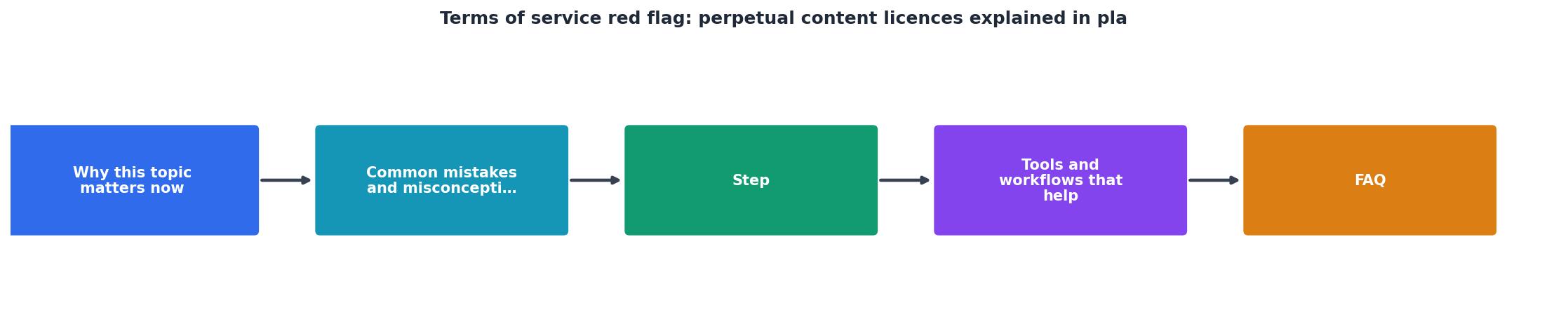
When reviewing a licensing clause, ask these questions in order:
Step 1: Does the license have a time limit?
Search the clause for words like "during," "for," "until," "expires," "temporary," or "term." If you see none of these, it's likely perpetual. A fair license says: "We have a license to your content for the duration of your account."
Step 2: What rights does the company claim?
Look for verbs: use, reproduce, distribute, modify, sublicense, commercialize, train AI. Perpetual licenses often claim all of these. A limited license might say: "We may store and display your content on the platform." Perpetual ones say: "We may use your content for any purpose, including commercial purposes."
Step 3: Who can use your content?
Does the license allow sublicensing? That means the company can give your content to partners, advertisers, or other third parties. Search for phrases like "sublicense," "grant rights to others," or "third-party partners." This expands who controls your content.
Step 4: What happens when you delete your account?
Some ToS say "Content will be deleted within 30 days of account closure." Others say "We may retain content for legal or operational reasons indefinitely." The second one is perpetual in effect.
Step 5: Is compensation mentioned?
Fair licenses often include buyout terms or royalty splits. If the clause says "royalty-free" or doesn't mention payment, the company is using your content for free, forever.
Example limited licence (better): "You grant Company a non-exclusive license to store, display, and distribute your content on the platform during the term of your account. Upon account deletion, Company will remove your content within 30 days, except for backup copies retained for 60 days."
Practical steps to protect your content
Before you sign up:
- Download and scan the ToS. Copy the terms into a document and search for "perpetual," "irrevocable," and "royalty-free."
- Look for a "License" or "IP Rights" section. Read it carefully, don't skip it even if it's dense.
- Check if there's a data deletion policy. Some platforms allow you to export or delete your content. If deletion is not mentioned, assume content is permanent.
After you sign up:
- Be selective with what you upload. Don't assume all platforms treat your content the same way. Share less sensitive content on platforms with perpetual licenses.
- Download your data regularly. Many platforms allow bulk exports. Keep local copies of your important content so you're not fully dependent on the platform's archive.
- Review privacy settings. Some platforms let you limit who can see your content or restrict AI training. Use these controls even if the license remains perpetual.
- Delete old posts periodically. Even if the company's license remains, removing content from public view reduces the risk of commercial reuse or misrepresentation.
- Monitor for policy changes. Platforms update their terms regularly. Set a calendar reminder to review your subscribed services' licenses once per year.
FAQ
Frequently Asked Questions
Protect your content with Terms Doctor
Reading terms of service shouldn't require a law degree. Terms Doctor is a free browser extension that scans any website's terms, privacy policy, and other legal pages, running 101 consumer-protection checks automatically. It highlights red flags like perpetual content licenses, forced arbitration, auto-renewal traps, and AI training clauses, all in plain language. You'll see an A–F grade for each site's fairness, so you can make informed decisions before signing up, downloading, or sharing your work. Install Terms Doctor for free on Chrome, Edge, Brave, Opera, and Vivaldi today.
Additional Resources
- Let's talk about another type of Usage Rights that I consider to ... - Perpetual Usage is when you release all your rights to your own content for forever. The brand can do whatever they want to your content, use it ...
- Licensing Scope Red Flags: Warning Signs & Risks to Avoid - Common red flags include overly broad or vague territories, unclear sublicensing rights, ambiguous permitted uses, and perpetual or auto-renewal terms.
- Terms and Conditions Red Flags: How To Spot Common ... - Use plain language, short sections, and clean formatting for readability. Avoid overly broad or unfair clauses that may not be legally enforceable.