
Photo by Velroy Fernandes from Pexels
Creator platforms like Patreon, Gumroad, Ko-fi, Teachable, and Substack power millions of independent businesses. Every one of them drops cookies on your browser the moment you visit, yet almost nobody reads the cookie policy before signing up. That tiny oversight can mean you silently consent to cross-site tracking, ad profiling, and data sharing with dozens of third-party vendors, all buried in legalese that takes longer to read than the average blog post.
This guide breaks down exactly what Terms Doctor's automated checks flag first when it scans a creator-platform cookie policy, why those flags matter for your privacy and your wallet, and what you can do about each one today.
TL;DR
- Creator platforms routinely set non-essential tracking cookies by default, often before you click "Accept."
- Many cookie policies grant blanket permission to share data with unnamed third-party ad networks.
- Auto-renewal and payment-related cookies can lock you into subscriptions you forgot about.
- Terms Doctor runs 101 consumer-protection checks, including cookie-specific flags, and grades every policy A-F so you can compare platforms in seconds.
- You do not need a law degree to protect yourself; you need a checklist and the right tool.
Why cookie policies on creator platforms deserve extra scrutiny

When you sign up for a creator platform, you are not just a casual visitor. You hand over payment details, email addresses, audience analytics, and sometimes your real name and tax ID. Cookies tie all of that behavioral data together across sessions, devices, and even other websites you visit.
Creator platforms occupy a unique middle ground: they are part storefront, part social network, and part payment processor. That triple role means their cookie policies tend to be longer and more permissive than a typical SaaS tool. A standard e-commerce site might set 15–30 cookies; a creator platform can easily set 40–70, spanning analytics, advertising, session management, fraud detection, and embedded third-party widgets like video players and comment systems.
The problem is compounded by the fact that many creators embed these platforms on their own websites via widgets, payment buttons, or membership portals. Each embed can introduce its own set of cookies, often without the creator or the visitor realizing it.
Key takeaway: Creator platforms handle more personal and financial data than most websites, which makes their cookie policies higher-stakes, and higher-risk, for both creators and their audiences.
The five red flags Terms Doctor checks first

When Terms Doctor scans a cookie policy, it prioritizes the clauses that have the biggest real-world impact on consumers. Here are the top five flags it raises on creator platforms, in the order they typically appear in a scan report.
1. Pre-checked or implied consent for non-essential cookies
Many platforms set advertising and analytics cookies the moment the page loads, before you interact with any consent banner. Under GDPR and similar regulations, non-essential cookies require explicit opt-in. Terms Doctor flags any language that treats page visits as consent, phrases like "by continuing to browse, you agree" or "we use cookies to improve your experience" without a genuine opt-in mechanism.
2. Vague or unlimited third-party data sharing
A cookie policy that says "we may share data with our partners" without naming those partners or capping what data is shared is a major red flag. Terms Doctor looks for specificity: does the policy list partner categories? Does it link to each partner's own privacy policy? If the answer is no, the platform gets a lower grade.
3. Cross-site and cross-device tracking
Some creator platforms use cookies (or fingerprinting techniques described in the cookie policy) to follow you across unrelated websites. This is common when the platform participates in ad networks or retargeting programs. Terms Doctor flags any mention of cross-site tracking, device graphs, or "interest-based advertising" that relies on off-platform behavior.
4. No clear opt-out or cookie management mechanism
A compliant cookie policy should tell you exactly how to withdraw consent and delete cookies. Terms Doctor checks for the presence of a cookie settings link, instructions for browser-level controls, and whether the platform honors Global Privacy Control (GPC) signals. If the policy is silent on opt-out, that is an automatic red flag.
5. Session and payment cookies tied to auto-renewal
Creator platforms often use persistent cookies to keep you logged in and to remember your subscription status. That is convenient, but it can also mask auto-renewal behavior. If the cookie policy works in tandem with terms that auto-renew your subscription without a clear reminder, Terms Doctor flags the combination. You might not realize you are still paying for a membership you stopped using months ago.
"44% of respondents said transparency about data use would improve their trust in a brand.">, What is a Cookie Banner and Why Do You Need One?
How Terms Doctor scans a cookie policy step by step
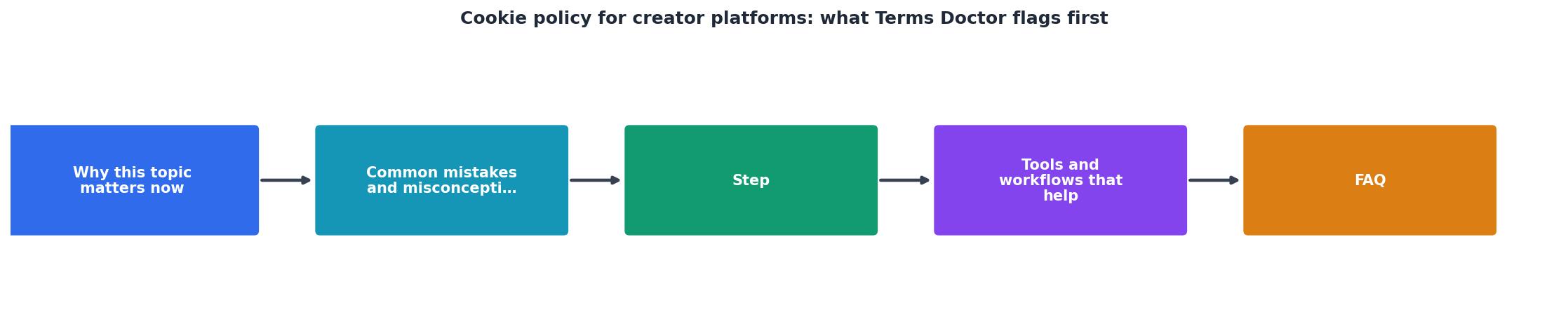
Understanding the scanning process helps you interpret the results. Here is exactly what happens when you activate Terms Doctor on a creator-platform page:
- Automatic ToS discovery, The extension detects the cookie policy, privacy policy, and terms of service links on the page. You do not need to hunt for them yourself.
- Document retrieval, Terms Doctor fetches the full text of each document, including any linked sub-pages (some platforms split their cookie policy across multiple URLs).
- 101-check analysis, The text is run through 101 consumer-protection checks covering forced arbitration, AI training on user data, auto-renewal traps, data-sharing scope, cookie consent mechanisms, and more.
- A-F grading, Each document receives a letter grade based on how many checks it passes. An "A" means the policy is unusually transparent and consumer-friendly; an "F" means multiple serious red flags were found.
- Red-flag highlights, Problem clauses are highlighted directly in the document with plain-language explanations so you understand what each one means in practice.
- Change tracking, If you revisit the platform later and the policy has been updated, Terms Doctor alerts you to what changed, so stealth edits do not slip past you.
Your cookie-policy review checklist

Use this checklist every time you evaluate a new creator platform. You can run through it manually or let Terms Doctor handle the heavy lifting automatically.
Creator-Platform Cookie Policy Review Checklist
Your progress is saved automatically in your browser.
Comparing popular creator platforms: what we found
To give you a practical sense of what Terms Doctor surfaces, here is a summary of common patterns across well-known creator platforms. Note that policies change frequently, always run a fresh scan for the latest results.
| Red flag | Frequently seen on | What it means for you |
|---|---|---|
| Implied consent (no opt-in banner) | Smaller creator storefronts, older platform versions | Tracking starts before you agree |
| Unnamed ad-network partners | Platforms with free tiers funded by ads | Your data may reach companies you have never heard of |
| No GPC/DNT support | Most platforms as of mid-2026 | Browser-level privacy signals are ignored |
| Cross-device tracking | Platforms with mobile apps and web portals | Your phone and laptop activity are linked |
| Auto-renewal tied to persistent cookies | Subscription-based membership platforms | You stay subscribed even if you clear your cookie banner choice |
What to do when a cookie policy gets a low grade
A low Terms Doctor grade does not necessarily mean you should avoid the platform entirely. It means you should take protective steps:
- Adjust your cookie settings, If the platform offers a cookie preferences panel, disable everything except strictly necessary cookies.
- Use a privacy-focused browser or extension, Tools like Firefox's Enhanced Tracking Protection or a dedicated cookie-blocker can limit what the platform actually stores.
- Create a dedicated email, Sign up with an email alias so that any data leakage is compartmentalized.
- Set calendar reminders for renewals, If the platform auto-renews, do not rely on their notification emails. Set your own reminder a week before the billing date.
- Re-scan periodically, Policies change. Terms Doctor's change-tracking feature will alert you, but a manual re-scan every few months is good hygiene.
FAQ
Frequently Asked Questions
Protect yourself in seconds with Terms Doctor
You should not need a law degree to understand what a creator platform does with your data. The free Terms Doctor extension for Chrome, Edge, Brave, Opera, and Vivaldi finds every legal document on the page, runs 101 consumer-protection checks, including all the cookie-specific flags covered in this article, and gives you a clear A-F grade with plain-language explanations. Install it from the homepage and start scanning before your next sign-up.
Additional Resources
- What is a Cookie Banner and Why Do You Need One? - Learn what cookie banners are, why your website needs one, and how they support GDPR and CCPA compliance while building user trust.
- How To Add a Cookie Policy to Your Website - Learn the quickest and simplest way to add a cookie policy to your website without the technical hassle or legal fees.
- How to Write a Cookies Opt-Out and Management Clause - A Cookies Opt-Out and Management Clause just lets people know how to do that. It should be a part of both your Privacy Policy and your Cookies ...