
Photo by Rahul Shah from Pexels
Every time you sign up for a new AI writing assistant, image generator, or coding copilot, you agree to an acceptable use policy (AUP). That document decides what you can, and cannot, do with the tool, what happens to the content you create, and how the vendor can change the rules on you overnight. Most people never read it. The ones who do often wish they hadn't.
This guide breaks down the clauses that matter most, shows you exactly what Terms Doctor flags on its first pass, and gives you a practical checklist so you can evaluate any AI tool's AUP in under ten minutes.
TL;DR
- An acceptable use policy for an AI tool governs your data rights, output ownership, and account termination triggers.
- Many AUPs quietly allow the vendor to use your inputs and outputs to train future models.
- Forced arbitration, unilateral amendment clauses, and vague "abuse" definitions are the most common red flags.
- Terms Doctor's 101 consumer-protection checks catch these issues automatically and grade the policy A–F.
- You don't need a lawyer to spot trouble, you need a system.
Why acceptable use policies matter more for AI tools

Traditional SaaS terms mostly cover uptime, payment, and liability caps. AI tools add an entirely new layer of risk because they process, learn from, and sometimes reproduce your data. Here is why that distinction matters:
- Input ingestion, When you paste a client brief into an AI summarizer, the tool may store that text indefinitely. If the AUP permits training on user inputs, your confidential information could influence outputs served to competitors.
- Output ownership ambiguity, Some policies grant you a license to use outputs but retain underlying intellectual-property rights. Others disclaim ownership entirely, leaving you in a legal grey zone if you publish AI-generated content.
- Behavioral restrictions, AUPs for AI tools often include broad "prohibited use" lists. Generating content that is "misleading," "harmful," or "competitive" can be defined so loosely that normal business use triggers a violation.
- Model updates and deprecation, A vendor can retire the model version you rely on, change output quality, or alter safety filters, all without notice if the AUP includes a unilateral amendment clause.
Key takeaway: An AI tool's acceptable use policy is not just a legal formality, it directly controls what happens to your data, your content, and your account.
The 7 red flags Terms Doctor catches first

When you visit an AI tool's website with the Terms Doctor extension active, it automatically locates the terms of service and acceptable use policy, runs its 101 checks, and highlights problem clauses. Here are the seven issues that surface most often, and most urgently, in AI-tool AUPs:
1. AI training on user data
The single most impactful clause. If the policy says the vendor may use "inputs, outputs, or usage data" to "improve services" or "train models," your content feeds the next version of the AI. Terms Doctor flags this with a prominent red-flag icon and links to the exact paragraph.
2. Forced arbitration and class-action waiver
Many AI vendors require you to resolve disputes through binding arbitration and waive your right to join a class-action lawsuit. This means that even if thousands of users are affected by the same data breach, each person must file a separate claim. Terms Doctor checks for arbitration clauses, opt-out windows, and jurisdiction restrictions.
3. Unilateral amendment rights
A clause that lets the vendor change terms "at any time" with "continued use constituting acceptance" is a blank check. Terms Doctor looks for modification language and checks whether the policy requires advance notice (and how much).
4. Broad content-removal rights
Some AUPs allow the vendor to remove, modify, or refuse to generate content at its sole discretion, without appeal. If you rely on the tool for production workflows, this clause can halt your business overnight.
5. Auto-renewal and cancellation traps
AI subscriptions frequently auto-renew at higher rates. Terms Doctor flags auto-renewal language, checks for cancellation deadlines, and highlights whether refunds are available after renewal.
6. Vague "abuse" definitions
Phrases like "any use that we deem inappropriate" give the vendor unlimited discretion to suspend your account. Terms Doctor identifies subjective enforcement language and rates its severity.
7. Liability caps and indemnification
Many AI AUPs cap the vendor's liability at the fees you paid in the last 12 months, or even zero. Meanwhile, indemnification clauses may require you to cover the vendor's legal costs if your use of the tool leads to a third-party claim. Terms Doctor surfaces both sides of this equation.
"The governance team should include representatives from legal, IT security, compliance, and the business units most likely to use AI tools actively.">, AI Acceptable Use Policy: Template + Key Provisions
How to review an AI tool's AUP in 10 minutes
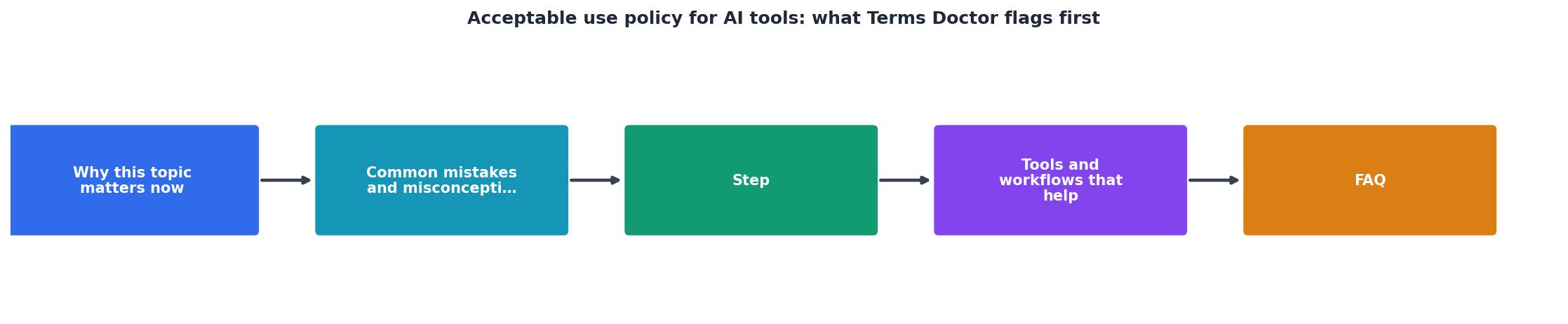
You don't need to read every paragraph. Follow this step-by-step process to focus on what actually affects you:
- Install Terms Doctor, Add the free extension to Chrome, Edge, Brave, Opera, or Vivaldi. It takes about 15 seconds.
- Navigate to the AI tool's website, Terms Doctor automatically detects the terms of service and any linked acceptable use policy.
- Check the overall grade, The A–F grade gives you an instant gut check. An "A" means the policy is unusually consumer-friendly; an "F" means multiple critical red flags were found.
- Review red-flag highlights, Click into the detailed report. Each flagged clause is quoted directly from the policy with a plain-language explanation of why it matters.
- Focus on the top three risks, For AI tools, prioritize: (a) AI training on your data, (b) forced arbitration, and (c) unilateral amendment rights. If any of these are present without opt-outs, proceed with caution.
- Check change-tracking history, If you've visited the tool before, Terms Doctor shows what changed since your last review. Vendors often slip in new data-use clauses during routine updates.
- Make your decision, If the grade is acceptable and the red flags have reasonable mitigations (opt-outs, notice periods, data-deletion options), you can sign up with confidence. If not, look for an alternative or negotiate custom terms.
Your AI acceptable use policy checklist
Use this checklist every time you evaluate a new AI tool, or when an existing tool notifies you of updated terms.
AI Tool AUP Review Checklist
Your progress is saved automatically in your browser.
Real-world examples: what we've seen in the wild

Without naming specific vendors, here are patterns Terms Doctor users encounter regularly:
- The "free tier data grab", A popular AI writing tool offers a generous free plan. Buried in section 7 of its AUP is a clause granting the vendor a "perpetual, irrevocable, worldwide license" to use all free-tier inputs for model training. The paid plan includes an opt-out, but the free plan does not. Terms Doctor flags this as a critical red flag and drops the grade to D or F.
- The silent amendment, An AI image generator updated its terms to include a new indemnification clause requiring users to defend the company against copyright claims arising from generated images. The change was posted on the website but no email notification was sent. Users who had Terms Doctor's change-tracking enabled received an alert within 24 hours.
- The 30-day arbitration opt-out, A coding assistant's AUP includes forced arbitration but offers a 30-day opt-out window via email. Most users miss this entirely. Terms Doctor highlights the opt-out deadline prominently so you can act before the window closes.
Building an internal AI tool policy for your team
If you manage a team that uses multiple AI tools, individual AUP reviews are not enough. You need an internal acceptable use policy that sets guardrails for which tools are approved, what data can be entered, and who is responsible for monitoring terms changes.
Key elements to include:
- Approved tool list, Maintain a registry of AI tools that have passed your AUP review. Include the Terms Doctor grade and the date of last review.
- Data classification rules, Define which categories of data (public, internal, confidential, restricted) may be entered into AI tools and under what conditions.
- Review cadence, Re-check terms at least quarterly. Use Terms Doctor's change-tracking feature to automate alerts for policy updates.
- Incident response, Establish a process for what happens if a team member enters restricted data into an unapproved tool.
Frequently Asked Questions
Take control of your AI tool agreements
You shouldn't need a law degree to understand what an AI tool can do with your data. The Terms Doctor extension, free for Chrome, Edge, Brave, Opera, and Vivaldi, finds the terms of service and acceptable use policy on any website, runs 101 consumer-protection checks, and gives you a clear A–F grade with plain-language explanations. Install it before you sign up for your next AI tool, and you'll know exactly what you're agreeing to. Visit the Terms Doctor homepage to get started.
Disclaimer: This article is for informational purposes only and does not constitute legal advice. Automated checks are not a substitute for professional legal counsel.
Additional Resources
- AI Acceptable Use Policy: Template + Key Provisions - Build an AI acceptable use policy that protects your organization. Learn what to include, from data rules to approved tools and enforcement.
- What is an AI Acceptable Use Policy (AUP) and Why Do ... - An AI acceptable use policy is a set of internal rules that defines how your employees can use AI tools at work, what data they can input, which tools are ...
- How to Write an AI Acceptable Use Policy (With Examples) - "Only use public or non-sensitive data with public AI tools. For anything confidential or regulated, use only approved tools or none at all.