
Photo by Lisa Fotios from Pexels
You signed up for a new project-management tool, a CRM, or an AI writing assistant. Somewhere in the footer there is a "Cookie Policy" link you never clicked. That tiny document can authorize the vendor to track your team across the web, share behavioral data with ad networks, and auto-enroll you in analytics programs you never agreed to. Understanding what a B2B SaaS cookie policy actually says, and what it hides, is the first step toward protecting your company's data.
TL;DR
- B2B SaaS cookie policies often contain tracking, data-sharing, and consent clauses that directly affect your organization, not just individual users.
- The biggest red flags include blanket consent to third-party analytics cookies, vague "legitimate interest" justifications, and missing opt-out mechanisms.
- Terms Doctor's 101 automated checks catch these issues in seconds, grading each policy A–F so you can compare vendors at a glance.
- A short pre-signup checklist (included below) can save your team hours of legal review.
- Automated checks are helpful but are not legal advice, always consult a qualified professional for binding decisions.
Why cookie policies matter more in B2B than you think

When a consumer visits an online store, the cookie policy mostly affects that one person. In a B2B context the stakes multiply. If your 50-person marketing team uses a SaaS analytics dashboard, the vendor's cookies may track every team member's browsing behavior inside and outside the platform. That data can be aggregated, profiled, and sold to advertising partners, all under a single clause buried in a cookie policy nobody on your team has read.
Beyond regulatory exposure, cookie policies reveal a vendor's overall attitude toward data stewardship. A sloppy cookie policy often correlates with weak data-processing agreements, vague data-retention schedules, and broad sub-processor lists. Treating the cookie policy as a canary in the coal mine can save you from onboarding a vendor that will cause compliance headaches later.
The five red flags Terms Doctor checks first

Terms Doctor runs 101 consumer-protection checks against every terms-of-service and cookie-policy page it finds. When it comes to cookie policies specifically, five issues surface more often than any others:
- Blanket third-party cookie consent, The policy states that by using the service you agree to all cookies, including those set by advertising and analytics partners. This removes your ability to opt out of non-essential tracking and may violate GDPR consent requirements.
- Vague "legitimate interest" justification, Instead of asking for consent, the vendor claims a "legitimate interest" in dropping analytics or marketing cookies. Under the ePrivacy Directive, legitimate interest alone is generally not sufficient for non-essential cookies. Terms Doctor highlights this language and flags it as a potential compliance gap.
- No cookie duration disclosure, Many policies list cookie categories (strictly necessary, performance, targeting) but never state how long each cookie persists. A session cookie that expires when you close the browser is very different from a persistent cookie that tracks you for 13 months. Terms Doctor checks for the presence of retention or duration information and warns you when it is missing.
- Missing or broken opt-out mechanism, A compliant cookie policy should provide a clear way to withdraw consent, typically a cookie-preference center or a link to browser settings. Terms Doctor flags policies that mention no opt-out method at all, or that describe a mechanism that effectively forces you to accept all cookies to use the core service.
- Cross-site tracking language, Some SaaS vendors include clauses that allow cookies to follow users across affiliated sites or partner networks. This is especially concerning in B2B, where employees may be logged into multiple tools under the same browser profile. Terms Doctor detects phrases like "across our family of services," "partner sites," or "third-party networks" and raises a red flag.
"Most SaaS platforms integrate with external services, such as payment processors, CRMs, or analytics providers.">, Privacy Policy for a SaaS Business: How To Create One
This integration web means that a single SaaS cookie policy can implicate dozens of third-party data flows. Terms Doctor's automated scan helps you see the full picture before you commit.
Key takeaway: A cookie policy is not a formality, it is a binding disclosure of how a vendor tracks your team, and the five red flags above are the fastest way to separate trustworthy vendors from risky ones.
How to audit a SaaS cookie policy step by step
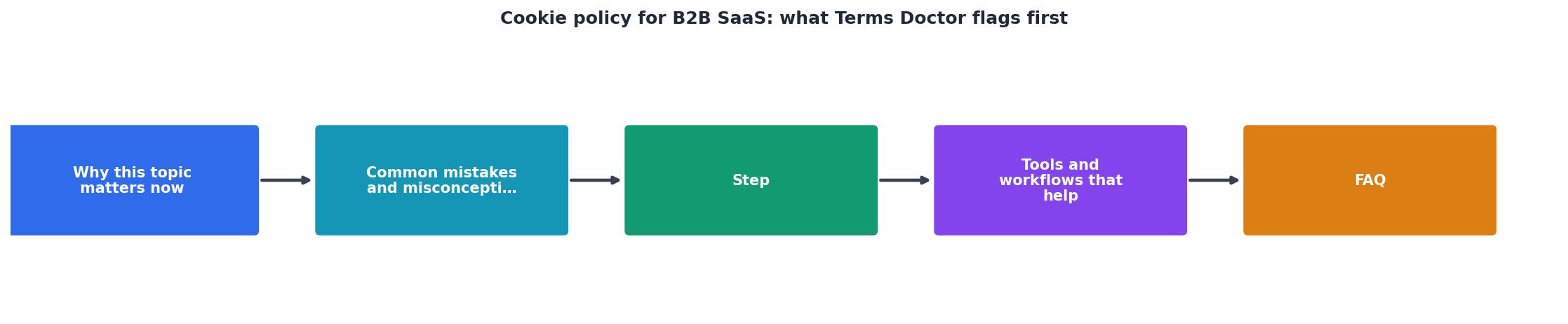
Even with automated tooling, it helps to have a repeatable manual process. Here is a step-by-step approach you can follow every time you evaluate a new B2B SaaS vendor:
- Locate the cookie policy. It may be a standalone page, a section inside the privacy policy, or a tab within a cookie-consent banner. Terms Doctor finds it automatically, just visit the vendor's site with the extension active.
- Check the cookie categories. Look for a table or list that separates strictly necessary cookies from performance, functional, and targeting cookies. If no categorization exists, that is a red flag in itself.
- Verify consent mechanisms. Does the site present a cookie banner that lets you reject non-essential cookies before they load? Or does it use a "by continuing to browse you accept" notice? The latter is not valid consent under GDPR.
- Look for third-party disclosures. The policy should name (or at least categorize) every third party that sets cookies. Generic phrases like "our partners" without further detail are insufficient.
- Review retention periods. Each cookie or cookie category should have a stated duration. If the policy is silent, ask the vendor directly and document their response.
- Cross-reference with the privacy policy. Cookie data is personal data. The privacy policy should describe how cookie-collected information is processed, stored, and shared. Inconsistencies between the two documents are a warning sign.
- Run Terms Doctor. Let the extension perform its 101 checks and review the A–F grade. Compare the grade with your manual findings to ensure nothing was missed.
Your pre-signup cookie-policy checklist

Before your team signs up for any new SaaS tool, run through this quick checklist. It takes five minutes and can prevent months of compliance cleanup.
B2B SaaS Cookie Policy Pre-Signup Checklist
Your progress is saved automatically in your browser.
If a vendor fails three or more items on this checklist, consider it a serious warning. You may still choose to proceed, but document the gaps and raise them with the vendor's support or legal team before onboarding.
Real-world patterns Terms Doctor catches
To make this concrete, here are three patterns Terms Doctor users encounter regularly when scanning B2B SaaS cookie policies:
Pattern 1: The "accept-all" wall
The vendor displays a cookie banner with only an "Accept All" button. There is no "Reject" or "Manage Preferences" option. The cookie policy states that using the service constitutes consent. Terms Doctor flags this as a consent-mechanism failure and assigns a penalty that lowers the overall grade.Pattern 2: The invisible analytics suite
The cookie policy mentions "performance cookies" but never names the analytics provider. A quick browser-developer-tools check reveals Google Analytics 4, Hotjar, Mixpanel, and Segment all firing on page load, before any consent is given. Terms Doctor's third-party disclosure check catches the vague language, prompting you to investigate further.Pattern 3: The perpetual cookie
A targeting cookie is set with a 730-day (two-year) expiration. The cookie policy either omits duration information entirely or buries it in a downloadable PDF table that is never updated. Terms Doctor flags the missing or excessive retention period and highlights it in the red-flag summary.These patterns are not edge cases. They appear across well-known project-management platforms, email-marketing tools, and even security-focused SaaS products. The only reliable way to catch them at scale is to automate the first pass of your review.
Connecting cookie policies to broader terms of service
A cookie policy does not exist in isolation. It is part of a vendor's broader legal framework that includes the terms of service, privacy policy, data-processing agreement (DPA), and acceptable-use policy. Terms Doctor scans all of these documents when they are available, giving you a holistic A–F grade rather than a narrow view of just one page.
For example, a vendor's cookie policy might look clean, proper categories, stated durations, a working opt-out center, but the terms of service could include a forced-arbitration clause that prevents you from pursuing a class action if the vendor mishandles cookie data. Or the privacy policy might grant the vendor the right to use aggregated cookie data for AI model training. These cross-document risks are exactly what Terms Doctor's 101 checks are designed to surface.
When you review a vendor, always look at the full picture. Start with the cookie policy because it is the most immediate data-collection disclosure, but do not stop there.
Frequently Asked Questions
Try Terms Doctor on your next vendor evaluation
Next time you are comparing B2B SaaS tools, install the free Terms Doctor extension for Chrome, Edge, Brave, Opera, or Vivaldi. Visit each vendor's website and let the extension do the heavy lifting: it will find the cookie policy, run 101 checks, and give you a clear A–F grade in seconds. Pair that with the pre-signup checklist above, and you will have a repeatable, defensible process for evaluating vendor cookie practices, no law degree required. Download it from the Terms Doctor homepage and start grading today.
Disclaimer: Terms Doctor is an automated screening tool. Its checks and grades are informational and do not constitute legal advice. Always consult a qualified legal professional for compliance decisions.
Additional Resources
- Privacy Policy for a SaaS Business: How To Create One - Easily make a privacy policy for a SaaS business, including what goes into one, the laws that impact it, and more.
- SaaS Privacy Policy Template - Session Cookies expire when the browser window closes, whereas persistent/tracking cookies remain on the device for future visits or sometimes ...
- Cookie Consent for SaaS Companies: A Complete Guide ... - Cookie consent for SaaS companies involves obtaining explicit user permission before deploying non-essential cookies and tracking technologies ...