
When you sign up for a SaaS tool, whether it's a project management app, analytics platform, or AI writing assistant, you're usually too excited to reach the dashboard to read the privacy policy. But that 15-page document buried in the footer often contains language that turns your behavior, preferences, and work habits into fodder for advertising networks. Privacy-conscious users, freelancers managing multiple clients, and small-business owners need to know what warning signs to watch for before committing months or years to a platform.
TL;DR- SaaS platforms often sell or share user behavioral data with advertisers, even if you pay for a subscription.
- Watch for vague terms like "service improvement," "analytics," and "partner networks", they often mask data sharing.
- Third-party integrations (payment processors, CRMs, analytics) expand the data-sharing circle beyond the primary vendor.
- Forced arbitration clauses prevent you from suing if your data is misused or breached.
- Tools like Terms Doctor can highlight these red flags automatically in under 60 seconds.
Why SaaS privacy policies matter now

The typical SaaS privacy policy is written to protect the business, not you. It's often longer than a small novel and uses legal language that makes the average reader glaze over by paragraph three. Yet the stakes are surprisingly high: most SaaS platforms collect not just your email and payment info, but also:
- Every keystroke, click, and feature you use (behavioral telemetry)
- Your IP address, device type, and browsing history
- Meeting notes, project descriptions, and customer lists you upload
- Financial data, if the tool integrates with accounting software
Key takeaway: Your data isn't just a privacy issue, it's a competitive and financial vulnerability if handled carelessly by a SaaS vendor.
The 5 privacy-policy red flags every SaaS user should know
1. "Service improvement" and "analytics purposes"
These phrases sound innocent. In practice, they are catch-all buckets that justify endless data collection. "Service improvement" can mean:
- Analyzing how you use features (to sell that data to competitors or advertisers)
- Building profiles of user segments (which ad networks buy)
- Training internal AI models on your input (without explicit consent)
2. Forced arbitration clauses
Arbitration sounds neutral, but it prevents you from suing or joining a class-action lawsuit if your data is breached or misused. Instead, you and the company go to a private arbiter who is often paid by the company, not a court of law.
"Most SaaS platforms integrate with external services, such as payment processors, CRMs, or analytics providers.">, Privacy Policy for a SaaS Business: How To Create One
If a SaaS platform has a forced arbitration clause, you have almost no legal recourse if something goes wrong. That shifts all power to the vendor.
3. "Legitimate business interest" as the legal basis for processing
This is the phrase that unlocks permissive data use. It doesn't require your consent and often covers:
- Marketing to you or selling your data to marketing partners
- Profiling you for targeted ads
- Analyzing your behavior without explicitly asking permission
4. Vague or unlimited "third-party partner" sharing
SaaS platforms rarely process data alone. They use payment processors (Stripe, Square), analytics (Google Analytics, Amplitude), email services (SendGrid), and CRM tools. Each integration adds another company with access to your data.
Watch for language like:- "We may share data with third parties as needed to provide the service"
- "Our partners may use data for their own purposes"
- "We work with a network of service providers"
5. AI training and "data enhancement"
Newer SaaS policies often include phrases about using user data to train machine-learning models or "enhance" datasets. This can mean:
- Your project notes are fed into an AI model
- Your uploaded documents are used to improve the vendor's algorithms
- Your data is combined with other users' data and resold as anonymized datasets
How to spot surveillance-advertising clauses

Surveillance advertising is the practice of selling insights about your behavior, preferences, or location to ad networks. It's legal but aggressive. Here's how to find it in a privacy policy:
Keywords that hint at surveillance advertising
- "Behavioral data"
- "Advertising partners" or "ad networks"
- "Retargeting"
- "Audience segmentation"
- "Data brokerage" or "data licensing"
- "De-identified" or "aggregated" (which isn't truly anonymous)
- "Direct marketing"
- "Profiling"
The process: from your data to ads
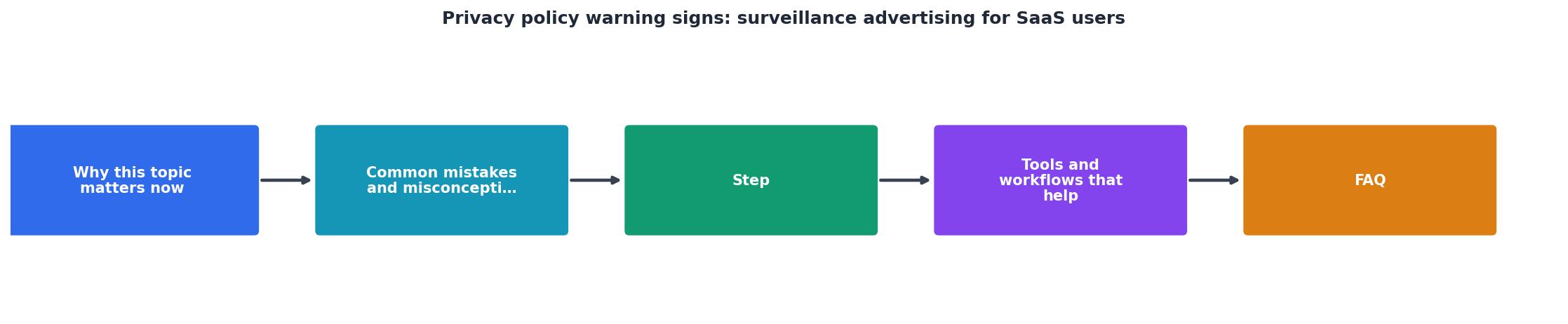
- Collection: You sign up and use a SaaS tool; it logs every action.
- Aggregation: Your data is combined with other users' data into profiles.
- Segmentation: Ad networks buy access to "users interested in freelance work" or "SMBs in Tech."
- Targeting: You see ads for competing tools, premium add-ons, or related services.
- Sale or licensing: The SaaS vendor shares or sells these profiles repeatedly.
Step-by-step: how to read a privacy policy for red flags
Privacy Policy Review Checklist
Your progress is saved automatically in your browser.
Red-flag phrases in context
Problematic: "We use data for service improvement and marketing purposes."
Better: "We use data to improve our service. For marketing, we require your explicit opt-in consent via email."
Problematic: "We may share data with business partners."
Better: "We share data only with the following vendors [list], and only as necessary to provide the service. You can opt out of optional integrations in Settings."
Problematic: "We retain data indefinitely for our legitimate business interest."
Better: "We retain data for 90 days after account closure, then securely delete it. You can request deletion anytime via privacy@ourcompany.com."
How integrations multiply your data exposure

One of the sneakiest aspects of modern SaaS is the ecosystem of integrations. A single project-management tool might connect to:
- Slack (for notifications): Slack gets your project names and task descriptions
- Google Drive (for file storage): Google learns what you store and how you organize it
- Stripe (for billing): Stripe sees your payment patterns
- SendGrid (for email): SendGrid knows your communication cadence
- Zapier (for automation): Zapier sees all the above data flowing through
What to do: Review the privacy policies of every integrated tool, not just the primary platform. Disable optional integrations you don't need. Check whether the SaaS platform has a Data Processing Agreement (DPA) that restricts how it uses data.
Defending yourself: questions to ask before signing up
- Do you sell or license user data to third parties for advertising or marketing purposes? (If yes, ask for opt-out options.)
- What is your legal basis for processing user data? (Consent or Legitimate Business Interest? If the latter, ask for more specifics.)
- Can you provide a list of all third-party vendors who access user data? (You need this for a Data Processing Agreement.)
- Do you use user data to train AI models or for machine learning? (If yes, ask whether users can opt out.)
- What is your data retention policy, and can I request deletion before that time? (If they say "indefinite," that's a red flag.)
- Do you have a forced arbitration clause in your terms of service? (If yes, you have limited legal recourse.)
- How long does it take to respond to a Data Subject Access Request (DSAR)? (Legal requirement in GDPR and similar laws; longer than 30 days is concerning.)
How Terms Doctor can help
Terms Doctor automates the red-flag hunt. The free browser extension runs 101 consumer-protection checks on any privacy policy or terms of service, including:
- Forced arbitration detection: Flags clauses that prevent you from suing.
- Third-party data sharing: Highlights vague language around "business partners."
- AI training and data enhancement: Spots clauses that use your data for machine learning.
- Advertising and profiling: Identifies surveillance-advertising language.
- Data retention issues: Flags indefinite retention or vague deletion policies.
- Legal basis analysis: Categorizes whether the platform relies on Consent or Legitimate Business Interest.
You can also use Terms Doctor to compare two SaaS platforms side-by-side, check for policy changes over time, and export a report to share with your team or client.
FAQ
Frequently Asked Questions
Next steps: take control of your SaaS privacy
You're not powerless in this dynamic. Here's what to do starting today:
- Install Terms Doctor (free, Chrome, Edge, Brave, Opera, Vivaldi) and run it on the privacy policies of your top 3 SaaS tools. Note the grade and red flags.
- Email the Privacy Officer of any platform rated C or below. Ask the 7 questions listed above. Their answers will guide your decision.
- Review integrations: Disable any optional integrations you don't actively use. Each removed connection shrinks your data footprint.
- Request a Data Processing Agreement if you're a paying customer or planning long-term use. Many vendors will provide one if asked.
- Set a calendar reminder to check privacy policies annually. SaaS vendors update terms frequently, and you deserve to know.
Additional Resources
- Privacy Policy for a SaaS Business: How To Create One - Easily make a privacy policy for a SaaS business, including what goes into one, the laws that impact it, and more.
- Social Media Privacy - Known as surveillance or behavioral advertising, this practice harms privacy, disrupts the flow of information, and damages users' psychological well-being.
- SaaS Privacy Policy - This SaaS Privacy Notice (“Notice”) is made available to you to describe how we collect, use, and share personal data we process on behalf of ...