

When you click "I agree" to a website's terms of service, you're entering a legally binding contract, often without reading a single word. Most terms are written in dense legalese designed to protect the company, not you. But here's the truth: buried in those pages are clauses that directly affect your privacy, your wallet, and your rights as a consumer. This guide walks you through the hidden risks in terms of service and shows you how to spot them before they cost you.
TL;DR
- Terms of service often hide auto-renewal charges, forced arbitration, and data-sharing clauses in plain sight.
- Most people accept terms without reading them, yet these agreements are fully enforceable contracts.
- Red flags include indefinite liability waivers, one-sided cancellation rules, and permission to train AI on your data.
- Terms Doctor's 101 consumer-protection checks automatically scan any website's terms and highlight risks in seconds.
- Use a structured approach: check the grade, read the red-flagged sections, and compare terms before signing up.
Why Terms of Service Matter More Than You Think

Terms of service are contracts. That's not an overstatement, they're legally binding agreements that courts have upheld thousands of times. When you sign up for an email service, buy software, or join a marketplace, you're accepting terms that often include clauses that limit the company's liability, restrict your legal rights, or give them permission to use your data in ways you might not expect.
The problem is scale. A typical SaaS platform's terms run 5,000 to 15,000 words. A single paragraph can contain multiple liability waivers, data-sharing rules, and restrictions on how you can use the service. Most people spend less than 30 seconds skimming them before clicking "agree," and many don't read them at all. Yet companies can enforce every clause, from auto-renewal traps to forced arbitration clauses that prevent you from suing.
Key takeaway: Terms of service are enforceable contracts, not just marketing fine print. Reading them, or using a tool to scan them, is the only way to protect yourself.
Hidden Red Flags in Terms of Service
Understanding what to look for is half the battle. Here are the most dangerous clauses lurking in standard terms:
1. Auto-Renewal Traps
The company charges your card automatically after a trial period ends, with cancellation buried three pages deep or requiring a phone call during specific hours.2. Forced Arbitration
You waive your right to sue and instead submit disputes to a private arbitrator chosen (and paid by) the company, often in their home state.3. AI Training & Data Use
The company reserves the right to train large language models on your data, including emails, documents, or creative work you upload.4. Indefinite Liability Waivers
You agree not to sue the company for almost any harm, including security breaches or data loss, even if it's their negligence.5. One-Sided Cancellation Rules
You can cancel anytime, but the company can terminate your account without notice, and you forfeit unpaid credits or stored data.6. Unilateral Changes
The company can change the terms at any time, and your continued use counts as acceptance.7. Tracking & Third-Party Data Sales
Your behavior is tracked across the web, and your data is sold to data brokers or advertisers.How to Read Terms of Service (The Smart Way)
You don't need to read every word. Instead, use a targeted approach:
Step 1: Check the A-F Grade
If Terms Doctor gives a site a D or F, that's your signal to pause. A good grade doesn't guarantee safe terms, but a bad one means real risks are present.Step 2: Scan the Red-Flagged Sections
Terms Doctor highlights 101 specific risks: arbitration clauses, auto-renewal language, data-sharing rules, and more. Start with the sections it flags.Step 3: Read These Sections in Full
- Billing & Payment (auto-renewal traps, trial terms, cancellation)
- Limitation of Liability (what you can't sue for)
- Data & Privacy (who can use your data, AI training)
- Termination (when the company can kick you off)
- Changes to Terms (can they rewrite the rules?)
Step 4: Compare Before Committing
If you're choosing between two similar services, use Terms Doctor to pull the grades and red flags side-by-side. Pick the company with fewer risks.Step 5: Document Your Acceptance
Take a screenshot of the terms you accepted, along with the date and version number. If the company changes terms later, you'll have proof of what you originally agreed to.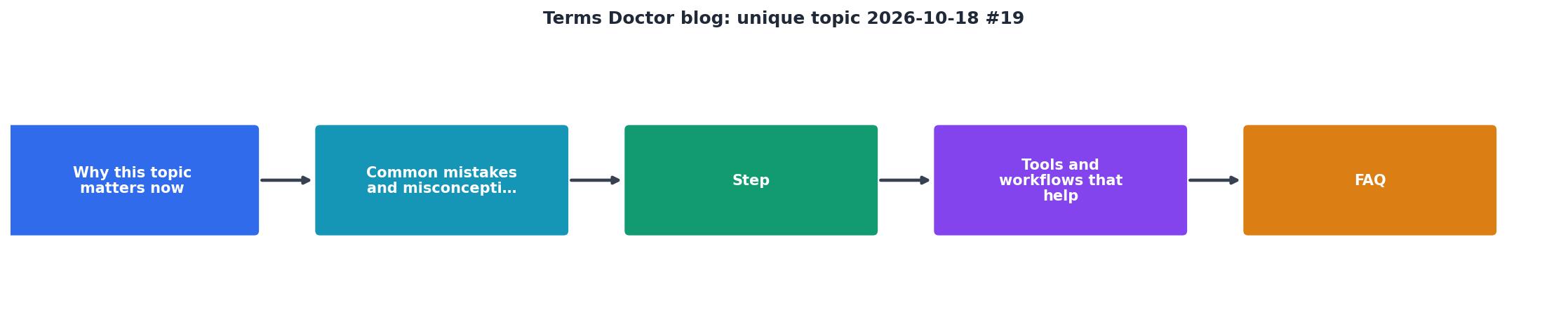
The Consumer Rights Angle

Even though companies use terms of service to limit your rights, many laws protect you regardless of what you agreed to. In the United States, the FTC has authority over unfair or deceptive practices. In Europe, GDPR gives you rights to your data that no terms clause can override. And many states have their own consumer-protection laws that invalidate particularly one-sided provisions.
That said, enforcing those rights costs money and time. A forced arbitration clause means even if you win, you can't join a class action where the company settles for millions. It's a David-vs.-Goliath fight, and the company is betting you won't take it on.
The best defense is prevention: read the terms before you're locked in, use Terms Doctor to spot risks automatically, and choose services with fair, transparent policies.
"Companies can and do change terms of service frequently. What protects you is being aware of those changes and having the right to opt out before they take effect."
Practical Checklist: Before You Click "Agree"
Pre-Sign-Up Terms Review
Your progress is saved automatically in your browser.
FAQ
Frequently Asked Questions
Next Steps: Use Terms Doctor to Protect Yourself
Reading terms of service is tedious, which is why most of us don't do it. But the financial and privacy costs of ignoring them are real. Auto-renewals, forced arbitration, and AI-training clauses exist because companies know most users will click "agree" without reading.
Terms Doctor is a free, open-source browser extension that automates the hard part. Install it on Chrome, Edge, Brave, Opera, or Vivaldi, then visit any website. The extension scans the terms in seconds, assigns an A-F grade, and highlights all 101 consumer-protection risks. You get the insights you need without wading through thousands of words of legalese.
The best part: you're in control. Use the grade to decide whether to sign up. Read the red-flagged sections if you want details. Compare terms between competitors. And remember, this is not legal advice, but an automated risk assessment to help you make smarter choices.
Your data and your money are worth protecting. Start with Terms Doctor today.
Additional Resources
- FTC: Understanding Terms of Service - Guidance from the Federal Trade Commission on consumer protection and fair terms of service practices.
- GDPR: Your Data Rights - Information about your data privacy rights under the European General Data Protection Regulation.
- Consumer Reports: Hidden Fees and Auto-Renewal Traps - Research and articles on common consumer protection issues including auto-renewal policies.