

Photo by RDNE Stock project from Pexels
Every day, millions of people sign up for SaaS tools, marketplaces, and online services without reading the terms of service. Most don't realize they've agreed to forced arbitration clauses, auto-renewal traps, or permission to train AI models on their data. By the time a surprise charge appears on your credit card or your data ends up somewhere unexpected, it's too late, you've already consented in writing.
This guide walks you through the hidden clauses that matter most, explains what they mean in plain English, and shows you how to spot them before you click "I Agree."
TL;DR
- Auto-renewal traps hide in subscription terms; they rely on buried language, short cancellation windows, and hard-to-find unsubscribe buttons.
- Forced arbitration clauses strip you of the right to sue; you must settle disputes in private arbitration instead of court.
- AI training permissions let companies use your data, photos, messages, and creative work to build machine-learning models without explicit consent.
- Data-sharing agreements allow third parties, advertisers, data brokers, analytics firms, to access your information unless you opt out repeatedly.
- Reading terms manually takes hours. Automated checkers like Terms Doctor scan for 101 red flags in seconds and grade the clarity of every ToS.
Why Companies Hide These Clauses

Terms of service are deliberately long, vague, and hard to parse. The average ToS is 2,600 words, longer than most articles on the internet. A 2008 study found that if everyone read every terms page they agreed to, they would spend 40 hours per year just reading. Companies profit from this friction.
When a clause is buried in Section 12.4 under "Miscellaneous Provisions," hidden behind jargon like "ancillary services" or "legitimate business interests," most users skip past it. That's by design. Platforms have tested language extensively, legal teams know exactly which wording users will ignore.
"The UN will dictate the terms of troop withdrawal from the region.">, TERMS
The word "terms" itself means conditions or agreements. When you accept a website's terms of service, you're not just acknowledging a policy, you're entering a binding contract that courts will enforce.
The Most Dangerous Hidden Clauses
1. Auto-Renewal Traps
Auto-renewal clauses are the most common source of complaints to the Federal Trade Commission. Here's how they work:
- You sign up for a 14-day free trial or a one-time subscription.
- In tiny text, you agree that your subscription will renew automatically.
- The billing date is often buried in a separate section or email.
- Cancelling requires finding a "Manage Subscription" button, sometimes on a third-party payment processor's website, not the main site.
- By the time you realize you've been charged, 30 days have passed, and refund windows have closed.
- "Free trial includes automatic renewal"
- "Subscription will renew unless cancelled"
- "Cancellation must be submitted 30 days before billing date"
- No direct unsubscribe link on your account page
2. Forced Arbitration Clauses
Forced arbitration strips you of your right to sue a company in court. Instead, disputes go to a private arbitrator chosen by the company, not a judge or jury.
Why this matters:- You cannot appeal an arbitration decision.
- Arbitration is often more expensive and slower than court.
- Companies routinely use arbitration to avoid class-action lawsuits.
- You lose the public record, no one sees what happened.
3. AI Training and Data Harvesting
In 2023–2024, many SaaS platforms quietly added permission to use user data for AI model training. This means:
- Your emails, photos, or documents may train a chatbot.
- Your customer support conversations may teach a company's AI.
- Your design files, code, or creative work could be used without ongoing consent.
- "We may use your content to improve our services"
- "Machine learning and AI development"
- "Content used for model training"
- "Aggregate anonymized data" (often not truly anonymous)
4. Broad Liability Waivers
Many platforms limit their liability to the amount you paid them, or to $0. If a data breach exposes your personal information, the company may owe you nothing.
Look for: "Liability limited to fees paid" or "We are not liable for indirect damages."
5. Unilateral Amendment Rights
Companies reserve the right to change their terms "at any time" without consent. Some do not even notify users of changes. This means:
- A privacy-friendly policy can become invasive overnight.
- You have no recourse except to stop using the service.
- The agreement you signed six months ago may no longer apply.
How to Spot Hidden Clauses: A Step-by-Step Review
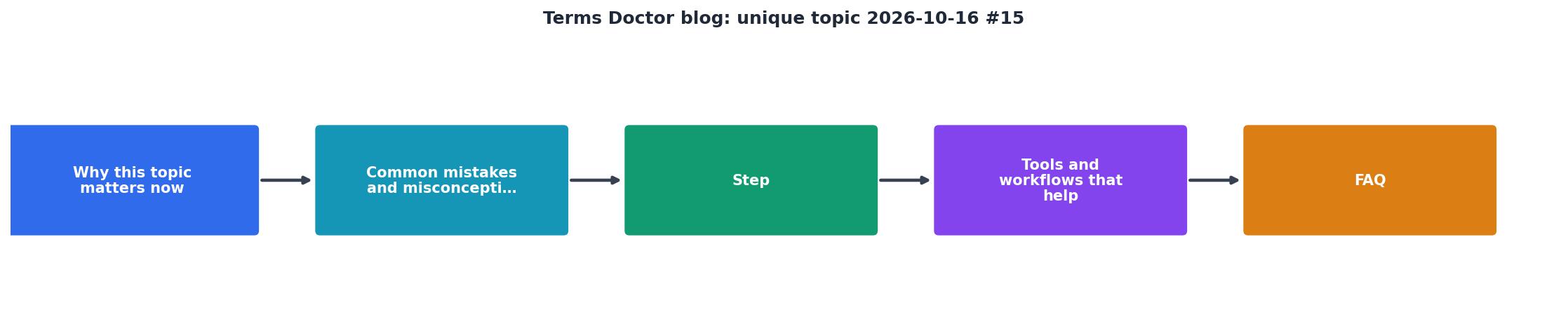
If you decide to read terms manually, follow this process:
- Find the ToS page. Most sites bury it in the footer under "Legal" or "Terms." Use your browser's Find function (Ctrl+F or Cmd+F) to search for keywords: "auto-renew," "arbitration," "AI," or "data sharing."
- Skim for section headings. Look for "Billing," "Termination," "Disputes," "Privacy," "Content," and "Modifications."
- Read sections in this order:
- Payment and Cancellation
- Liability and Indemnification
- Dispute Resolution
- Data and AI Use
- Right to Modify
- Flag unclear language. If a clause is vague, assume the worst interpretation. "We may use your data for service improvement" is too broad.
- Check the privacy policy separately. ToS and privacy policies are different documents. Policies often reveal what companies actually do with data.
Why Automated Review Is Faster and More Reliable
Reading every term of service is impractical. Terms Doctor scans for 101 common red flags, forced arbitration, AI training clauses, auto-renewal traps, unfair liability limits, and more, in seconds. The tool grades each ToS on an A-F scale and highlights risky clauses in plain language.
Instead of spending an hour reading legal jargon, you get:- A summary grade (A = consumer-friendly, F = heavily skewed toward the company)
- Red flags in plain English (not legal jargon)
- Exact clause locations so you can read the full context
- Change tracking to see when terms get updated

Practical Checklist: Before You Sign Up
Before You Agree to Terms of Service
Your progress is saved automatically in your browser.
What You Can Do Right Now
If You Spot a Bad Clause
- Document it. Screenshot the page and URL. Note the date and section.
- Email the company. Ask them to clarify or remove the clause. Many companies will, especially if you mention consumer protection laws.
- Report it. File a complaint with the FTC (at reportfraud.ftc.gov) if the clause violates your state's consumer protection laws.
- Do not use the service. If a company refuses to negotiate and the clause is genuinely harmful, vote with your wallet.
If You've Been Charged Without Consent
- Dispute the charge with your bank or credit card company within 60 days.
- Request a refund directly from the company, citing the unclear cancellation process.
- File a complaint with your state's attorney general and the FTC.
- Check for class actions at topclassactions.com, you may be eligible for a settlement.
FAQ
Frequently Asked Questions
Get Help Reading Terms Before You Sign
Reading terms of service doesn't have to take hours or require a lawyer. Terms Doctor, a free browser extension for Chrome, Edge, Brave, Opera, and Vivaldi, scans any website's terms in seconds and highlights 101 consumer-protection red flags, forced arbitration, auto-renewal traps, AI training clauses, unfair liability limits, and more. You get an A-F grade in plain language, exact clause locations, and change tracking so you know when terms get updated. Download it free from our homepage and review terms before you commit to any service. Remember: automated checks are not legal advice, but they're a smart, fast first step toward protecting yourself online.
Additional Resources
- TERMS | definition in the Cambridge English Dictionary - the conditions that are part of an agreement or arrangement, or the features of an activity or idea: He violated the terms of the agreement. She considers ...
- TERM Definition & Meaning - The meaning of TERM is a word or expression that has a precise meaning in some uses or is peculiar to a science, art, profession, ...
- Terms of service - Terms of service, also known as terms of use and terms and conditions, [note 1] are the legal agreements between service providers and service consumers.