
Photo by Sonny Sixteen from Pexels
You signed up for a $29/month project management tool last January. Today, three months in, you notice a charge for $47 on your card. You didn't change your plan. You didn't add users. Yet your bill climbed anyway, and when you scroll back through the terms of service, you find the reason buried deep in the pricing section: "fees may escalate in accordance with usage tiers and ancillary services." You've been hit with hidden fee escalation, one of the most common gotchas in SaaS billing.
TL;DR
- SaaS pricing clauses often hide fee escalation triggers tied to usage, seat count, data storage, or "premium" add-ons, many users don't spot the increase until the charge appears.
- Red flags include vague language like "fees may change," missing renewal dates, unclear definitions of usage metrics, and clauses allowing automatic service downgrades at lower tiers.
- Hidden fees escalate because vendors use privacy policies and ToS to quietly shift costs instead of sending clear advance notice.
- Use Terms Doctor's A-F grading and red-flag scanning to catch pricing clauses before you commit; look for specific numbers, transparent renewal dates, and opt-in (not auto) upgrades.
- Always read the pricing section, not just privacy policies, and keep a calendar reminder to review your bill monthly.
Why SaaS vendors hide fee escalation in plain sight

Most SaaS companies aren't trying to scam you, but they are building ambiguity into their terms to protect their ability to raise prices without asking permission first. Here's why:
- Lock-in strategy. Once you've integrated a tool into your workflow, switching costs rise. You've trained your team, exported data, connected APIs. If your bill jumps 20%, canceling feels like more friction than paying. Vendors know this.
- Business model pressure. SaaS companies run on recurring revenue. If acquisition costs are high, they need to raise lifetime value, and the easiest lever is squeezing existing customers rather than landing new ones.
- Legal cover. Terms of service and privacy policies are written by lawyers to be defensible in court, not readable to humans. A clause buried in page 8 of a 15-page document, written in dense legalese, often stands up in arbitration even if 99% of customers never saw it.
- Regulatory gaps. Unlike credit cards, telecom services, and energy bills, which have disclosure and advance-notice rules, SaaS has almost no federal regulation requiring vendors to announce price hikes in advance or give you a cancellation grace period.
"Most SaaS platforms integrate with external services, such as payment processors, CRMs, or analytics providers.">, Privacy Policy for a SaaS Business: How To Create One
Key takeaway: SaaS vendors exploit vague pricing language and legal complexity because it works, and regulators haven't caught up.
Seven warning signs of hidden fee escalation

Learn to spot these red flags before you sign up or commit to an annual plan:
1. Vague usage metrics
Red flag phrase: "Fees may vary based on usage," "tiered pricing," or "usage-based billing" without defining what counts as a "usage unit."What it means: The vendor won't specify whether storage, API calls, user seats, or emails sent trigger an upgrade. That ambiguity is intentional, it lets them reclassify you into a higher tier whenever revenue targets slip.
Example: A CRM promises "$49/month for up to 10,000 contacts." But does that mean active contacts, total contacts ever uploaded, or synced contacts? If your definition differs from theirs, you could wake up to an overage charge.
2. Automatic tier upgrades
Red flag phrase: "You will automatically be upgraded to the next tier," "service will be downgraded if usage falls below," or "additional charges apply for overages."What it means: You don't get a prompt, a warning, or a grace period. The moment you cross a threshold, you're charged more, often retroactively for the entire billing cycle.
Example: Slack charges for "active users" per billing period. If you onboard three new team members mid-month, you might be billed for the full month at the higher rate, not prorated.
3. Renewal language that doesn't specify dates
Red flag phrase: "Automatically renews," "subscription renews at the end of the billing period," or "renewal on the anniversary of your account creation."What it means: The exact renewal date isn't clear. That ambiguity lets vendors renew you on whatever date suits their cash flow, and it makes it hard for you to plan cancellations in advance.
4. Clauses allowing price increases without notice
Red flag phrase: "We may change our pricing at any time," "pricing subject to change," or "updated fees apply to the next renewal."What it means: The vendor can raise prices without telling you, and you'll find out when the charge posts. Some ToS bury language saying they'll "notify you of upcoming price changes," but only 72 hours in advance, often via email that lands in spam.
5. Add-on and "premium" service language
Red flag phrase: "Optional add-ons," "premium features," "advanced integrations available," or "professional support tier."What it means: The base price is artificially low. The vendor plans for you to discover (or be nudged toward) extras, single sign-on, advanced reporting, priority support, each with a separate monthly fee. Before you know it, you're paying 3× the advertised rate.
6. Data storage fees buried separately
Red flag phrase: "Storage overage fees," "data retention tiers," or "archive storage charged at $X per GB per month."What it means: Your usage grows naturally (more projects, more files, more team history). The vendor doesn't prune old data, they charge you to keep it. If this clause isn't visible during signup, you won't notice the creeping cost until your second or third year.
7. Forced downgrades and service degradation
Red flag phrase: "If you fail to upgrade, features will be limited," "free tier accounts will be converted to pay-as-you-go," or "inactive accounts will be charged a maintenance fee."What it means: Inactivity or low usage doesn't save you money, it costs you more, or your access shrinks. This is designed to nudge dormant users into active payment rather than letting them sleep.
How to audit SaaS pricing before you pay

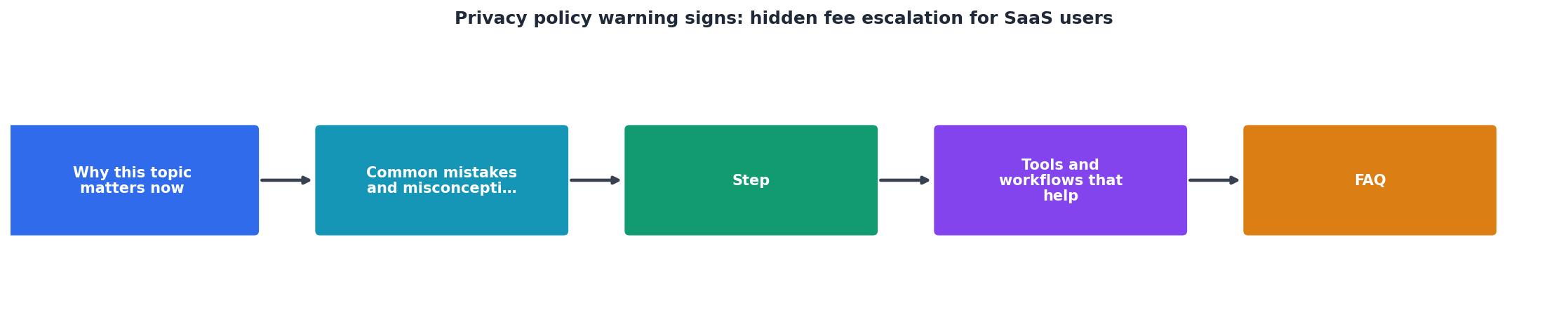
Before committing to a SaaS tool, follow this step-by-step process:
Step 1: Find the pricing and billing page
Don't read the privacy policy first, start with pricing. Look for a dedicated page (often labeled "Pricing," "Plans," or "Billing") on the vendor's website. This section should list plan tiers, specific prices, and what each tier includes.What to note: Are prices in USD or local currency? Does the annual option show a discount? Is there a free trial, and for how long?
Step 2: Search the terms for "usage," "overage," and "upgrade"
Use Ctrl+F (Cmd+F on Mac) to search for these keywords in the ToS and privacy policy. Each match is a potential cost trigger. What to look for:- Definitions of usage metrics (e.g., "active users means logged-in users in the current calendar month").
- Whether overages are charged per unit, per tier, or prorated.
- Whether upgrades are automatic or require your action.
Step 3: Check the renewal section
Look for language about auto-renewal, cancellation, and refunds. Search for "renew," "billing cycle," "cancel," and "refund." Red flags:- "Non-refundable" or "all sales are final."
- No explicit cancellation instructions.
- Renewal dates that aren't tied to a calendar date.
Step 4: Look for add-on and support pricing
Search for "add-on," "integration," "support," and "professional." These are often charged separately and can double your base cost.Question to ask: If I buy the base plan but need single sign-on, advanced analytics, and priority support, what is the real cost?
Step 5: Use Terms Doctor to spot red flags
Terms Doctor's A-F grading includes checks for:- Unclear pricing escalation language.
- Automatic renewal without consent.
- Arbitration clauses that block small-claims court (important if you dispute a charge).
- Data retention and overage policies.
SaaS Fee Escalation Audit Checklist
Your progress is saved automatically in your browser.
What to do if you're already caught in fee escalation
If you've already been hit with an unexpected charge, here's how to respond:
- Gather evidence. Screenshot your invoice, the original signup page you saw, and the current pricing page. Export your billing history from the vendor's dashboard.
- Review the exact ToS version you agreed to. Most vendors archive old versions of their terms. Contact support and ask for the specific version of the ToS that was live when you signed up. Vendors often change clauses, and the old version may be more favorable to you.
- Check your credit card statement. If the charge violates your card issuer's rules (e.g., negative-option rules), you may dispute it directly with your bank. Most credit cards offer 60–180 days to dispute unauthorized charges.
- Email support with specifics. Don't ask for a refund, ask them to explain the charge in writing, citing the specific ToS clause. Many vendors will credit you if the interaction is documented; it shows you're serious and may prompt a compliance review on their end.
- Escalate if needed. If support denies it, file a chargeback with your credit card (if the charge is recent enough) or submit a complaint to your state's attorney general or the Federal Trade Commission (FTC).
FAQ
Frequently Asked Questions
Protect yourself going forward
Key takeaway: Fee escalation thrives on complexity and silence. The best defense is three-part: read the pricing before signup (not after), use Terms Doctor to flag risky clauses, and monitor your bill monthly.
Start here: download the free Terms Doctor browser extension for Chrome, Edge, Brave, Opera, and Vivaldi. When you visit any SaaS website, Terms Doctor automatically finds the terms of service and privacy policy, runs 101 consumer-protection checks, and grades them A-F. In seconds, you'll see whether a vendor buries fee escalation clauses, forces arbitration, or trains AI on your data. You'll get specific red-flag highlights so you don't have to read 15 pages of legalese, and you'll spot pricing traps before they cost you money.
Set a monthly reminder to review your SaaS subscriptions. Compare what you're charged to what you're using. If a price spike appears, go back and re-read the pricing and billing sections, most escalations are allowed by the terms, but vendors bet you won't notice. When you do notice, you've got documentation for a refund dispute.
SaaS vendors will keep hiding fees in fine print as long as it works. Don't be another silent statistic, read the terms, use the tools, and keep your vendor honest.
Additional Resources
- Everything you need to know about SaaS agreements - Hidden fees or auto-renewals: Unclear pricing or automatic renewals without proper notice can frustrate customers and lead to disputes.
- Privacy Policy for a SaaS Business: How To Create One - Easily make a privacy policy for a SaaS business, including what goes into one, the laws that impact it, and more.
- Legal Risks in SaaS Contracts: 5 Hidden Risks That Can ... - Learn the five SaaS contract clauses most likely to trigger legal objections, delay negotiations, and slow enterprise deals.