
Photo by Vidal Balielo Jr. from Pexels
You sign up for a free trial. Two weeks later, a charge hits your credit card. You never explicitly agreed to pay, but buried in the terms was a clause saying the trial automatically converts to a paid subscription. Auto-renewal clauses are among the most common, and most confusing, red flags in terms of service. This article explains what they really mean, why companies use them, and how to spot them before they drain your bank account.
TL;DR- Auto-renewal means a service automatically converts from free to paid, or renews an existing subscription without requiring you to click "subscribe" again.
- These clauses are legal in most regions but often buried in fine print or phrased in deliberately confusing language.
- Red flags include vague cancellation instructions, hard-to-find unsubscribe buttons, and clauses that require written notice (rather than one-click cancellation).
- Always search terms of service for keywords like "auto-renew," "automatically renew," "continuous billing," and "trial converts."
- Terms Doctor automatically scans 101 consumer-protection checks, including auto-renewal detection, to save you time.
What is auto-renewal?

Auto-renewal is a billing model where a subscription automatically renews at the end of each billing period, or where a free trial automatically converts to a paid subscription when the trial ends, without requiring you to manually click "buy" or "renew" again.
"The auto-renewal definition is important because these clauses can lock you into ongoing commitments, sometimes for months or even years, without requiring your explicit approval each time.">, What Does Auto
In the most straightforward scenario, you pay for one month of a service. At the end of that month, the next month's charge is automatically charged to your card. You don't have to do anything. Most subscription services work this way: Netflix, Spotify, Adobe Creative Cloud, fitness apps, and thousands of SaaS tools.
The more controversial version is the free trial that converts. You sign up for a 14-day free trial of a streaming service. You provide your credit card as verification. When day 14 ends, your card is automatically charged for the first month, even though you never clicked a button saying "yes, charge me now." That's auto-renewal, and it's where the red flag gets raised.
Key takeaway: Auto-renewal is not inherently illegal or unethical, but it becomes a red flag when the terms hide the clause, make cancellation deliberately difficult, or don't require clear affirmative consent before charging begins.
Why do companies use auto-renewal?
From a business perspective, auto-renewal makes sense. It reduces the friction of renewal, many users forget to re-subscribe and churn. It also increases predictable recurring revenue. But this business benefit can come at the consumer's expense if the terms don't clearly disclose:
- The exact renewal date (not buried six pages deep)
- How much the charge will be (some trials are free, but the paid version is significantly more expensive)
- How to cancel (not requiring a phone call or written letter)
- Reminder notifications (many jurisdictions now require a reminder email before charging)
Red flags: what to look for in terms of service

When you're reviewing a terms of service before signing up for a free trial or subscription, watch for these specific red flags:
1. Vague or hidden renewal language
- The clause is buried on page 8 of a 15-page document.
- Language is passive: "subscriptions will automatically renew" instead of "we will charge your card every month."
- The renewal terms are mentioned only in a separate "billing" or "subscriptions" page, not at the point where you sign up for the trial.
2. Cancellation is harder than signup
- The only way to cancel is to call a phone number or send a physical letter.
- There is no "cancel subscription" button in your account settings.
- The cancellation section requires you to scroll through three different pages or fill out a form.
- The website says "email us to cancel" but provides no email address, or the email bounces.
3. Unclear pricing
- The free trial price is prominently displayed, but the renewal price is not.
- Example: "Try for free for 14 days!" but buried in fine print: "After trial, $29.99/month."
- Different tiers or add-ons have different renewal dates, making it hard to track when you'll be charged.
4. No pre-charge reminder
- Many consumer-protection laws now require a reminder email or SMS before the first charge.
- If the terms don't mention a reminder, ask via email before signing up: "Will you email me before charging my card?"
5. Mandatory arbitration linked to auto-renewal
- If you're also required to give up your right to sue in court (arbitration clause), combined with auto-renewal, it becomes much harder to recover if you're overcharged.
How to spot auto-renewal clauses: step-by-step

If you're signing up for a new service with a free trial or subscription, use this process to find and evaluate the auto-renewal clause:
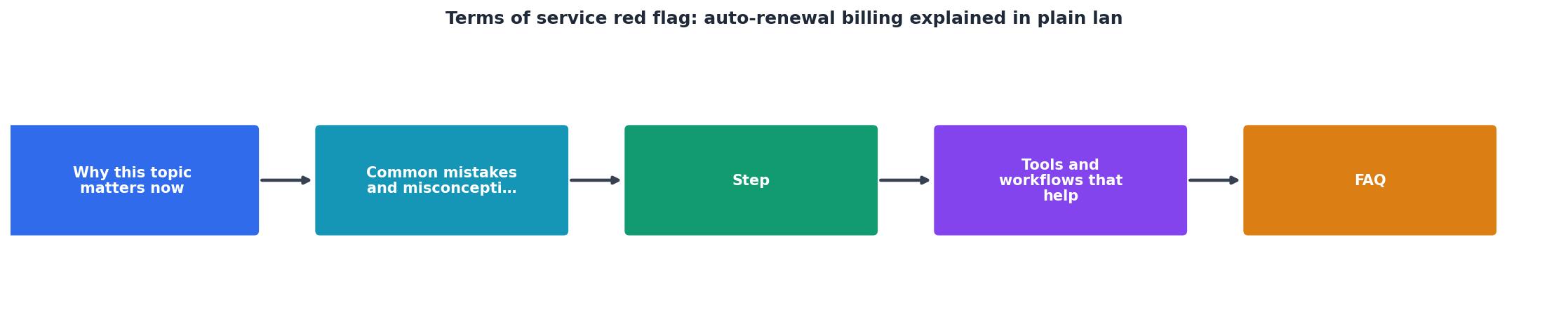
Step 1: Search for keywords
Open the terms of service (usually linked at the bottom of the website). Use your browser's find function (Ctrl+F or Cmd+F) and search for:- "auto-renew" or "auto renew"
- "automatically renew"
- "continuous billing"
- "trial converts"
- "trial period ends"
- "renewal date"
- "recurring charge"
Step 2: Read the exact clause
Once you've located the section, read it carefully. Copy and paste it into a document so you have it for reference. Look for:- The exact renewal date (e.g., "14 days from signup")
- The exact price you will be charged
- Whether a reminder email will be sent before charging
- Whether you've already "opted in" by providing your payment method
Step 3: Find the cancellation clause
Search for "cancel," "cancellation," or "unsubscribe." Find the exact steps required to cancel. Ideally, cancellation should be:- One-click (in your account settings)
- No email confirmation required
- No additional form or survey
- Effective immediately or within 48 hours
Step 4: Check for pre-charge reminders
Search for "reminder," "notification," or "email before." If the terms mention that you'll receive a reminder email before the first charge, that's a good sign. If there's no mention, assume there might not be one, and set your own phone reminder for one day before the trial ends.Step 5: Review the entire billing section
Read the full "Billing," "Subscriptions," or "Terms" section, not just the auto-renewal clause. Look for links between auto-renewal, cancellation, refunds, and dispute resolution. If arbitration is required, note that, it limits your legal options if a dispute arises.Pre-Signup Auto-Renewal Checklist
Your progress is saved automatically in your browser.
Why Terms Doctor helps
Manually reading every terms of service for every service you sign up for is time-consuming and easy to miss. That's where the free Terms Doctor browser extension comes in. Terms Doctor automatically scans any website's terms of service for 101 consumer-protection checks, including auto-renewal clauses, mandatory arbitration, AI training on your data, and forced disclosure sharing.
When you visit a website, Terms Doctor displays an A-F grade and highlights the specific red flags. If auto-renewal is detected, you'll see it flagged immediately, along with the exact section number. This saves you time and ensures you never miss a hidden auto-renewal clause again.
The extension is free, works on Chrome, Edge, Brave, Opera, and Vivaldi, and works on any website, from SaaS tools to streaming services to fitness apps.
FAQ
Frequently Asked Questions
Ready to protect yourself? The free Terms Doctor browser extension automatically scans any website's terms of service and highlights auto-renewal clauses, mandatory arbitration, AI training on user data, and 98 other consumer-protection red flags, all in seconds. Download it for Chrome, Edge, Brave, Opera, or Vivaldi today, and never sign up for a hidden auto-renewal again. It's free, always will be, and works on every website you visit.
Disclaimer: This article is for educational purposes and is not legal advice. Terms Doctor's automated checks are a helpful starting point but do not replace a review by a qualified attorney. Always read the full terms of service before signing up for a service, and consult a lawyer if you have concerns about a specific clause.
Additional Resources
- What Does Auto-Renewal Mean in Contracts ... - Flag Red - Auto-renewal means that a contract or agreement will automatically extend for another term unless one party takes action to cancel it before a specified ...
- Contract Red Flags: The Five Shapes Every Bad Clause Takes - Redline flags the auto-renewals, the stacked fees, the indemnification language — and explains each one in plain English. One scan, one dollar. iOS and Android.
- Subscriptions, Auto-Renewals, and Payments Clauses - An auto-renewals clause explains how your auto-renewal process works, and includes information about how long users' subscriptions will continue ...