

You just found the perfect project-management tool for your team. The free trial looks great, the UI is clean, and the pricing page seems fair. But buried seventeen paragraphs deep in the terms of service sits a single sentence that strips away one of your most effective consumer rights: the ability to join a class action lawsuit. If the company ever mishandles your data, overcharges thousands of users, or silently changes its pricing, you will have to fight alone, and most people never do.
This article breaks down what class action waivers actually mean for SaaS subscribers, how to spot them before you click "I agree," and what practical steps you can take to protect yourself.
TL;DR
- A class action waiver forces you to resolve disputes individually, usually through private arbitration, instead of joining other affected users in a single lawsuit.
- These clauses are extremely common in SaaS terms of service; many popular tools include them by default.
- Waivers are often paired with forced arbitration clauses, short opt-out windows, and liability caps that further limit your rights.
- You can spot them quickly by searching for keywords like "class action," "waive," "arbitration," and "individual basis."
- Tools like the free Terms Doctor browser extension automatically flag class action waivers and 100 other red-flag clauses so you don't have to read every word yourself.
What is a class action waiver and why should you care?

A class action lawsuit lets a group of people who suffered the same harm, say, a data breach that exposed credit card numbers, pool their claims into one case. The group shares legal costs, and the court's decision applies to everyone. It is one of the few mechanisms that makes it economically viable to challenge a large corporation over small-dollar harms. If a SaaS vendor overcharges each user by $15 per month, no individual is likely to hire a lawyer over that amount. But ten thousand users together have a $150,000 claim that attorneys will take seriously.
A class action waiver is a clause in the terms of service where you agree to give up that right. Instead of joining forces with other users, you must pursue any dispute on your own, typically through binding arbitration, a private process with no jury, limited discovery, and almost no right to appeal.
Why SaaS companies include them
Why they matter to you
Without the class action mechanism, most small-dollar disputes simply go unresolved. The arbitration filing fee alone can exceed the amount you lost. The practical effect is that the company faces almost zero accountability for widespread but individually small harms, billing errors, hidden fee increases, unauthorized data sharing, or quiet downgrades of service features.
Key takeaway: A class action waiver doesn't just change where you resolve disputes, it effectively removes the only realistic path most users have to hold a SaaS company accountable for widespread harm.
How to spot class action waivers in SaaS terms

Class action waivers rarely announce themselves with a bold heading. They are typically embedded inside a broader "Dispute Resolution" or "Arbitration" section. Here are the exact phrases and patterns to look for:
Red-flag keywords
- "class action waiver", the most direct phrasing, but surprisingly rare in practice.
- "on an individual basis", the classic formulation: "You agree to resolve disputes on an individual basis and not as part of any class or representative action."
- "waive any right to participate in a class action", explicit waiver language.
- "no class or representative proceedings", a blanket prohibition.
- "binding arbitration", almost always paired with a class action waiver.
- "small claims court", sometimes listed as the only alternative to arbitration, which still prevents class actions.
- "opt-out", some agreements give you a narrow window (often 30 days) to opt out of arbitration and the class action waiver. Missing this window locks you in.
Where to look in the document
Most SaaS terms of service follow a predictable structure. The class action waiver usually appears in one of these sections:
- Dispute Resolution / Arbitration, the most common location, often near the bottom of the document.
- General / Miscellaneous, sometimes tucked into a catch-all section alongside governing law and severability clauses.
- User Agreement addendum, some companies place arbitration terms in a separate linked document.
"The Service is not authorized for use by persons under the age of 16 and User will not use the Service if User is under 16 years of age.">, SAAS User Agreement
This quote from a real SaaS user agreement illustrates how terms documents mix age restrictions, liability limits, and dispute clauses into a single dense block. The class action waiver is often just one more paragraph in that wall of text, easy to miss, hard to understand, and designed to stay unnoticed.
Five common warning-sign patterns beyond the waiver itself

A class action waiver rarely travels alone. When you find one, check for these companion clauses that compound the risk:
- Forced arbitration with a company-chosen provider, The terms specify a particular arbitration organization (often AAA or JAMS) and sometimes a specific venue or city. This can make it expensive and inconvenient for you to even file a claim.
- Short opt-out windows, Some agreements let you opt out of arbitration, but only if you send a written notice within 30 days of creating your account. If you miss the deadline, you are locked in for the life of the contract.
- Liability caps far below actual damages, A clause stating the company's total liability "shall not exceed the fees paid by you in the twelve months preceding the claim" means that even if a data breach costs you thousands, your recovery is capped at your subscription fees.
- Unilateral amendment rights, The company reserves the right to change the terms at any time, with notice limited to posting an update on their website. This means the class action waiver, or any other clause, can be tightened without your explicit consent.
- Broad data-use permissions, Privacy policies that grant the company rights to use your data for "improving services," "training machine learning models," or sharing with "trusted partners" create the very harms that class actions are designed to address. Pairing broad data rights with a class action waiver is a particularly concerning combination.
Step-by-step: how to review a SaaS agreement for class action waivers
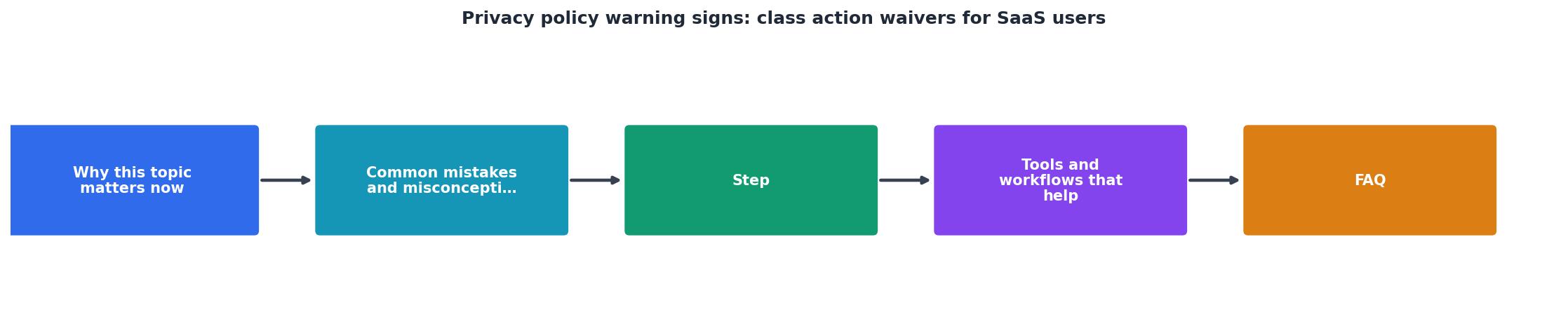
Follow this process every time you evaluate a new SaaS tool:
- Open the terms of service before signing up. Do not create an account or enter payment information first. If the terms are not linked from the signup page, check the website footer.
- Use Ctrl+F to search for key phrases. Start with "class action," then try "arbitration," "individual basis," "waive," and "representative." Each hit is a section worth reading carefully.
- Read the full Dispute Resolution section. Even if your keyword search finds nothing, scroll to the dispute resolution or arbitration section and read it end to end. Some companies use creative phrasing to avoid triggering keyword searches.
- Check for an opt-out mechanism. If the agreement includes an arbitration clause with an opt-out, note the deadline and the required method (usually email or physical mail). Set a calendar reminder immediately.
- Send the opt-out notice if available. Draft a short, clear message: "I am opting out of the arbitration and class action waiver provisions in your Terms of Service. My account email is [your email]. Today's date is [date]." Send it via the specified method and keep a copy.
- Run Terms Doctor on the page. Install the free browser extension, navigate to the SaaS tool's website, and let Terms Doctor automatically locate and analyze the terms. The extension checks for class action waivers, forced arbitration, auto-renewal traps, AI data training clauses, and 97 other consumer-protection issues. You will get an A-F grade and a plain-language summary of every red flag.
- Compare alternatives. If the terms are unacceptable, use Terms Doctor to check competing tools. An A-graded alternative with similar features and no class action waiver may exist.
Class Action Waiver Review Checklist
Your progress is saved automatically in your browser.
What you can actually do if you find a class action waiver
Knowing a waiver exists is only half the battle. Here are your practical options:
Option 1: Opt out within the window
Many SaaS agreements, including those from major companies, include a 30-day opt-out provision for the arbitration and class action waiver clauses. This is your single best move. Opting out preserves your right to participate in a class action without affecting your ability to use the service. Companies include the opt-out to strengthen the enforceability of the clause against users who do not opt out, so they generally honor it without pushback.
Option 2: Negotiate (for business accounts)
If you are purchasing a team or enterprise plan, you may have leverage to negotiate modified terms. Ask the vendor's sales team for a version of the agreement without the class action waiver, or request a mutual arbitration clause where both parties share costs equally. This is more realistic than it sounds, enterprise deals often involve custom legal terms.
Option 3: Choose a different tool
The SaaS market is competitive. For most categories, project management, CRM, email marketing, cloud storage, multiple alternatives exist. If one vendor's terms are hostile, another vendor with friendlier terms may offer comparable features. Use Terms Doctor to compare grades across competitors quickly.
Option 4: Document everything
If you cannot avoid the tool (perhaps your employer chose it), keep records. Save copies of the terms on the date you agreed, screenshot any pricing pages, and document any issues you encounter. If a dispute arises, thorough documentation strengthens your position even in individual arbitration.
FAQ
Frequently Asked Questions
Protect yourself before you click "I agree"
Reading every word of every SaaS agreement is not realistic, but you do not have to. The free Terms Doctor extension for Chrome, Edge, Brave, Opera, and Vivaldi automatically finds terms of service on any website, runs 101 consumer-protection checks (including class action waivers, forced arbitration, auto-renewal traps, and AI data training clauses), and gives you a clear A-F grade with plain-language explanations. Install it once, and you will never unknowingly waive your right to a class action again. Automated checks are a effective first step, but remember they are not a substitute for professional legal advice when the stakes are high.
Additional Resources
- SAAS User Agreement - Binding Arbitration & Class Action Waiver: If the parties do not reach an agreed-upon solution within a period of thirty (30) days from the time the informal ...
- Class Action Waivers in Terms & Conditions - Class action waivers act to limit the means of dispute resolution or the way grievances are settled. users cannot start or join a class action ...
- SaaS Services Agreement - the Parties expressly waive their right to file a class action or seek relief on a class basis.