

You've just signed up for a new project management tool, scheduling app, or AI writing assistant. Before you invite your team, you scroll past the terms of service, and notice it's 8,000 words of dense legal language. Where do you even start?
If you're a freelancer, small-business owner, or anyone managing vendor contracts, reading B2B SaaS terms used to mean hiring a lawyer or guessing which clauses actually matter. Terms Doctor changes that. Our free browser extension automatically detects terms of service on any website, runs 101 consumer-protection checks, and flags the issues that could affect your business, your data, and your wallet.
This guide shows you what Terms Doctor looks for first, why those clauses matter for B2B users, and how to review a SaaS terms of service without legal training.
TL;DR
- Arbitration clauses force disputes into private arbitration instead of court, you waive your right to sue.
- Liability caps let vendors escape responsibility for lost data or downtime, often limited to one month of fees.
- Auto-renewal and billing practices trap users in paid subscriptions; check cancellation policies before signing up.
- Data usage for AI training is increasingly common; vendors may use your data to train models unless you opt out.
- Unilateral change rights let vendors alter pricing, features, or terms without your consent mid-contract.
- Use Terms Doctor's A-F grading and red-flag highlights to spot risks in seconds, not hours.
Understanding B2B SaaS terms: why they matter

When you click "I Agree" on a SaaS platform, you're not just accepting a privacy policy, you're entering a binding contract that governs what the vendor can do with your data, what happens if their service breaks, and what recourse you have if something goes wrong.
For B2B users, the stakes are higher than consumer services. You're often storing client data, financial records, or trade secrets. If the vendor's service goes down, your business can lose money. If their security fails, you could face regulatory fines or client lawsuits.
Most SaaS terms are written to protect the vendor, not you. Standard clauses include:
- Liability caps that limit the vendor's financial responsibility
- Arbitration requirements that take disputes out of court
- Broad rights to use or monitor your data
- Permission to change terms with minimal notice
- Auto-renewal policies designed to keep you paying
The six red flags Terms Doctor checks first
1. Forced arbitration clauses
Arbitration clauses force you to resolve disputes in private arbitration instead of court. This sounds neutral, but in practice it favors the vendor:
- No appeal process: Arbitration awards are final and nearly impossible to challenge.
- Higher costs: You pay arbitrator fees, which can run hundreds or thousands of dollars per hour.
- Closed proceedings: Arbitration is private; you cannot set legal precedent or alert other customers.
- Class action waiver: Many arbitration clauses also ban class actions, meaning you cannot join a group lawsuit even if thousands of other users were harmed identically.
"The limitation of liability clause is one of the most negotiated provisions in any enterprise SaaS agreement.">, SaaS Terms of Service Legal Requirements 2026
What Terms Doctor does: Our tool flags mandatory arbitration and class action waivers instantly. If you see an A-grade from Terms Doctor, the vendor has not locked you into arbitration.
2. Liability caps and exclusions
Liability caps limit the vendor's financial responsibility if something goes wrong. Typical language reads:
"In no event shall [Vendor] be liable for indirect, incidental, special, or consequential damages, even if advised of the possibility of such damages. Total liability shall not exceed the fees paid in the preceding 12 months."
Translation: If the vendor's outage costs you $50,000 in lost business, and you paid them $500/month ($6,000/year), they owe you nothing beyond $6,000, and often less.
For B2B users, this is catastrophic. Your data or uptime is worth far more than monthly fees.
What Terms Doctor does: Our checks identify liability caps and highlight their scope. An F-grade often signals unlimited liability exclusions or caps below three months of fees.
3. Unilateral change rights
Many SaaS vendors reserve the right to change pricing, features, or terms at any time, with only email notice to existing users. This allows vendors to:
- Increase prices mid-contract without your consent
- Remove features you rely on
- Add new data-collection practices
- Introduce AI training on your data with minimal warning
4. Auto-renewal and billing traps
Auto-renewal is legal, but vendors often obscure cancellation or renewal dates. Common traps include:
- Requiring you to cancel in a specific way (phone call, not email) to make refunds harder
- Charging your card without sending a renewal notice beforehand
- Burying the cancellation link on the account page
- Charging you for the renewal before the contract date to avoid refund requests
5. Data usage for AI training
An increasingly common clause: vendors reserve the right to use your data (or anonymized versions) to train AI models, improve their service, or license training datasets to third parties.
For B2B users, this is risky:
- Your client data might be used to train a competitor's AI.
- Trade secrets could be anonymized, re-identified, and sold.
- You may unknowingly violate client contracts by allowing data use you didn't anticipate.
6. Broad data access and monitoring rights
Many SaaS vendors claim rights to access your account for "service improvement," support, or compliance. In practice, this can mean:
- Engineers accessing your client data without explicit consent
- Automated systems scanning your content for security risks (or marketing insights)
- Retention of deleted data for backups or legal holds
- Sharing data with third-party subprocessors without notice
How to review B2B SaaS terms: a step-by-step workflow

Step 1: Install Terms Doctor and navigate to the vendor's site
Download Terms Doctor free for Chrome, Edge, Brave, Opera, or Vivaldi. Once installed, visit the SaaS vendor's website. Terms Doctor automatically detects their terms of service page.
Step 2: Open the Terms Doctor panel
Click the Terms Doctor icon in your browser toolbar. The panel shows the vendor's A–F grade, a summary of major red flags, and links to full check results.
Step 3: Scan the red-flag summary
The summary displays the most critical issues:
- Arbitration and class action bans
- Liability caps below one year of fees
- Unilateral pricing changes
- Auto-renewal and cancellation policies
- Data usage for AI or third-party training
- Retention of data after account deletion
Step 4: Click into detailed check results
For each red flag, read the exact clause language and Terms Doctor's plain-English explanation. This is where you decide whether the risk is acceptable for your use case.
Step 5: Document your decision
If the grade is D or below, or if critical red flags apply to your business, document your finding. You may decide:
- The vendor is unacceptable; choose an alternative.
- The risk is acceptable; proceed with caution and set a contract review reminder.
- You will negotiate; share Terms Doctor's report with the vendor's sales team.

B2B SaaS terms review checklist
B2B SaaS Terms Review Checklist
Your progress is saved automatically in your browser.
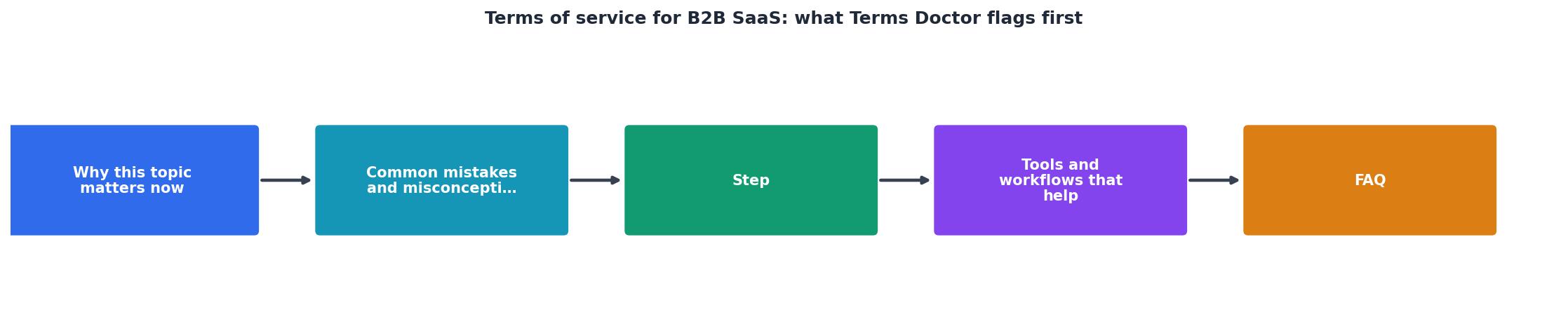
Process diagram: Terms Doctor at a glance
When to negotiate B2B SaaS terms
Not all vendors are open to negotiation, but enterprise and mid-market deals often are. Consider pushing back on:
- Liability caps: Request caps of 6–12 months of fees, or carve-outs for data breach liability.
- Arbitration: Ask for opt-in arbitration (not mandatory) or a carve-out for small-claims court.
- Unilateral changes: Negotiate a 30–60 day opt-out window if the vendor raises prices.
- Data usage: Require explicit opt-in for AI training, or prohibit it entirely.
- Data retention: Require deletion of all data within 30 days of account closure, without legal-hold exceptions.
Comparing multiple vendors
When evaluating competing SaaS tools, use Terms Doctor to compare their grades side by side:
| Vendor | Terms Doctor Grade | Arbitration | Liability Cap | AI Training | Auto-Renewal |
|---|---|---|---|---|---|
| Vendor A | B | Mandatory | 12 mo. | Prohibited | Easy opt-out |
| Vendor B | D | Mandatory | 1 mo. | Opt-in | Requires call |
| Vendor C | A | No | Unlimited | Prohibited | Email cancellation |
FAQ
Frequently Asked Questions
Start reviewing B2B SaaS terms with confidence
Reading SaaS terms of service no longer requires a law degree or hours of head-scratching. Terms Doctor's free browser extension does the heavy lifting: detecting terms pages, running 101 consumer-protection checks, and highlighting the red flags that matter most to your business.
Whether you're evaluating a new project management tool, scheduling app, or AI service, install Terms Doctor and check the vendor's grade before you sign up or invite your team. A few seconds of review now prevents months of regret later.
Download Terms Doctor free for Chrome, Edge, Brave, Opera, and Vivaldi. Visit termsdoctor.com to get started, and stop guessing about vendor contracts.
Remember: Terms Doctor's automated checks are not legal advice. For contracts involving regulated data or high financial stakes, consult legal counsel.
Additional Resources
- SaaS Terms of Service Legal Requirements 2026 - SaaS terms of service legal requirements for 2026: DPA clauses, liability caps, IP ownership, AI-specific terms, auto-renewal compliance, ...
- Terms of Service: Meaning, Examples, And How to Create ... - A terms of service example for a SaaS product would address account creation, subscription terms, prohibited activities, and dispute resolution.
- How to Draft Terms of Service for Product Led Growth - We use the Common Paper Cloud Service Agreement as our Terms of Service, and it only took us an hour to make it happen. Here's how.