
Photo by https://kaboompics.com/ from Pexels
You've just signed up for a project management tool your freelance team needs. Everything feels great, smooth onboarding, helpful customer support, slick interface. Then three weeks in, you realize it doesn't solve your core problem. You reach for the terms of service, hunting for the refund clause. What you find (or don't find) could mean losing hundreds of dollars and wasting weeks switching tools.
B2B SaaS refund policies are where contracts get real. Unlike consumer goods that come with obvious return windows, software refunds hide in dense legalese, or sometimes don't exist at all. Terms Doctor's automated checks highlight refund-related red flags that most buyers miss: no refund clause at all, automatic renewal traps, or refund windows so narrow they're useless.
TL;DR
- Most B2B SaaS tools offer no refund at all or refund periods shorter than 14 days, leaving you stuck with a bad purchase.
- Auto-renewal traps let companies lock you in for another billing cycle before you even realize it happened.
- Terms Doctor flags 101 consumer-protection checks, including missing refund clauses, hidden renewal dates, and forced arbitration that blocks you from suing.
- Always check the specific refund window, conditions, and how to request one before signing up, not after.
- A plain-language refund policy is your best defense; Terms Doctor grades how fairly it's written.
Why B2B SaaS refund policies matter more than you think

When you buy physical goods online, consumer protection laws give you guardrails. Many countries mandate return windows (often 14–30 days) so you can change your mind. SaaS is different. Software licenses are often classified as services or non-refundable digital goods, which means companies can legally offer zero refund protection unless they choose to.
"The conditions under which clients may be eligible for reimbursements for the software services they have purchased are described in a SaaS Refund Policy.">, What is a SaaS Refund Policy? Key Terms & Best Practices
For a freelancer, small team, or startup, this is dangerous. You're making a leap of faith with every tool you adopt. You've got no legal right to a refund just because the software doesn't fit your workflow, even if you discover that within 48 hours. The refund policy, if one exists, is your only safety net. And that's precisely why Terms Doctor scans for missing or unfair refund language right away.
Key takeaway: B2B SaaS buyers have almost no legal protection by default; refund policies are optional, so read them carefully before committing money or integrating tools into your workflow.
The red flags Terms Doctor catches first

Terms Doctor runs 101 checks against every terms of service page it finds. When it comes to refunds and billing, here are the red flags it highlights first:
1. No refund clause at all
Many SaaS companies simply don't offer refunds. The terms say "All sales are final" or stay silent on the topic. Terms Doctor flags this immediately. It's not illegal, but it means you're taking all the risk. If you're considering a tool with no refund policy, you need to test it heavily in a free trial first, no exceptions.
2. Auto-renewal without clear cancellation instructions
Subscription traps are rampant in B2B SaaS. A company renews your subscription on day 30, charges your card, and assumes you'll notice eventually. Terms Doctor looks for missing or buried cancellation language. The red flag: renewal language that's clear but cancellation steps that are hidden on a support page or require email to a mysteriously unresponsive address.
3. Refund windows shorter than 14 days
A 7-day refund window is technically better than none, but it's often too short. You need time to test the tool with your real workflow, get team feedback, and spot problems. Terms Doctor flags unusually short windows (under 14 days) so you know you're in a rush.
4. Refunds only for "technical failures"
Some companies offer refunds only if the tool breaks. If it simply doesn't do what you need, or you misunderstood the feature set, you're out of luck. Terms Doctor highlights this distinction because it limits when you can actually get your money back.
5. Pro-rated or partial refunds only
Imagine you pay $500 upfront for a yearly subscription. On day 20, you realize it's not a fit. The terms say you get a pro-rated refund, meaning you only get back $450 because you "used" 30 days of service. Terms Doctor flags aggressive pro-ration clauses that feel designed to keep your money.
6. Refunds issued as account credit, not cash
This is a trap. You get your money back, but only as credit toward future services. If you cancel, the credit disappears. You're forced to either stay or lose the money entirely. Terms Doctor flags this as a conditional refund.
7. Forced arbitration blocking refund disputes
Some terms say: "Any refund dispute must go to private arbitration, not court." This means you can't sue and often can't appeal. Your only path is a private arbitrator chosen by the company. Terms Doctor highlights forced arbitration clauses because they remove your legal leverage.
How to evaluate a refund policy before you sign up

Before entering your payment info, use this process to vet a tool's refund terms:
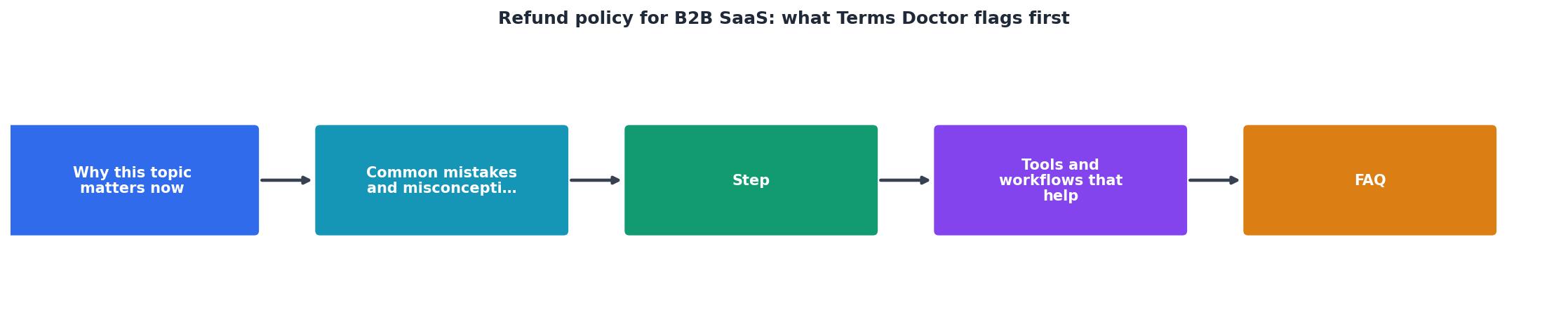
Step 1: Install Terms Doctor and scan the ToS
Open the tool's homepage in your browser. Terms Doctor (available free for Chrome, Edge, Brave, Opera, and Vivaldi) will auto-discover the terms of service and run all 101 checks. It highlights refund-related flags in red so you see them immediately. The A–F grade gives you a quick sense of how fair the terms are overall.
Step 2: Locate the refund policy section
Use Ctrl+F (or Cmd+F) to search the terms for "refund," "return," or "money-back." If nothing comes up, that's your answer: no refund policy. If you find language, read the entire section, don't skim. Refund clauses are often buried in billing or cancellation sections.
Step 3: Check three specific details
Once you've found refund language, verify:
- Refund window (in days): How long after purchase can you request a refund? 7 days? 30 days? 60 days?
- Refund conditions: Is it "no questions asked" or only for technical failures? Only if you haven't used the product much?
- Refund method: Do you get cash back to your original payment method, or only account credit?
Step 4: Test the tool before committing
Even with a refund policy, the best protection is the free trial. Use it fully, set up integrations, get your team involved, run your actual workflows. This costs you nothing and answers the refund question before it matters.
Step 5: Screenshot the refund policy
Save a screenshot of the relevant section. If the company changes its terms or you need proof later, you'll have evidence of what you agreed to.
Refund Policy Pre-Signup Checklist
Your progress is saved automatically in your browser.
Common refund policy traps and how to spot them
Most companies aren't trying to defraud you, but contract language can accidentally trap you anyway. Here are the sneaky patterns Terms Doctor helps you avoid:
The "no refund after access" trap: You download the app or log in once, and suddenly you're ineligible for a refund. The company claims you've "used" the service. This is enforceable in many jurisdictions but unfair if you logged in just to test it. Look for language that says refunds are only available before first login.
The "non-cancellable contract" trap: You sign a year-long contract at a discount. Three months in, it's not working. The terms say annual subscriptions are non-cancellable and non-refundable. You're locked in. Terms Doctor flags long auto-renewal terms so you notice them.
The "silent auto-renewal" trap: The terms mention renewal but bury the cancellation instructions on a different page or in a FAQ. You miss the renewal date, your card charges, and you're another month deeper. Always search for explicit cancellation steps in the main terms document.
The "credit-only refund" trap: You're told you'll get a refund, but it's only as account credit toward the next billing cycle. If you cancel entirely, the credit vanishes. Insist on refunds to your original payment method.
What to ask support before paying
Don't rely on the written policy alone. Email support with specific questions:
- "If I request a refund on day 15, what's the process and timeline?" This tells you if support is responsive and if there are hidden steps.
- "Are refunds issued to my credit card, or only as account credit?" Clarify the refund method in writing.
- "If I cancel during my subscription, do I lose unused days, or do I get a pro-rated refund?" Pin down the math so there are no surprises.
- "How do I actually cancel my subscription?" Ask for a direct link or email, not "click account settings." If they can't answer clearly, that's a red flag.
- "Does the refund policy apply to all plans, or only the starter plan?" Premium tiers sometimes have harsher terms.
How Terms Doctor helps you track changes
SaaS companies update their terms frequently, sometimes to fix unclear language, sometimes to lock in stricter policies. Terms Doctor tracks changes to terms of service so you can see what shifted. If a company suddenly kills its refund window or adds a forced arbitration clause, Terms Doctor alerts you to the change. For B2B buyers, this is critical: it means you're not blindsided by hidden policy shifts after you've signed up.
FAQ
Frequently Asked Questions
Get smart about SaaS refunds with Terms Doctor
Reading refund policies shouldn't require a law degree. That's why Terms Doctor automatically scans any SaaS tool's terms of service, runs 101 consumer-protection checks, and grades the terms A–F in plain language. When a refund clause is missing, unfair, or hidden by arbitration clauses, you see it highlighted in red before you ever enter your payment info.
The free Terms Doctor extension works on Chrome, Edge, Brave, Opera, and Vivaldi. Install it, and the next time you're signing up for a tool, you'll know exactly what your refund rights actually are, and what risks you're taking on. No legal background required. No surprises after the fact.
Remember: automated checks are not legal advice. If you have specific questions about a contract, consult a lawyer. But for spotting obvious red flags and comparing how fairly different companies handle refunds, Terms Doctor is your first line of defense.
Additional Resources
- What is a SaaS Refund Policy? Key Terms & Best Practices - A SaaS refund policy outlines how customers can get reimbursements. Learn if it's required, where to display it, how it impacts retention, ...
- Refund Policy for SaaS Apps - At Step 1, select where your Return & Refund Policy will be used. · At Step 2, add information about your website/app and business. · Answer some ...
- Dear SaaStr: What is a Good Refund Policy for a SaaS Product? - Almost every vendor says “No” to any refund request. No refund for any part of the month. And no refund for any part of an annual, signed ...