
Photo by James Thomas from Pexels
When you sign up for a marketplace, whether it's Fiverr, Etsy, Upwork, or a niche platform, you're agreeing to rules you've probably never read. That's where the acceptable use policy comes in. It's the fine print that tells you what you can't do, what happens if you break the rules, and how the platform protects itself (not necessarily you). Most shoppers and sellers scroll past it, but buried inside are clauses that could affect your account, your data, and your money. This guide explains what an acceptable use policy is, why it matters, and what red flags Terms Doctor spots first.
TL;DR
- Acceptable use policies define what behavior is prohibited on a platform, everything from fraud to copyright infringement to spam.
- Most platforms use vague language like "illegal activity" or "content we deem inappropriate," leaving enforcement arbitrary.
- Common red flags include: unlimited account suspension without notice, no appeal process, automatic forfeiture of funds, and permission to use your content for their marketing.
- Terms Doctor's 101 checks flag forced arbitration, unilateral clause changes, and auto-renewal traps hidden in marketplace terms.
- Always read the acceptable use policy before spending money or uploading sensitive content, it's your only contract with the platform.
What is an acceptable use policy?

An acceptable use policy (AUP) is a document that outlines rules for how you can and cannot use a service. On marketplaces, it's the platform's way of protecting itself from illegal activity, copyright infringement, harassment, fraud, and other harmful conduct.
Think of it as a bouncer's list at a nightclub: "No weapons. No drug dealing. No harassing other guests." If you break the rules, the bouncer can throw you out. Similarly, a marketplace can suspend your account, freeze your funds, or delete your content if you violate their AUP.
The problem? Marketplace AUPs are often written so broadly that enforcement becomes subjective. A platform might ban "content that violates our community standards" without clearly defining what that means. This vagueness gives them enormous power, and you very little recourse.
"Most companies post links to all legal documents, including acceptable use policies, in the website footer so users can always access the documents, no matter what page of the website they end up on.">, Acceptable Use Policy Template & Sample
Key takeaway: An acceptable use policy is a platform's rulebook for user behavior, but the rules are often vague enough to let the platform enforce them however they see fit.
Where acceptable use policies hide and why that matters

Most people assume acceptable use policies live in a standalone document. They don't. Instead, AUPs are typically buried inside:
- Terms of Service – Often the first 20–30% of a ToS, mixed with account rules, payment terms, and liability disclaimers.
- Community Guidelines – A separate document that may repeat or expand on AUP rules.
- Seller Agreements – For marketplace platforms, seller-specific rules often live here.
- Help Center articles – Scattered across FAQs and policy pages, sometimes contradicting the official AUP.
- Email policies sent after signup – Rules you "agree to" by continuing to use the service.
What Terms Doctor flags first in marketplace acceptable use policies
When you run Terms Doctor on a marketplace, the extension analyzes over 100 consumer-protection red flags. Here are the ones it catches first in acceptable use policies:
1. Unilateral suspension or account termination without notice
The red flag: "We may suspend or terminate your account at any time, for any reason, without notice."
Why it matters: If you're a seller with $5,000 in pending earnings and the platform suspends you without warning or explanation, you have no recourse. You can't defend yourself or migrate your customers.
What Terms Doctor looks for: Language that gives the platform unlimited power to remove you without due process, appeal rights, or a grace period.
2. Automatic forfeiture of funds upon suspension
The red flag: "Upon termination, all outstanding balances are forfeited and become the property of [Platform]."
Why it matters: You've earned money. The platform takes it, no refund, no explanation. This isn't a service fee; it's theft dressed up in legal language.
What Terms Doctor looks for: Terms that allow the platform to keep your money if they close your account, especially without a final audit or dispute period.
3. Forced arbitration clause
The red flag: "Any dispute must be resolved through binding arbitration, not in court."
Why it matters: You can't sue the platform. You can't join a class-action lawsuit. You're forced into private arbitration where the other side often has more resources and the process is opaque.
What Terms Doctor looks for: Mandatory arbitration language, especially when paired with a clause that prevents class-action suits.
4. Right to use your content without compensation
The red flag: "By posting content, you grant us a perpetual, worldwide, royalty-free license to use, reproduce, modify, and distribute your content."
Why it matters: Your photos, writing, or designs belong to the platform forever. They can use it in marketing, sell it, modify it, or republish it without paying you or asking permission.
What Terms Doctor looks for: Overly broad content-ownership clauses that don't expire when you delete your account.
5. Unilateral changes to terms without notice
The red flag: "We may modify these terms at any time. Your continued use of the service constitutes acceptance."
Why it matters: The platform can change the rules overnight, and you're bound by them automatically. New fees? Stricter content rules? New data-sharing permissions? They don't need your permission.
What Terms Doctor looks for: Terms that don't require advance notice (at least 30 days) or allow users to opt-out of material changes.
Red Flags to Check in Any Marketplace AUP
Your progress is saved automatically in your browser.
How to find and read an acceptable use policy

Finding a marketplace's acceptable use policy is harder than it should be. Here's the fastest way:
Step 1: Look in the footer
Most platforms bury policy links at the very bottom of the homepage. Look for "Legal," "Policies," "Terms," or "Community Guidelines."Step 2: Search the main terms of service
If you can't find a standalone AUP, open the Terms of Service. UseCtrl+F (or Cmd+F on Mac) to search for:
- "acceptable use"
- "prohibited conduct"
- "suspend"
- "terminate"
- "violate"
Step 3: Check the community guidelines
Many platforms keep AUPs in a separate "Community Guidelines" document. Search it for the same keywords above.Step 4: Use Terms Doctor
Instead of hunting manually, install the free Terms Doctor extension for Chrome, Edge, Brave, Opera, or Vivaldi. It automatically discovers all policy documents on any website, highlights the riskiest clauses, and grades the terms A–F so you know immediately whether they're fair or dangerous.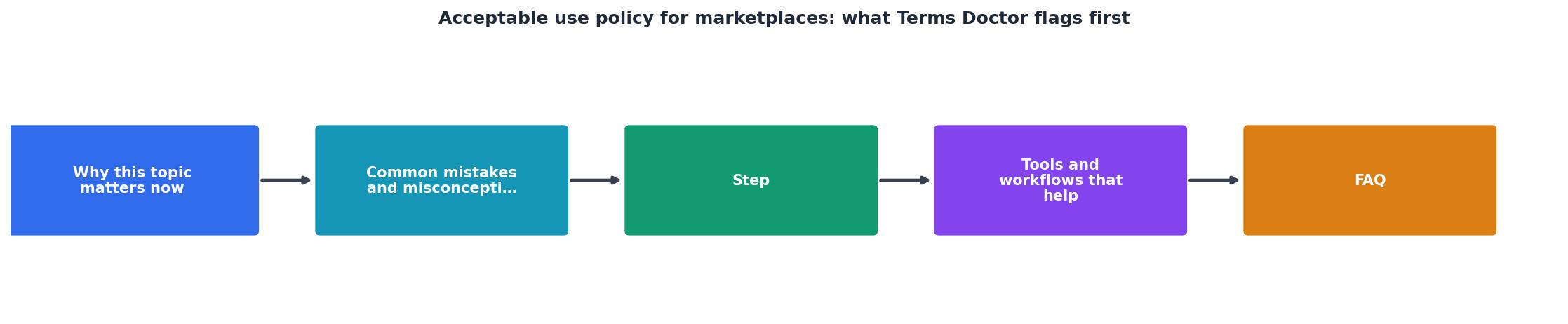
Step 5: Read with a focus
You don't need to read every word. Focus on these sections:- Prohibited conduct – What you can't do. Is the language clear, or vague?
- Account suspension or termination – What happens if you break the rules? Do you get a warning? Can you appeal?
- Content ownership – Who owns what you upload? Can they use it after you leave?
- Data sharing – Who can see your personal information?
- Dispute resolution – What happens if there's a disagreement? Court or arbitration?
- Changes to the policy – Can they change the rules without your permission?
What to do if a marketplace's AUP is unfair
If you find red flags in an acceptable use policy, you have options:
Option 1: Don't use the platform
If forced arbitration, automatic fund forfeiture, or vague suspension rules are dealbreakers for you, choose a competitor with fairer terms.Option 2: Use the platform but minimize risk
- Don't upload sensitive or original content unless you're willing to lose it.
- Keep earnings low (withdraw frequently) so you don't have much to lose if suspended.
- Document every transaction in case you need to dispute a charge or suspension.
Option 3: Advocate for change
Tweet at the platform, leave reviews, or contact their support team. If enough users complain, platforms sometimes update unfair terms. (Spoiler: most don't, but it's worth trying.)Option 4: Report unfair terms
If a platform's AUP violates consumer-protection laws, like banning class-action lawsuits or hiding auto-renewal terms, you can report it to the FTC or your state's attorney general.FAQ
Frequently Asked Questions
Get clarity on marketplace terms before you commit
Reading an acceptable use policy isn't exciting, but it might save you thousands of dollars, your account, or years of stress. The problem is, most AUPs are deliberately confusing, full of legal jargon, buried in footer links, and spread across multiple documents.
That's where Terms Doctor comes in. The free Terms Doctor extension for Chrome, Edge, Brave, Opera, and Vivaldi automatically discovers all policies on any website, highlights the 101 most dangerous clauses, and grades the terms A–F in plain language. No legal background required. Before you sign up for a marketplace, install Terms Doctor, run it on the site, and see exactly what you're agreeing to. It takes 30 seconds and could prevent a disaster.
Remember: automated checks are not legal advice. If you're considering a high-value transaction or have concerns about a specific clause, consult a lawyer. But for everyday shopping and selling, Terms Doctor gives you the clarity you need to make smarter decisions about which platforms to trust.
Additional Resources
- Acceptable Use Policy Template & Sample - Download our free acceptable use policy template for your website or app and learn how to fill it out properly with examples.
- Acceptable Use Policy Template - An Acceptable Use Policy will exclusively cover the use of the platform or service. A Terms of Use agreement will cover this information as well ...
- What Is an Acceptable Use Policy (AUP)? - An acceptable use policy governs employee computer and internet use in the workplace. Learn what to include and how to create one.