
Photo by Mikhail Nilov from Pexels
When you sign up for a B2B SaaS tool, whether it's project management software, a CRM, or an AI writing assistant, you rarely stop to read the acceptable use policy. But that document is where the service provider tells you exactly what you can and cannot do with their tool. Buried in that policy are restrictions that could affect your business, your team's workflow, and your data. Terms Doctor scans these policies automatically and highlights the red flags that matter most to privacy-conscious buyers and business teams.
TL;DR- Acceptable use policies (AUPs) outline what users can and cannot do on a SaaS platform; they are legally binding and breach can result in account suspension or termination.
- Terms Doctor's 101 consumer-protection checks flag common issues like overly broad data-mining prohibitions, unclear suspension terms, and liability disclaimers that favor the vendor.
- The most dangerous clauses restrict reverse engineering, prohibit competitive use, or allow the vendor to train AI on your data without consent.
- Always check for automation restrictions, content restrictions, and security audit rights before committing to a multi-year contract.
- Use Terms Doctor's A-F grading and change tracking to stay informed when vendors update their terms.
What is an acceptable use policy?

An acceptable use policy (AUP) is a legal document that sets rules for how you can use a service. It's separate from the main terms of service, though they work together. The terms of service cover billing, liability, and dispute resolution; the AUP focuses on user behavior and account restrictions.
"Most acceptable use policies include the following core elements.">, Acceptable Use Policy Definition, Examples & Best Practices
Think of an AUP as the vendor's way of saying: "You can use our tool, but not for these things." Common restrictions include:
- No illegal activity (obvious, but legally necessary)
- No harassment or hate speech (common on platforms with user communities)
- No spam or bot automation (protects the platform from abuse)
- No reverse engineering (protects the vendor's intellectual property)
- No competitive use (restricts how you can analyze or resell data)
- No security testing without permission (prevents unauthorized penetration testing)
Why AUPs matter for B2B teams

If you use SaaS tools at work, and almost every business team does, an AUP violation can shut down your workflow without warning. Here's why that matters:
Account suspension risk: A poorly worded AUP can be interpreted in ways that catch legitimate business use. If the policy restricts "automated access" but doesn't define it, a Zapier workflow or API integration could technically breach the terms. Your entire team loses access until the vendor reviews and approves.
Data loss: Many AUPs allow vendors to delete your account data if they believe you've violated the policy. Unlike GDPR, which requires 30 days' notice and a chance to cure, some AUPs allow immediate data destruction.
Competitive restrictions: If your company uses SaaS tools to do market research or analyze competitor data, the AUP might prohibit that use. A sales tool that lets you export and analyze market data, for example, may explicitly ban competitive intelligence.
AI training on your work: Many modern SaaS vendors reserve the right to use customer data, including your customer lists, messages, or code, to train AI models. An AUP that says "we may use your data to improve our service" can mean exactly that.
Key takeaway: An AUP breach can shut down your business operations in minutes, but you won't know you're at risk until you read the small print.
The red flags Terms Doctor finds first

Terms Doctor's 101 checks include specific scans for AUP language that threatens your privacy, security, or business continuity. Here are the top red flags the extension flags:
1. Overly broad data use rights
The problem: A clause that says "we may use your data to improve our service" is vague. Does that include AI training? Does it include anonymized data? Does it include data you create on the platform, or data about you (usage logs, IP addresses)?
What Terms Doctor flags: Clauses that give the vendor unlimited rights to your data, especially without explicit opt-out language for AI training.
Why it matters: If you store customer data or sensitive business information on the platform, unrestricted data-use rights put that information at risk of being used to train competitor models or sold to third parties.
2. Suspension without cure period
The problem: Some AUPs say "we may suspend or terminate your account immediately if we believe you have violated this policy." No notice. No chance to fix it. Gone.
What Terms Doctor flags: Termination clauses that allow immediate account suspension without a notice period or opportunity to cure.
Why it matters: You could lose access to critical data (your customer lists, project files, API keys) with zero warning. A 48-hour cure period is standard in fair contracts.
3. Reverse engineering and security audit restrictions
The problem: A restriction on "reverse engineering" or "security testing" can prevent your team from auditing the vendor's security or verifying that your data is safe.
What Terms Doctor flags: Blanket prohibitions on security testing that don't include a responsible disclosure process or exceptions for authorized security audits.
Why it matters: If your company has compliance requirements (HIPAA, SOC 2, PCI-DSS), you may need to audit the vendor's infrastructure. A restriction that requires written permission before any security test can slow down critical compliance reviews.
4. Competitive use restrictions
The problem: Some AUPs define "competitive use" so broadly that ordinary business use becomes prohibited. A data analytics SaaS, for example, might say "you may not use this service to analyze market trends for competitive intelligence."
What Terms Doctor flags: Restrictions on competitive use that go beyond protecting the vendor's own intellectual property.
Why it matters: If your core business involves market research, competitor analysis, or data aggregation, a strict competitive-use clause could make the SaaS tool unusable for your team.
5. Liability disclaimers that waive your rights
The problem: An AUP that says "we are not liable for data loss, account suspension, or service interruption" contradicts consumer-protection law in many jurisdictions. A vendor cannot always disclaim liability for negligence or gross misconduct.
What Terms Doctor flags: Liability waivers that appear to override local consumer-protection law or disclaim liability for the vendor's own gross negligence.
Why it matters: If the vendor is hacked and your data is stolen, a one-sided liability waiver might prevent you from recovering damages. Fair contracts include liability caps but not blanket waivers.
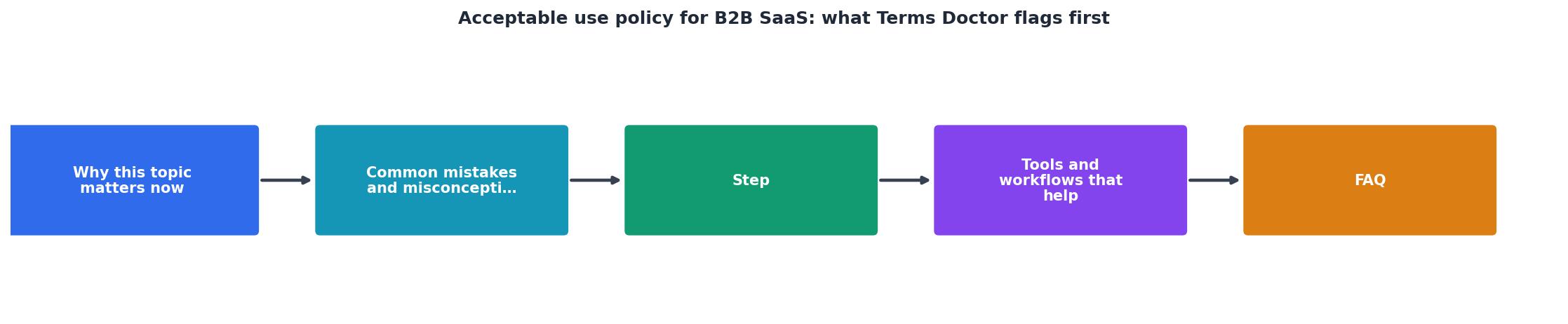
How to review an AUP step-by-step
Acceptable Use Policy Review Checklist
Your progress is saved automatically in your browser.
Step 1: Find the AUP
Most SaaS vendors bury the AUP. It might be linked from the main terms of service, or under a separate "policies" page. Terms Doctor automatically finds it for you, just install the extension, visit the vendor's website, and the extension will flag the AUP in your browser.
Step 2: Search for suspension and termination language
Use your browser's search function (Ctrl+F or Cmd+F) to find words like:- "suspend"
- "terminate"
- "immediately"
- "without notice"
- "sole discretion"
Step 3: Check for data-use rights
Search for:- "AI training"
- "machine learning"
- "improve our service"
- "anonymized data"
Step 4: Verify security audit rights
Search for:- "penetration testing"
- "security audit"
- "reverse engineering"
- "responsible disclosure"
Step 5: Review liability and dispute resolution
Look for:- "Limitation of liability"
- "Indemnification"
- "Arbitration"
- "Class action waiver"
Common AUP traps in specific industries
AI writing and coding tools
These tools often reserve the right to use your prompts and outputs to train their models. Before using an AI assistant for sensitive work, check whether:- The AUP allows the vendor to use your prompts for model training
- You can opt out of data retention
- Code you write can be used in the vendor's model or shared with competitors
Project management and collaboration tools
Team collaboration platforms often prohibit:- Bulk export of project data
- Integration with competing tools via API
- Automated workflows that simulate user behavior
CRM and sales tools
CRM platforms may restrict:- Export and analysis of lead or customer data
- Use for competitive intelligence or market research
- Integration with external analytics or BI tools
Analytics and BI platforms
Data analytics tools often prohibit:- Competitive analysis or benchmarking
- Resale of insights or aggregated data
- Use of the platform to build a competing analytics service
Key Takeaway
An acceptable use policy is a legally binding document that defines what you can and cannot do with a SaaS tool. Before committing to any platform, take 15 minutes to search for the red flags outlined above: data-use rights, suspension clauses, competitive-use restrictions, and liability disclaimers. Terms Doctor automates this review process and alerts you to clauses that could affect your business operations, data privacy, or compliance requirements. Don't let a silent policy update catch you off guard—install Terms Doctor today and stay informed about changes to vendor terms.
FAQ
Frequently Asked Questions
Stay informed with Terms Doctor
Reading an acceptable use policy doesn't require a law degree, but it does require time you probably don't have. That's where Terms Doctor comes in. The free Terms Doctor extension runs 101 consumer-protection checks on any SaaS agreement, including AUP scanning for data-use rights, suspension clauses, liability disclaimers, and more. Install it for Chrome, Edge, Brave, Opera, or Vivaldi, visit any SaaS vendor's website, and the extension will highlight the red flags that matter most. The grading system (A–F) tells you at a glance whether a vendor's terms are fair or risky. Plus, Terms Doctor tracks when vendors update their terms, so you're never caught off guard by a silent policy change. Privacy-conscious teams use Terms Doctor before signing up for new tools, and you should too.
Additional Resources
- Acceptable Use Policy Definition, Examples & Best Practices - Learn what an acceptable use policy is, why it matters, and how to create one that supports security and data privacy compliance.
- SaaS Acceptable Use Policy - An Acceptable Use Policy allows you, the company, to set clear expectations of what kind of behaviour is okay, as well as allowing you to ban or suspend ...
- Acceptable use policy: what it is, examples and template - A SaaS business can use an acceptable use policy to define the way its service can be used. For example, PayPal doesn't allow users to process transactions