

Photo by Andy Barbour from Pexels
You just found a shiny new SaaS tool, an AI writing assistant, or a marketplace that promises to save you hours every week. Before you type your email and click "I agree," there is a wall of legal text standing between you and the product, the Terms of Service (ToS). Most people scroll past it. That is exactly what companies count on. In this guide you will learn a repeatable, step-by-step method for grading any Terms of Service so you can sign up with confidence, or walk away before it is too late.
TL;DR
- A Terms of Service is a binding contract; ignoring it can cost you money, data, or legal rights.
- Focus on five high-impact areas: data rights, auto-renewal, dispute resolution, liability limits, and change-notification policies.
- Use a simple A-F grading rubric you can apply in under ten minutes.
- Automate the heavy lifting with the free Terms Doctor browser extension, which runs 101 consumer-protection checks instantly.
- Grading a ToS is not legal advice, when stakes are high, consult a lawyer.
Why You Should Actually Read the Terms of Service

Terms of Service documents are legally binding agreements. When you click "I agree," you are entering a contract that governs how a company can use your data, what happens if something goes wrong, and what rights you give up. Here is why that matters in practice:
- Data licensing surprises. Some platforms grant themselves a perpetual, irrevocable license to use any content you upload, including for AI model training. If you are a freelancer uploading client work, that clause alone could violate your own client contracts.
- Auto-renewal traps. A subscription that quietly renews at a higher price, with a cancellation window of only 24 hours, is more common than you might think. Without reading the ToS, you will not know until the charge appears on your credit card.
- Forced arbitration. Many services require you to waive your right to a class-action lawsuit and instead resolve disputes through binding arbitration, often in a jurisdiction that is inconvenient for you.
- Unilateral changes. A company may reserve the right to change the terms at any time without notifying you. That means the deal you agreed to today could look completely different next month.
Reading every word of every ToS you encounter is unrealistic, the average terms document runs over 4,000 words. That is why having a structured grading system (or an automated tool) is essential.
The Five Pillars of a Terms of Service Grade
Before you can assign a grade, you need to know what to look for. Every Terms of Service, regardless of industry, can be evaluated across five critical pillars:
1. Data Rights and Privacy
What data does the service collect? How is it stored, shared, and retained? Pay special attention to clauses about selling data to third parties, using your content for AI training, and data retention after account deletion. A strong ToS will clearly state what data is collected, limit its use to providing the service, and delete it upon request.
2. Auto-Renewal and Billing
Look for the renewal cadence (monthly, annual), price-increase provisions, and the cancellation process. Red flags include automatic upgrades to higher-priced tiers, short cancellation windows, and non-refundable prepayments. A fair ToS will send renewal reminders and offer a reasonable cancellation period.
3. Dispute Resolution
Does the agreement require binding arbitration? Does it include a class-action waiver? In which jurisdiction will disputes be resolved? Consumer-friendly terms allow you to resolve disputes in your own jurisdiction and preserve your right to join a class action if needed.
4. Liability and Indemnification
Many ToS documents cap the company's liability at the amount you paid in the last 12 months, or even zero. Some go further and require you to indemnify the company for any claims arising from your use of the service. Check whether the liability cap is reasonable and whether the indemnification clause is one-sided.
5. Modification and Termination
Can the company change the terms without notice? Can it terminate your account at will and delete your data? A well-drafted ToS will require advance notice of material changes (typically 30 days) and give you the right to export your data before termination.
How to Grade a Terms of Service: Step by Step
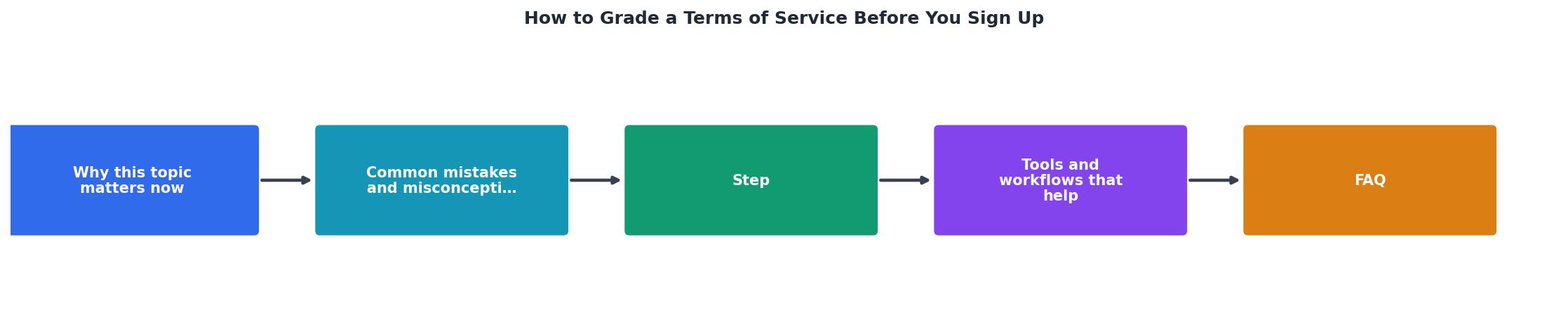
Follow these seven steps to assign a letter grade to any Terms of Service document. The entire process takes about ten minutes for a manual review, or seconds if you use an automated tool like Terms Doctor.
- Locate the ToS. Navigate to the service's website and find the Terms of Service link, usually in the footer. Some sites bury it under names like "Legal," "User Agreement," or "Terms of Use." Terms Doctor automatically discovers the ToS page on any site you visit.
- Skim for structure. A well-organized ToS uses clear headings, numbered sections, and a table of contents. If the document is a single block of text with no headings, that is already a yellow flag, it suggests the company is not prioritizing readability.
- Check data rights (Pillar 1). Search for keywords like "license," "data," "content," "personal information," and "AI." Note whether the company claims a broad license to your content and whether it shares data with third parties beyond what is necessary to provide the service.
- Check billing terms (Pillar 2). Search for "renewal," "cancel," "refund," and "price." Note the renewal cadence, cancellation window, and refund policy. Flag any clause that allows price increases without notice.
- Check dispute resolution (Pillar 3). Search for "arbitration," "class action," "jurisdiction," and "governing law." Note whether arbitration is mandatory and whether you waive your right to a class action.
- Check liability and modification (Pillars 4 & 5). Search for "liability," "indemnify," "modify," "terminate," and "notice." Note the liability cap, indemnification obligations, change-notification period, and data-export rights.
- Assign a grade. Use the rubric below to tally your findings and assign a letter grade from A to F.
"The language you use should be specific and clear so the person knows they are agreeing to a policy, such as:.">, "Agree to Terms and Conditions" Checkbox Examples & How
The A-F Grading Rubric

Use this rubric to convert your findings into a letter grade. For each pillar, assign a score from 0 (worst) to 2 (best), then add them up.
| Score | Meaning |
|---|---|
| 2 | Consumer-friendly: clear language, fair terms, no red flags. |
| 1 | Mixed: some concerning clauses but nothing extreme. |
| 0 | Hostile: broad data grabs, forced arbitration, no notice of changes, or excessive liability shifts. |
- 9–10 → A, Excellent. Sign up with confidence.
- 7–8 → B, Good. Minor concerns worth noting.
- 5–6 → C, Average. Proceed with caution; consider alternatives.
- 3–4 → D, Poor. Significant red flags; think twice.
- 0–2 → F, Failing. Walk away or negotiate terms.
Key takeaway: You do not need a law degree to evaluate a Terms of Service, a structured five-pillar review and a simple scoring rubric let you assign a meaningful grade in minutes.
Red Flags That Instantly Lower a Grade
Not all clauses are created equal. Some are so consumer-hostile that they should drop a grade by at least one full letter on their own. Watch for these:
- Perpetual, irrevocable content license. The company can use your uploads forever, even after you delete your account.
- Mandatory binding arbitration with a class-action waiver. You lose the right to sue or join a group lawsuit.
- Unilateral modification without notice. The company can change the deal at any time and your continued use counts as acceptance.
- No data export or deletion rights. You cannot retrieve your data or request its removal.
- Broad indemnification. You agree to cover the company's legal costs for virtually any claim related to your use.
- AI training on user data without opt-out. Your content may be fed into machine-learning models with no way to decline.
- Survival clauses that outlast the agreement. Certain obligations (like indemnification) continue indefinitely after you close your account.
Your Pre-Sign-Up Checklist

Use this checklist every time you consider signing up for a new service. Print it, bookmark it, or let Terms Doctor handle the checks automatically.
Pre-Sign-Up Terms of Service Review
Your progress is saved automatically in your browser.
Putting It All Together: A Practical Example
Imagine you are evaluating a new project-management tool for your freelance business. You navigate to the site, scroll to the footer, and click "Terms of Service." Here is what a quick review might look like:
- Structure: The document has numbered sections and a table of contents, good start.
- Data rights: The company claims a "worldwide, non-exclusive license" to your content solely for providing the service, and it deletes data within 30 days of account closure. Score: 2.
- Billing: Annual plans auto-renew with a 14-day cancellation window and a reminder email 7 days before renewal. Score: 2.
- Dispute resolution: Binding arbitration is required, but there is a 30-day opt-out window for new users and small-claims court is still available. Score: 1.
- Liability: Liability is capped at fees paid in the last 12 months. Indemnification is limited to your violation of the terms. Score: 1.
- Modification: The company provides 30 days' notice for material changes and allows you to export data before termination. Score: 2.
With Terms Doctor installed, this entire analysis happens in seconds. The extension highlights each clause, explains it in plain language, and gives you the overall grade before you ever click "I agree."
FAQ
Frequently Asked Questions
Grade Before You Click
You would not sign a paper contract without reading it, and a Terms of Service deserves the same scrutiny. With the five-pillar framework and the A-F rubric in this guide, you now have a repeatable system for evaluating any ToS in minutes. If you want to skip the manual work entirely, install the free Terms Doctor extension for Chrome, Edge, Brave, Opera, or Vivaldi. It automatically finds the Terms of Service on any site, runs 101 consumer-protection checks, and gives you a clear A-F grade with plain-language explanations, so you always know what you are agreeing to before you click "I agree."
Disclaimer: This article is for educational purposes only and does not constitute legal advice. For specific legal questions about a Terms of Service, consult a qualified attorney.
Additional Resources
- “Agree to Terms and Conditions” Checkbox Examples & ... - Protect your business by adding an "I agree to Terms and Conditions" checkbox, as user agreement is vital in legally enforcing rules of use!
- Terms and Conditions Review: Everything You Should Know - How Do I Review Terms and Conditions? · 1. Examine Your Most Important Terms and Clauses First · 2. Check Your Privacy Policy · 3. Consider Language Usage · 4.
- "By posting this, you agree to our terms and conditions" - Is it okay to have a "By posting this, you agree to our terms and conditions" (i.e. like 4chan) as opposed to a "I agree to the terms and conditions" checkbox? ...