

Photo by Justin Coonan from Pexels
You signed up for a free trial, forgot about it, and three months later discovered a string of charges on your credit card. Sound familiar? Auto-renewal clauses are buried deep inside terms of service for a reason, companies count on you never reading them. This guide breaks down exactly how these traps work, what the law says about them, and how you can protect yourself before the next billing cycle hits.
TL;DR
- Auto-renewal clauses let companies charge you indefinitely unless you cancel within a narrow window that is often hard to find.
- Many services bury cancellation instructions across multiple pages or require phone calls during limited hours.
- Consumer-protection laws like the FTC's "Click-to-Cancel" rule and California's ARL are catching up, but enforcement is slow.
- You can spot these traps in seconds using Terms Doctor's automated checks, no legal degree required.
- A simple pre-signup checklist can save you hundreds of dollars a year in unwanted subscriptions.
What Exactly Is an Auto-Renewal Trap?

An auto-renewal trap is not simply a subscription that renews. Legitimate recurring billing is convenient, you keep getting a service you want without lifting a finger. The "trap" part kicks in when one or more of the following conditions are true:
- The renewal term is not clearly disclosed before you pay. The sign-up page shows a monthly price but the terms lock you into an annual plan that auto-renews for another full year.
- Cancellation is unreasonably difficult. You signed up with two clicks online, but cancelling requires a phone call, a mailed letter, or navigating a maze of "Are you sure?" screens.
- The cancellation window is extremely narrow. Some services require you to cancel 30, 60, or even 90 days before the renewal date, miss it by a day and you owe another full cycle.
- Price increases are baked into the renewal. The introductory rate expires silently, and the renewed subscription costs significantly more.
- Free-trial-to-paid conversions happen without a clear reminder. You get a 7-day trial, no email warning before it ends, and suddenly you are on a paid plan.
"The term 'subscription trap' commonly describes an arrangement in which you unknowingly enroll in recurring payments or encounter unreasonable barriers when attempting to cancel.">, Subscription Traps And Auto
These patterns are not edge cases. They appear in SaaS tools, streaming platforms, fitness apps, cloud storage services, and even enterprise software agreements. The financial impact adds up quickly: the average consumer carries multiple subscriptions, and forgetting even one unwanted renewal can mean $50–$300 lost per year on a single service.
The Five Most Common Auto-Renewal Red Flags

When you review a service's terms, or let Terms Doctor do it for you, watch for these specific red flags:
1. Vague Renewal Language
Phrases like "your subscription will continue unless terminated" without specifying the renewal period, the price, or the cancellation method. A legitimate clause states the exact date, the exact amount, and the exact steps to cancel.2. Cancellation-by-Phone-Only Policies
If the sign-up happened online but the only way to cancel is by calling a phone number during business hours (often in a single time zone), that is a deliberate friction point. Some companies even route cancellation calls through retention teams trained to talk you out of leaving.3. Silent Price Escalation Clauses
Look for language such as "we reserve the right to adjust pricing at any time" combined with "continued use constitutes acceptance." This means the company can raise your rate and your failure to cancel counts as agreement to the new price.4. Short or Hidden Cancellation Windows
Terms that require cancellation "no later than 30 days prior to the renewal date" effectively mean you must remember to cancel a month before a date you probably never memorized. Some services do not even send a reminder email.5. Free-Trial Auto-Conversion Without Notice
The trial sign-up page says "free for 14 days" in large text, but the terms say "after the trial period, your payment method will be charged the standard monthly fee" in small print, with no obligation for the company to email you before the charge.Key takeaway: If cancelling a service is harder than signing up for it, you are likely looking at an auto-renewal trap designed to keep you paying.
What the Law Says (and Where It Falls Short)

Consumer-protection regulators around the world are tightening rules on auto-renewal practices, but the landscape is still patchy.
- United States, FTC "Click-to-Cancel" Rule: The Federal Trade Commission finalized a rule requiring that cancelling a subscription must be as easy as signing up. If you subscribed online, you must be able to cancel online. Sellers must also provide clear disclosures before charging and send reminders before renewals. However, enforcement timelines and compliance deadlines mean many companies have not yet updated their flows.
- California Automatic Renewal Law (ARL): One of the strictest state-level laws. It requires clear and conspicuous disclosure of auto-renewal terms, affirmative consent before charging, a post-purchase acknowledgment with cancellation instructions, and an easy online cancellation mechanism. Violations can result in the transaction being deemed an unconditional gift, meaning the consumer owes nothing.
- EU Consumer Rights Directive: European rules require pre-contractual information about the total cost, including recurring charges. The right of withdrawal gives consumers 14 days to cancel most online purchases. Member states like Germany have gone further, capping auto-renewal periods at one month after the initial term.
- UK Consumer Rights Act 2015: Requires that contract terms be fair and transparent. An auto-renewal clause that is hidden or overly complex can be challenged as an unfair term.
How to Protect Yourself: A Step-by-Step Approach
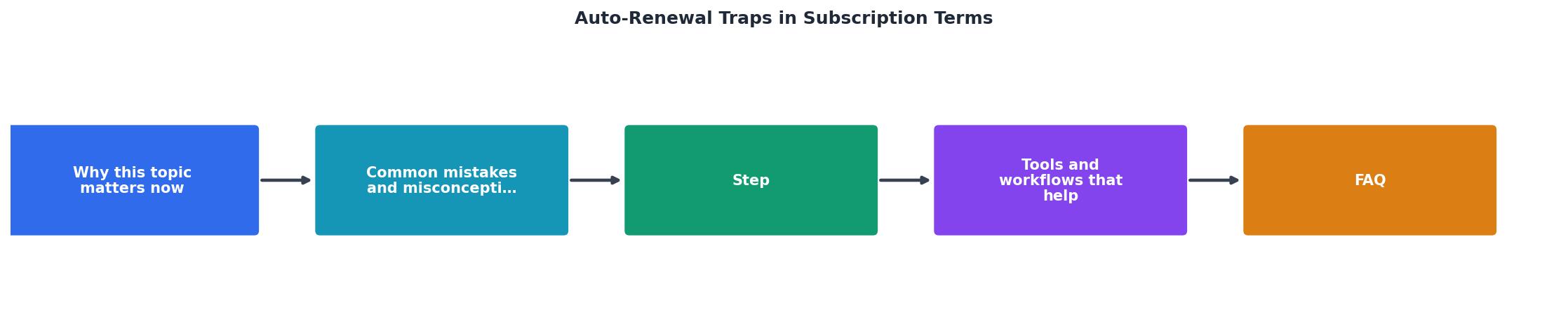
Follow this process every time you consider a new subscription:
- Before signing up, search the terms page for keywords: "auto-renew," "automatic renewal," "recurring," "cancel," and "termination." If you cannot find the terms page at all, that is itself a red flag.
- Install Terms Doctor. The free extension automatically locates the terms of service on any website you visit, runs 101 consumer-protection checks, including specific auto-renewal and cancellation-difficulty checks, and gives the service an A-F grade. A low grade on the auto-renewal check means you should proceed with extra caution.
- Read the cancellation policy in full. Note the exact steps required: is it an online button, an email, a phone call? Write down the cancellation deadline relative to your renewal date.
- Set a calendar reminder at least two weeks before the renewal date. If the service requires 30-day notice, set the reminder 35 days out to give yourself a buffer.
- Use a virtual credit card or a card with subscription tracking so you can freeze the card number if the company makes cancellation difficult.
- Save a screenshot of the terms on the day you sign up. Companies change their terms, and having proof of what you agreed to can be critical if you need to dispute a charge.
- After cancelling, confirm in writing. Send an email or take a screenshot of the cancellation confirmation page. If the company charges you after cancellation, this documentation is your evidence for a chargeback.
Your Pre-Signup Auto-Renewal Checklist
Auto-Renewal Self-Defense Checklist
Your progress is saved automatically in your browser.
Why Automated Checks Matter More Than Manual Reading
The average terms of service document is over 4,000 words long. Some exceed 15,000 words. Even if you are diligent, reading every clause of every service you use is not realistic. That is where automated tools earn their value.
Terms Doctor scans the entire document in seconds and highlights the specific clauses that affect your wallet and your rights. Its 101 checks cover not just auto-renewal but also forced arbitration, class-action waivers, data-selling permissions, AI training on your content, unilateral terms-change rights, and dozens more. The A-F grade gives you an instant gut check: an A or B means the terms are relatively consumer-friendly; a D or F means you should read the flagged clauses carefully before committing.
Automated checks are not legal advice, they are an early-warning system. Think of Terms Doctor as a smoke detector for your subscriptions: it cannot put out the fire, but it makes sure you know there is smoke before the damage is done.
Frequently Asked Questions
Take Control Before the Next Billing Cycle
You do not need to become a legal expert to avoid auto-renewal traps. You just need the right tools and a few minutes of preparation before you hand over your credit card number. Install the free Terms Doctor extension for Chrome, Edge, Brave, Opera, or Vivaldi, and let it scan every terms page you visit. Its auto-renewal and cancellation checks will flag the traps before you fall into them, so the only subscriptions you keep are the ones you actually want.
Additional Resources
- Subscription Traps And Auto-Renewals: Are These ... - When Does an Auto-Renewal Become a Subscription Trap? · Unclear trial conversions: · Hidden renewal terms: · Ambiguous consent: · Unreasonable ...
- Getting In and Out of Free Trials, Auto-Renewals ... - 1. Don't ignore a renewal notice. A renewal notice is simply a reminder that says when your subscription expires and that you'll be automatically charged when ...
- What is Auto-Renewal? - Auto-renewal is when a subscription automatically charges the customer and extends their plan at the end of a billing period. Learn more.